Installation of the Backup Administration
Introduction
The Installation of the Backup Administration page covers how to install Backup Administration for Microsoft 365 as part of the contentACCESS setup package and how to configure the Backup Administration component during setup.
Backup Administration for Microsoft 365 is installed together with the other components included in the contentACCESS setup package. This page covers only the installation and configuration of the Backup Administration component. For information about installing and configuring the other contentACCESS components, see the contentACCESS Manual.
Start the installation
To start the installation of Backup Administration:
- Download and run the
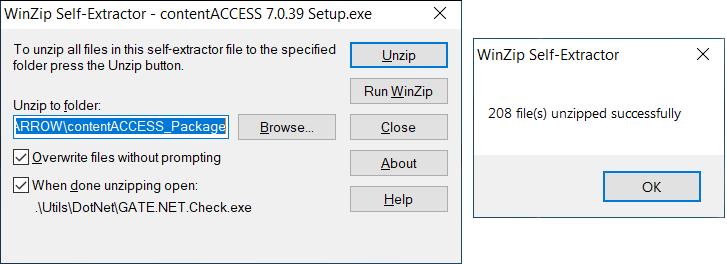
contentACCESS X.X Setup.exesetup package. - By default, the setup package is extracted to the
C:\TECH-ARROW\contentACCESS_Packagefolder. - To extract the package to a different location, click Browse and select the required directory.
- After the files have been successfully extracted, click OK.
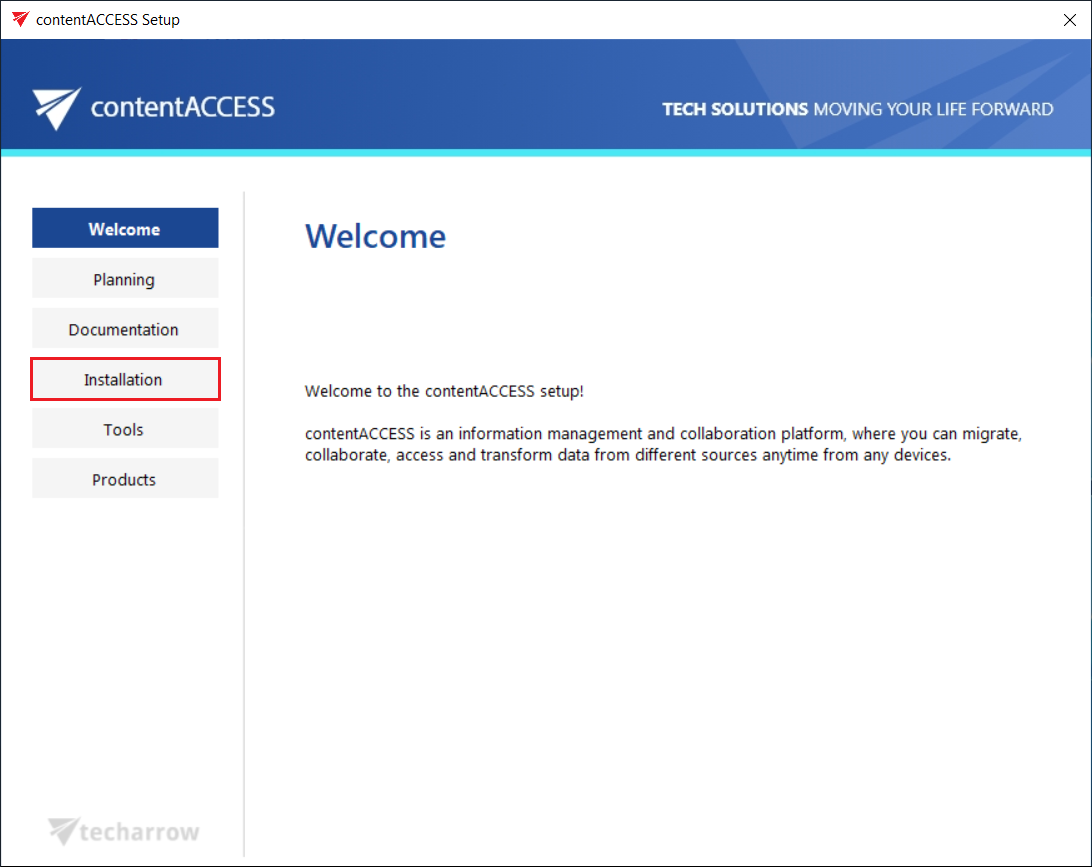
The contentACCESS installation wizard opens and guides you through the deployment process. On the Welcome page, click Installation.
Select the components
After you have read the End User License Agreement, click NEXT to accept the terms of the agreement.
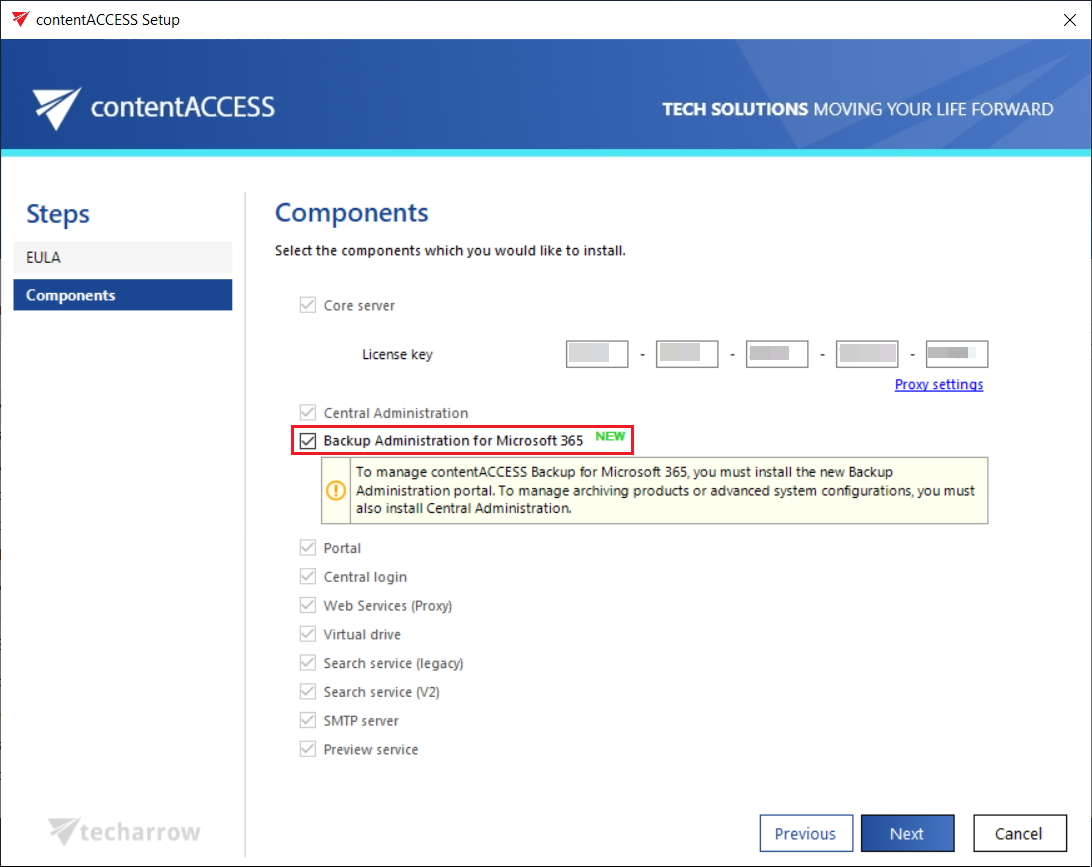
You are then redirected to the Components page. The installation wizard allows you to install and configure multiple contentACCESS components. This page describes only the configuration of Backup Administration for Microsoft 365.
For information about the other contentACCESS components, see the contentACCESS Manual.
Configure Backup Administration
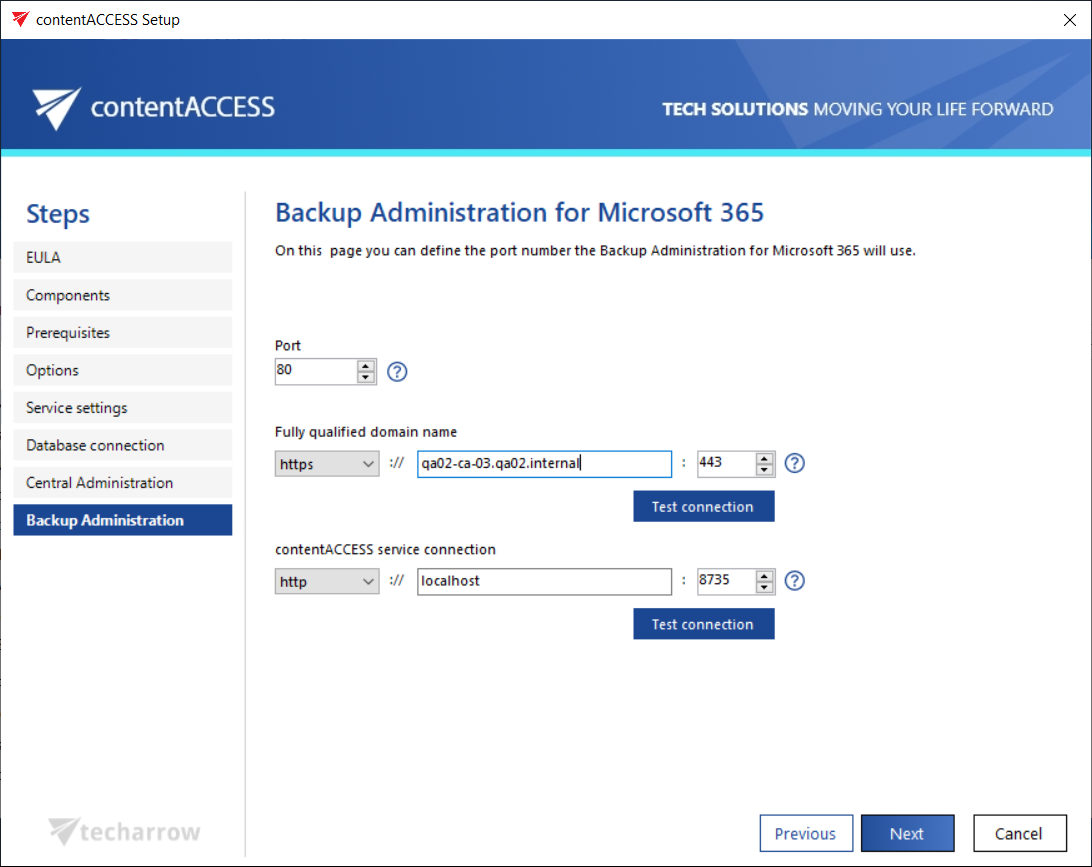
On the Backup Administration for Microsoft 365 page, you can configure the settings that Backup Administration uses to provide access to the application and communicate with the contentACCESS server.
-
Port: Specifies the physical port used by Backup Administration through Internet Information Services (IIS) on the current server.
-
Fully qualified domain name: Specifies the FQDN that users can use to access Backup Administration from different locations, such as from the office or from home. The FQDN specified here is written to the Application settings page in Central Administration (System > Client applications > Application settings) and can be changed there at any time. During a subsequent update, the setup automatically reads the value defined in Application settings.
-
contentACCESS service connection: Specifies the URL that Backup Administration uses to communicate with the contentACCESS server. If the contentACCESS server is installed on the same server, you can use
localhostas the host name.Two communication types are available:
- HTTP: Use this option to establish a direct connection with contentACCESS. If you use a direct connection, do not change the port number prefilled by the setup package (
8735). If you change this port number, the contentACCESS Proxy connection is used automatically. - HTTPS: Use this option to establish a secure connection through the contentACCESS Proxy server.
- HTTP: Use this option to establish a direct connection with contentACCESS. If you use a direct connection, do not change the port number prefilled by the setup package (
Complete the installation
After you have configured all required components, click Install on the Installation page. Backup Administration is installed together with the other selected components.
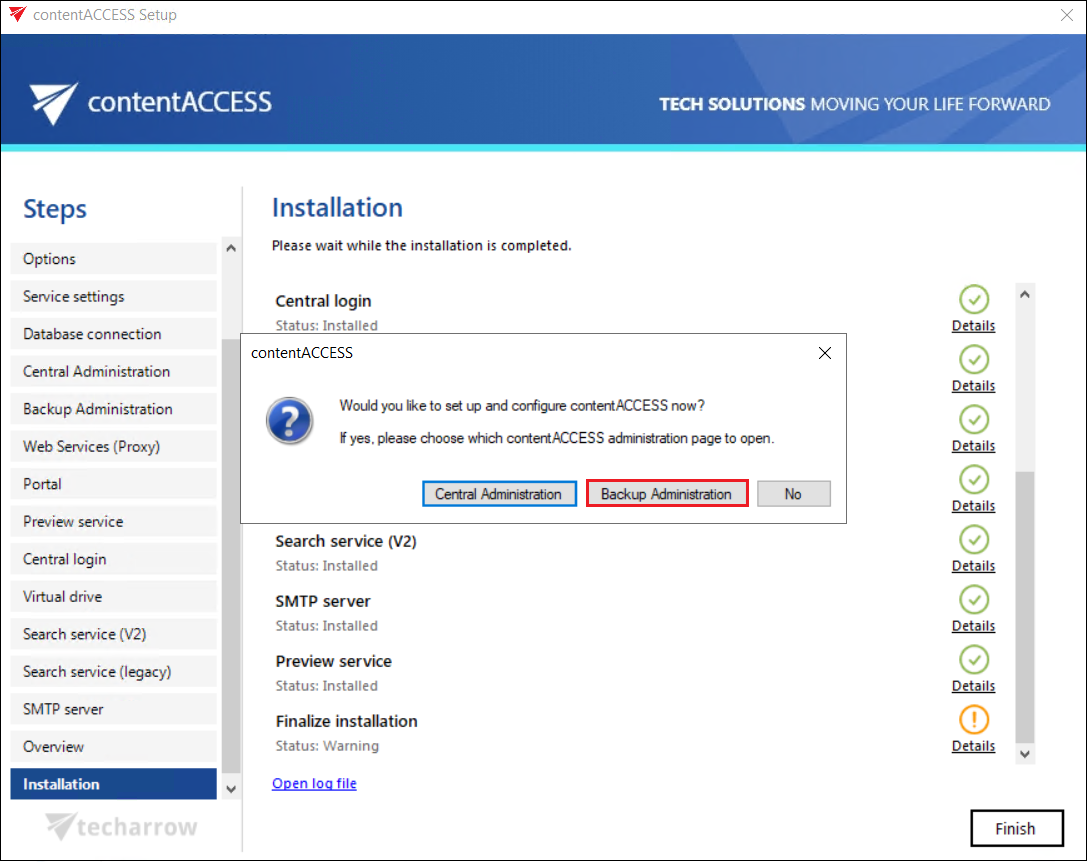
When all required components have been installed, click Finish to complete the installation process.
If you want to continue with additional settings and configuration, you can use the available buttons to open either Central Administration or Backup Administration.