System Insights
Introduction
This page describes the System Insights feature in Backup Administration. It explains what System Insights provides, the requirements for using it, and the analytics categories available on the System Insights page.
Overview
System Insights provides real-time visibility into the performance of your backup and archiving environment. It is built directly into the Administration UI and offers clear analytics across all key areas, helping you troubleshoot faster, use resources more efficiently, and make informed decisions.
System Insights processes and displays information instantly, allowing you to view the most current data at any time. You can easily switch between a complete system overview and a detailed view of specific operations. The feature is built on modern technology, using TimescaleDB over PostgreSQL for maximum performance and real-time analysis, while also supporting SQL Server 2022 and later to ensure flexible deployment options.
Through System Insights, you can monitor live metrics such as CPU usage, memory consumption, application memory usage, and the number of running jobs, enabling proactive workload management.
Requirements
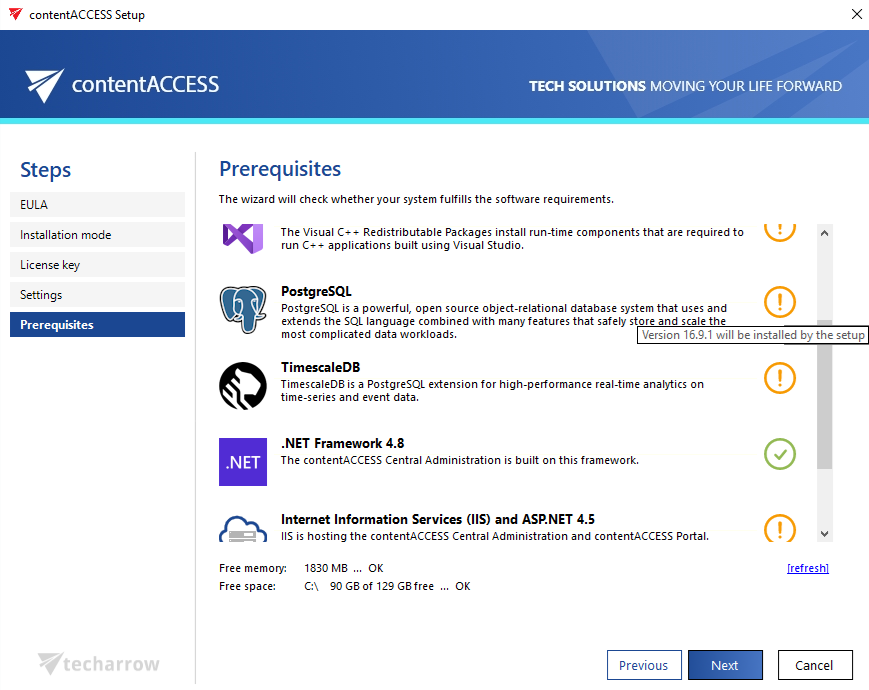
System Insights is compatible with both MSSQL and PostgreSQL databases, although PostgreSQL is recommended because the TimescaleDB extension is ideally suited for this type of workload. If PostgreSQL is selected during the initial installation, contentACCESS automatically installs it and creates the required database.
The feature is available starting from contentACCESS version 7.1. The following minimum versions are required:
- SQL Server: version 2022 or later
- PostgreSQL: version 16.9.1 or newer
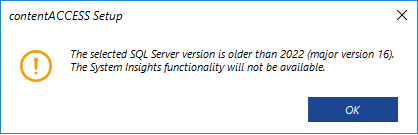
To use System Insights, you need SQL Server 2022 or later. If you prefer not to upgrade, you can switch to PostgreSQL with TimescaleDB. Without one of these options, System Insights will not be available on your system.
It is not possible to switch from MSSQL to PostgreSQL during an update. PostgreSQL can only be used if the system was originally installed with it, or if a new installation is performed.
If these requirements are met, the installation package will automatically deploy System Insights. If an older version of PostgreSQL is detected, the installer will update it automatically.
Key features
System Insights covers five main analytics areas:
- Environment: shows CPU usage, memory usage, application memory usage, active users, and running jobs, providing real-time insights into overall system performance and resource consumption.
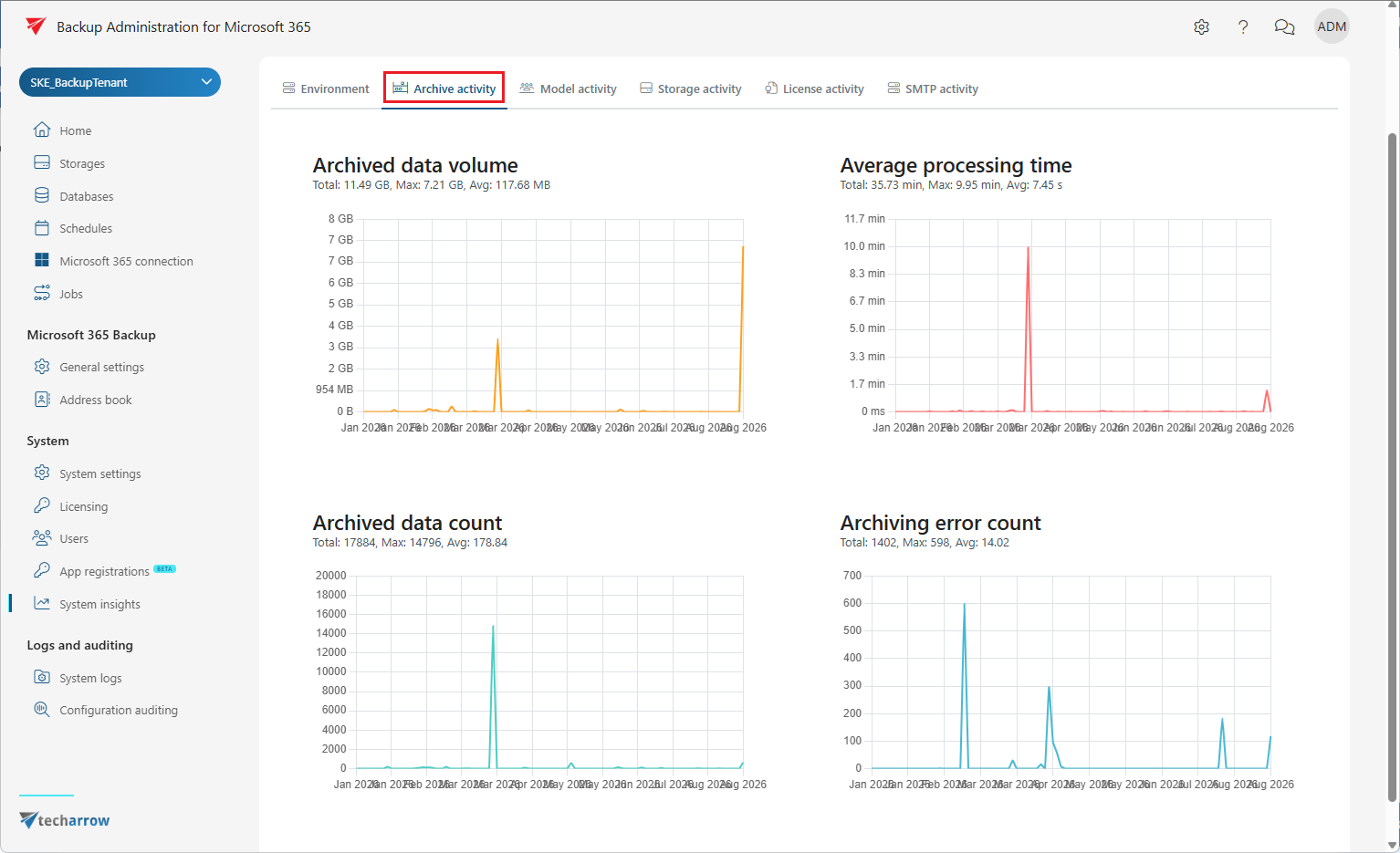
- Archive activity: tracks the total volume of processed data, the number of archived or backed-up items, average processing time, and error occurrences, making it easy to identify factors affecting performance.
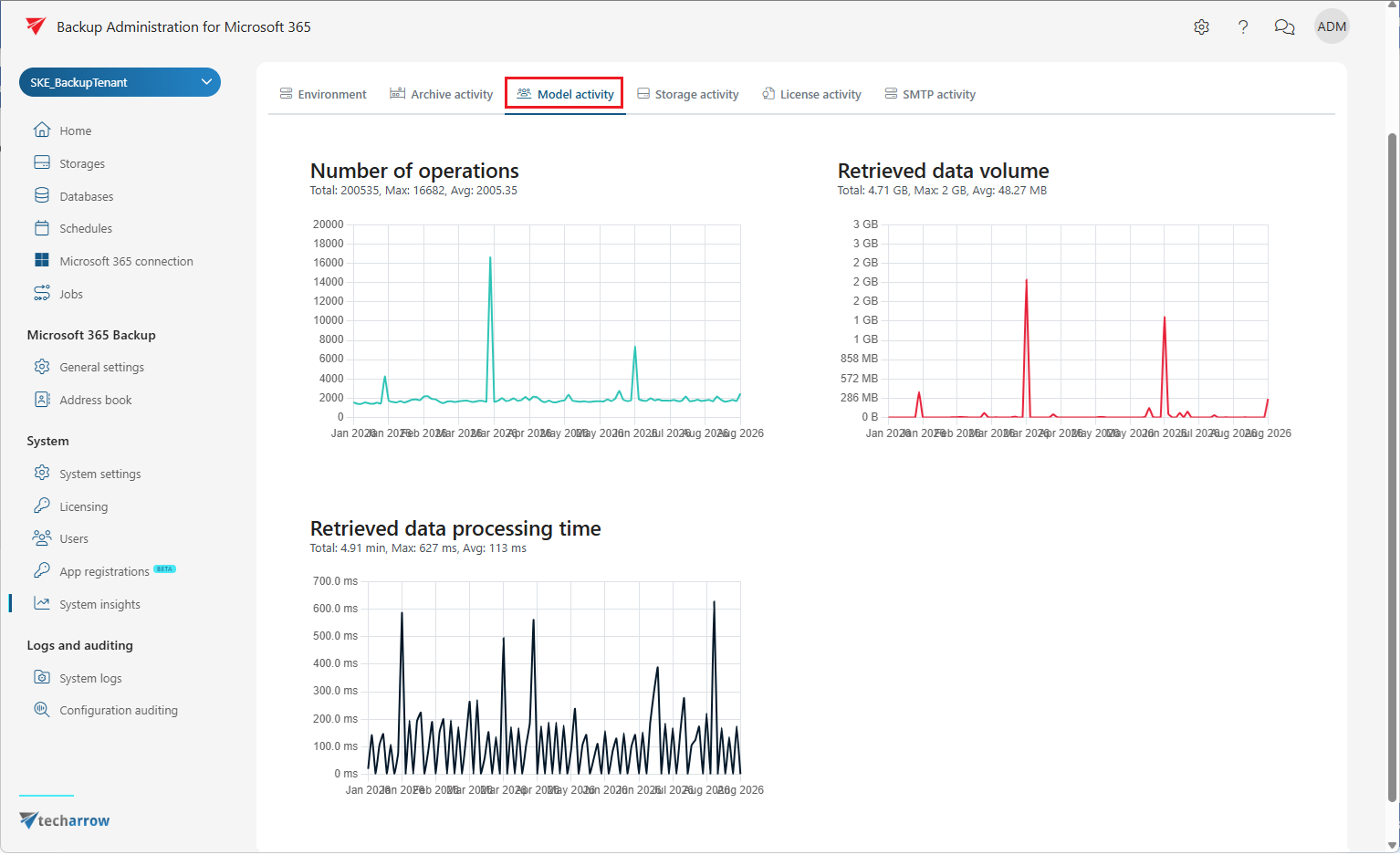
- Model activity: displays the number of operations performed, the total amount of data retrieved, and average retrieval times, enabling precise performance tuning.
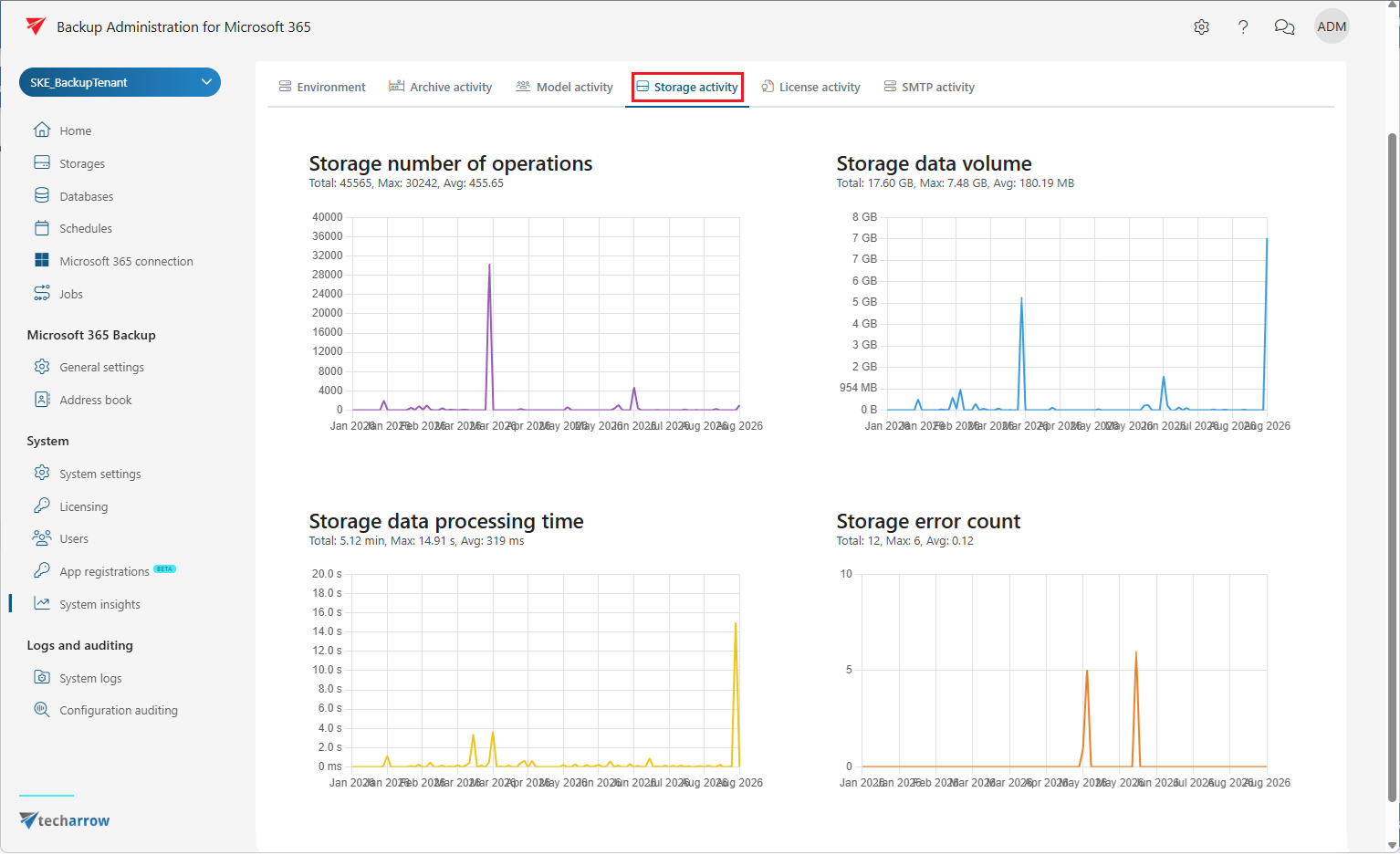
- Storage activity: provides information about the number of storage operations, data volume handled, processing times, and any failures, ensuring that storage runs smoothly.
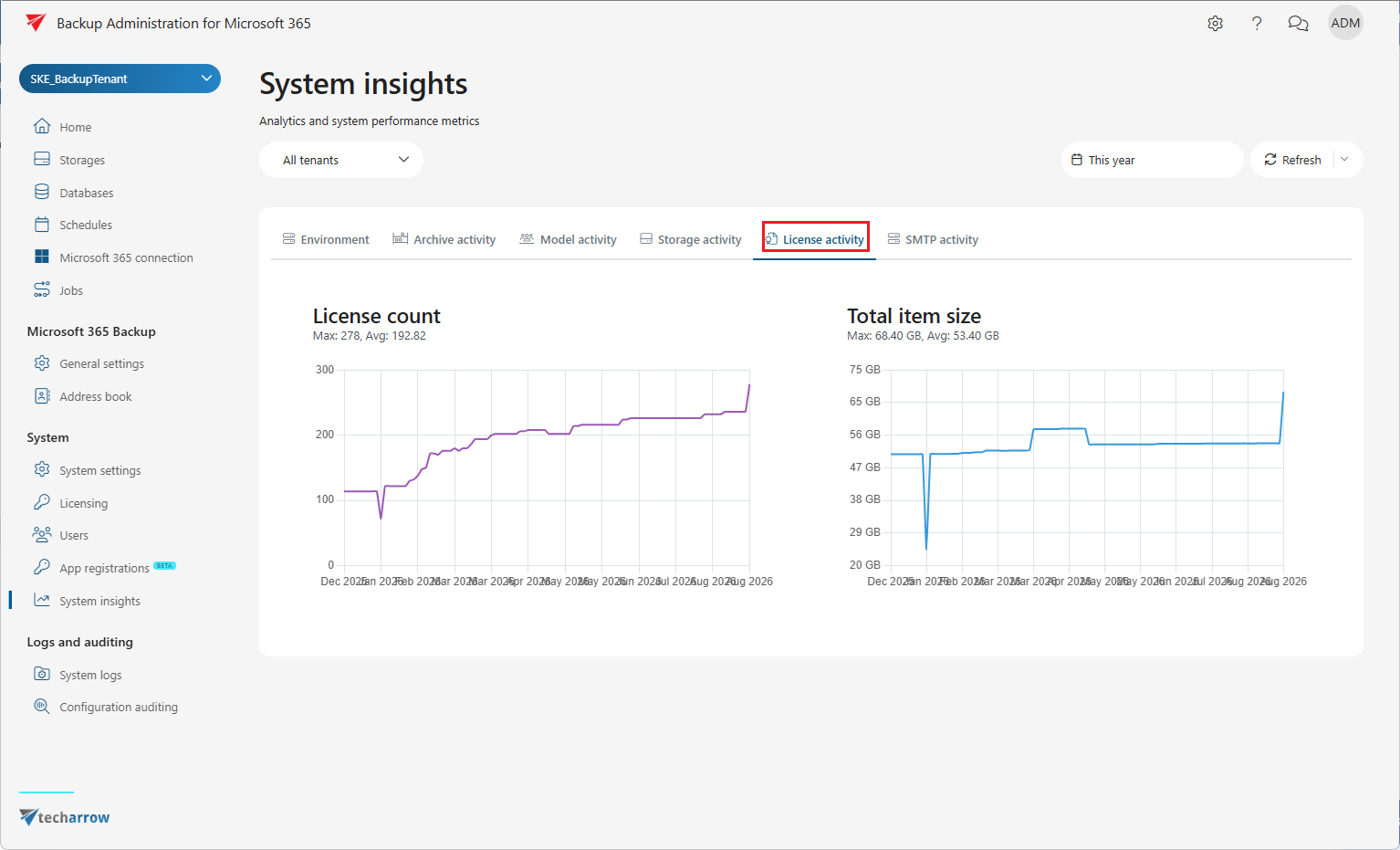
- License usage: provides a clear overview of the total data volume used and the number of licenses in use, supporting both capacity planning and compliance monitoring.
Quick glance on the Home page
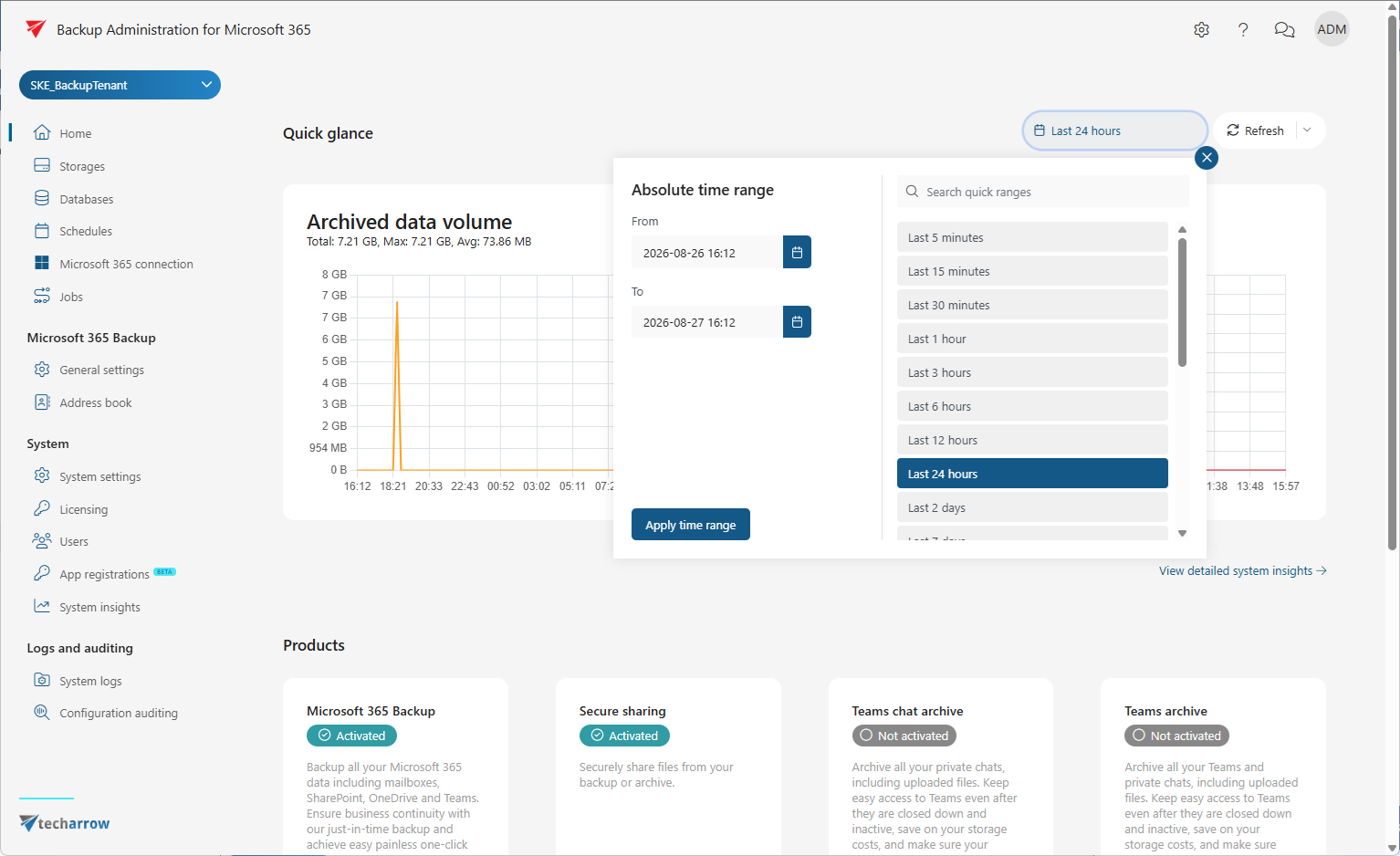
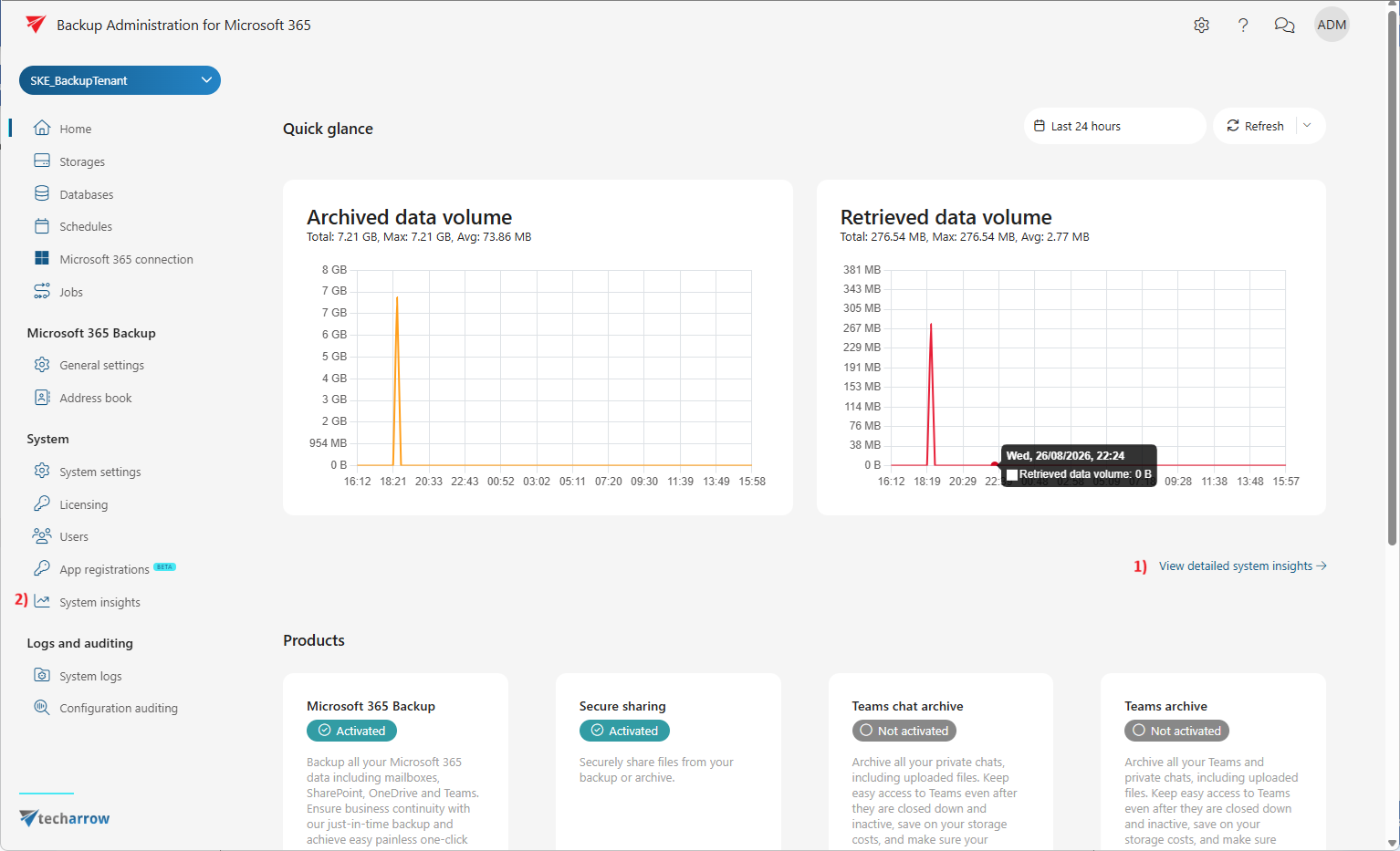
When System Insights is available, the Home page of Backup Administration displays a Quick glance panel that shows analytics for archived, backed-up, or retrieved data volumes from the last 24 hours.
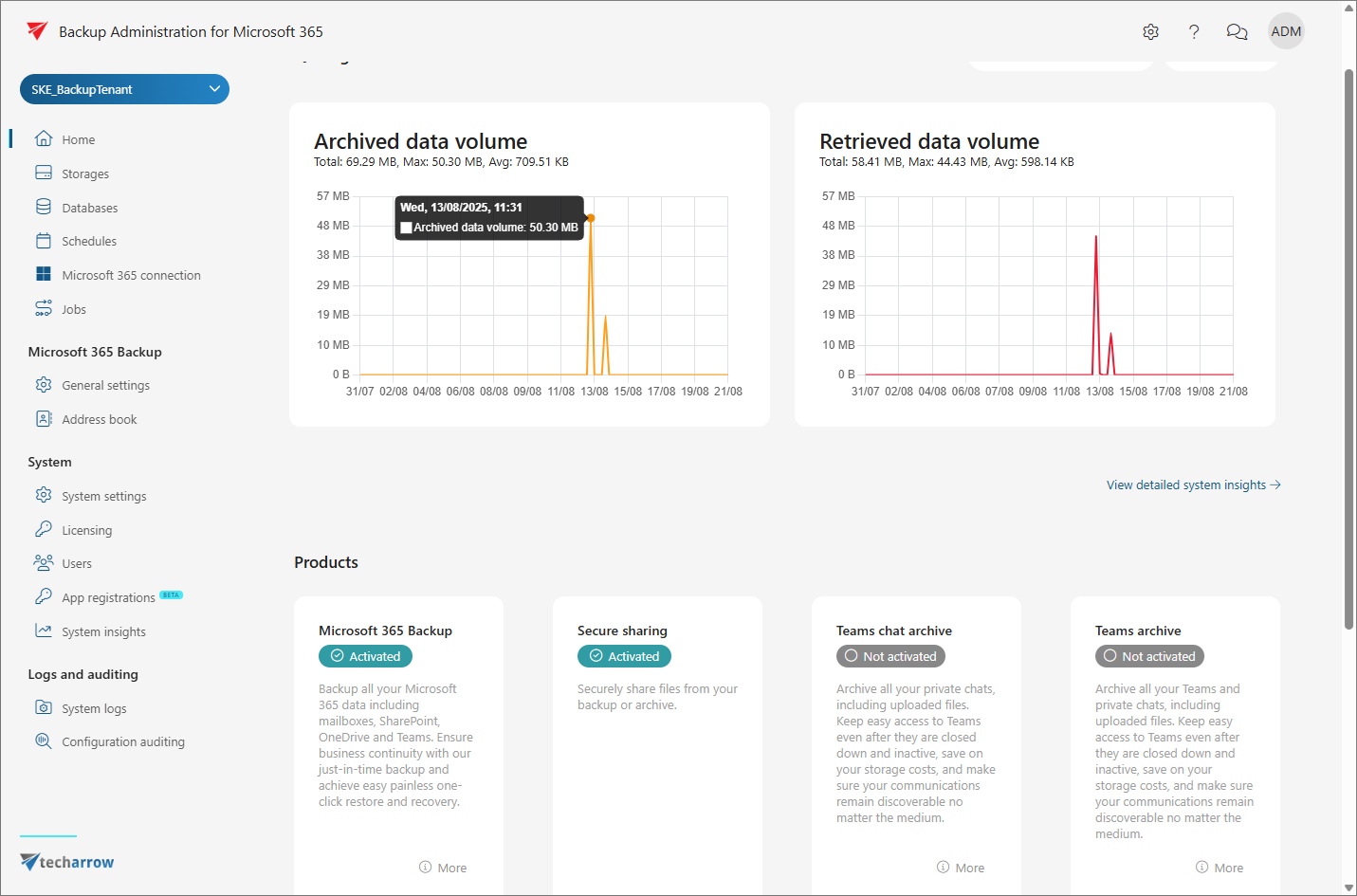
The time range can be adjusted through the Absolute time range window. The displayed data can be refreshed manually with the Refresh button or set to update automatically at regular intervals.
The detailed System Insights page can be accessed by clicking the View detailed system insights (1) button on the Home page, or by selecting the corresponding option in the left-hand menu (2).
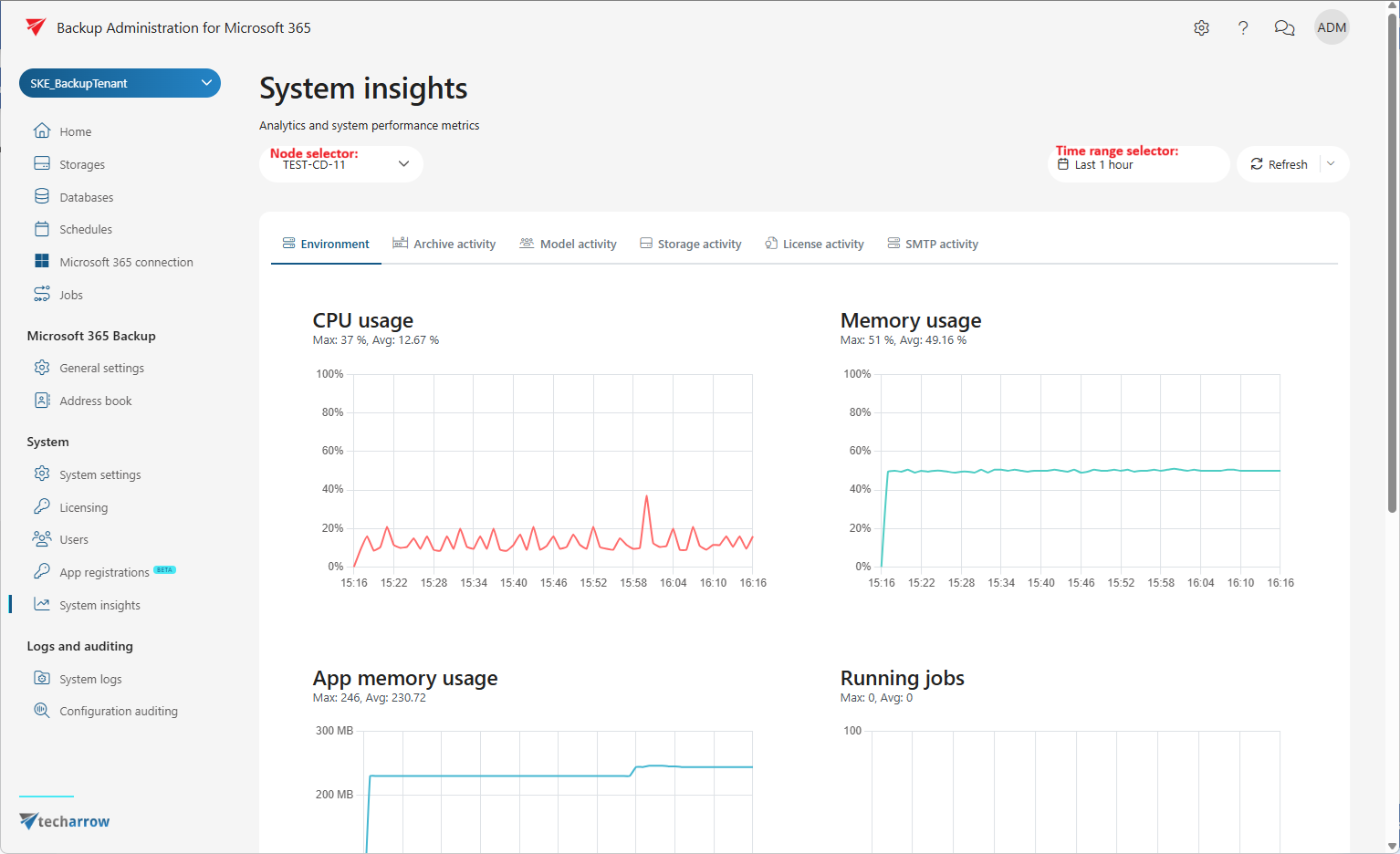
System Insights page
On the System Insights page, analytics and system performance metrics are presented in a clear and organized layout. By default, data for the current node is shown, but other nodes can be selected using the node selector. The time range can be adjusted, and the data can be refreshed at any time.
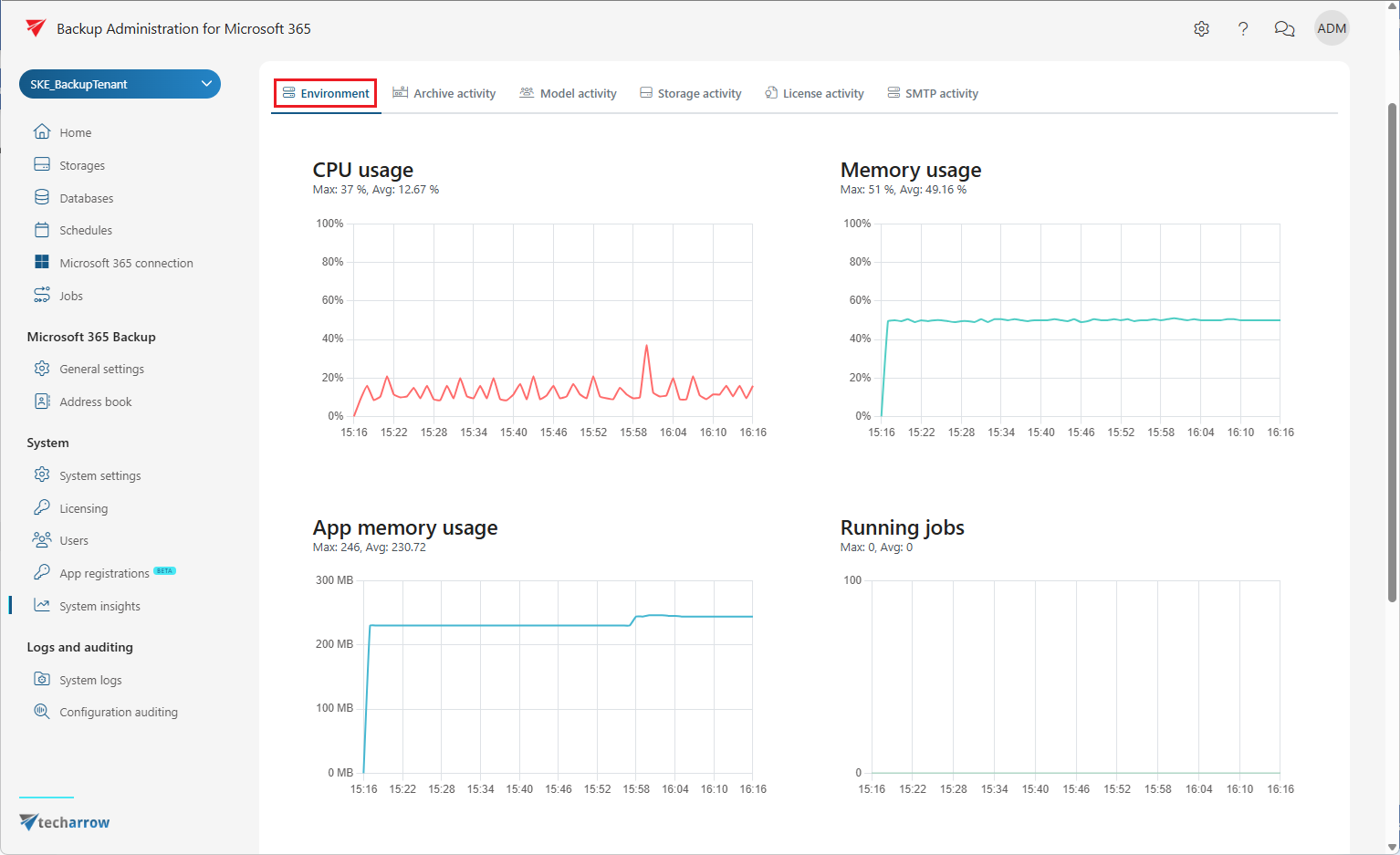
The analytics are grouped into the following six categories:
Environment
Shows CPU usage, memory usage, application memory usage, the number of active users, and the number of currently running jobs.
Archive activity
Provides metrics on the total archived or backed-up data volume, the number of archived items, average processing times, and the number of archiving or backup errors.
Model activity
Monitors data retrieval operations. Provides data on the number of retrieval operations performed, the total volume of data retrieved, and the number of items processed during retrieval.
Storage activity
Reports the number of storage read and write operations, the total data volume handled, processing times, and any storage errors.
License activity
Displays the number of licenses currently in use and the total size of licensed items, supporting capacity planning and compliance monitoring.
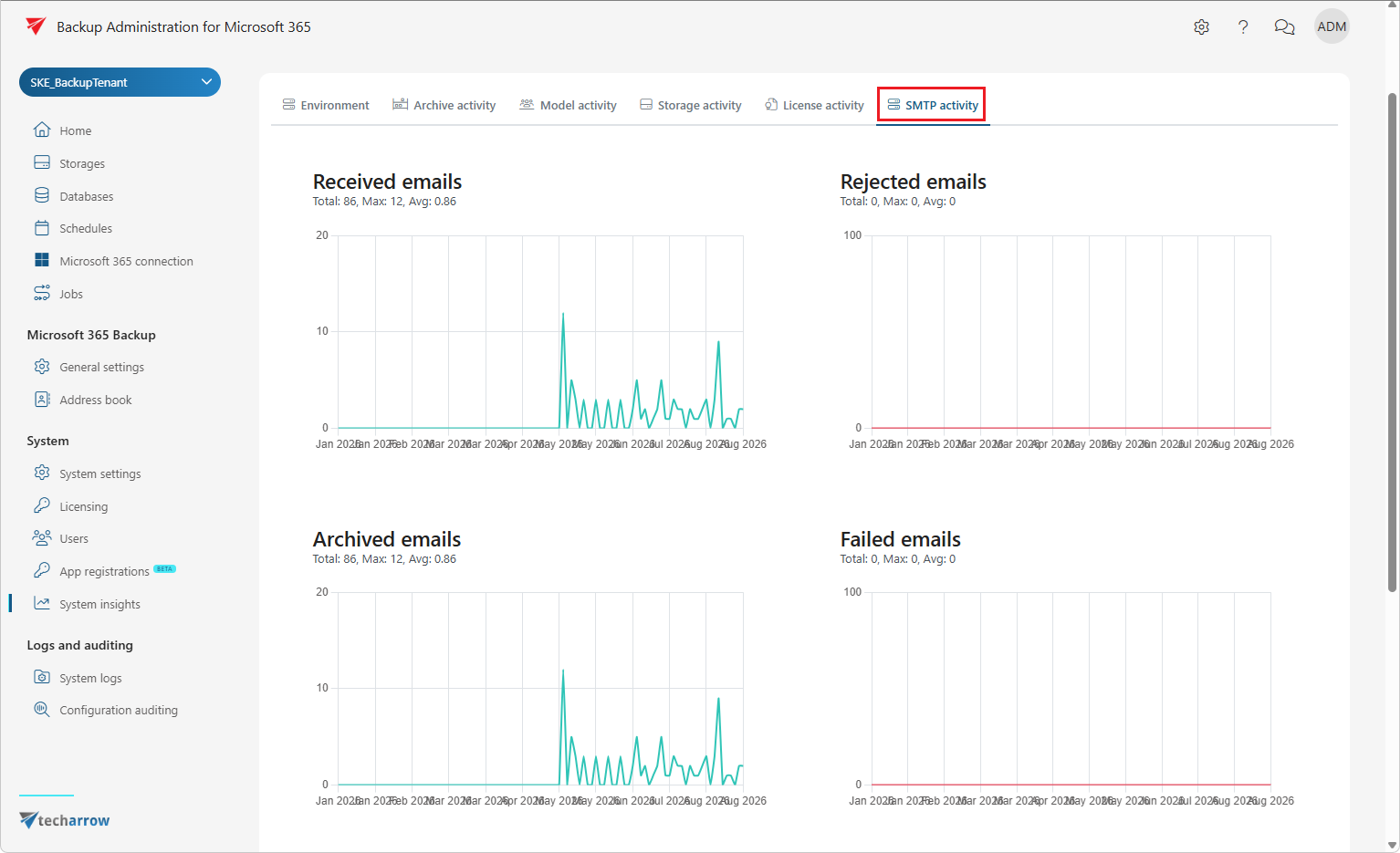
SMTP activity
Monitors email delivery and archiving through the SMTP server. Displays the number of received, rejected, archived, and failed emails, along with total counts, maximum values, and averages for each metric. This helps you quickly detect delivery or archiving issues.