Home
Introduction
The Home page in Backup Administration for Microsoft 365 shows the Quick glance panel with archived and retrieved data volumes and the Products section with the available products and their activation status for the selected tenant.
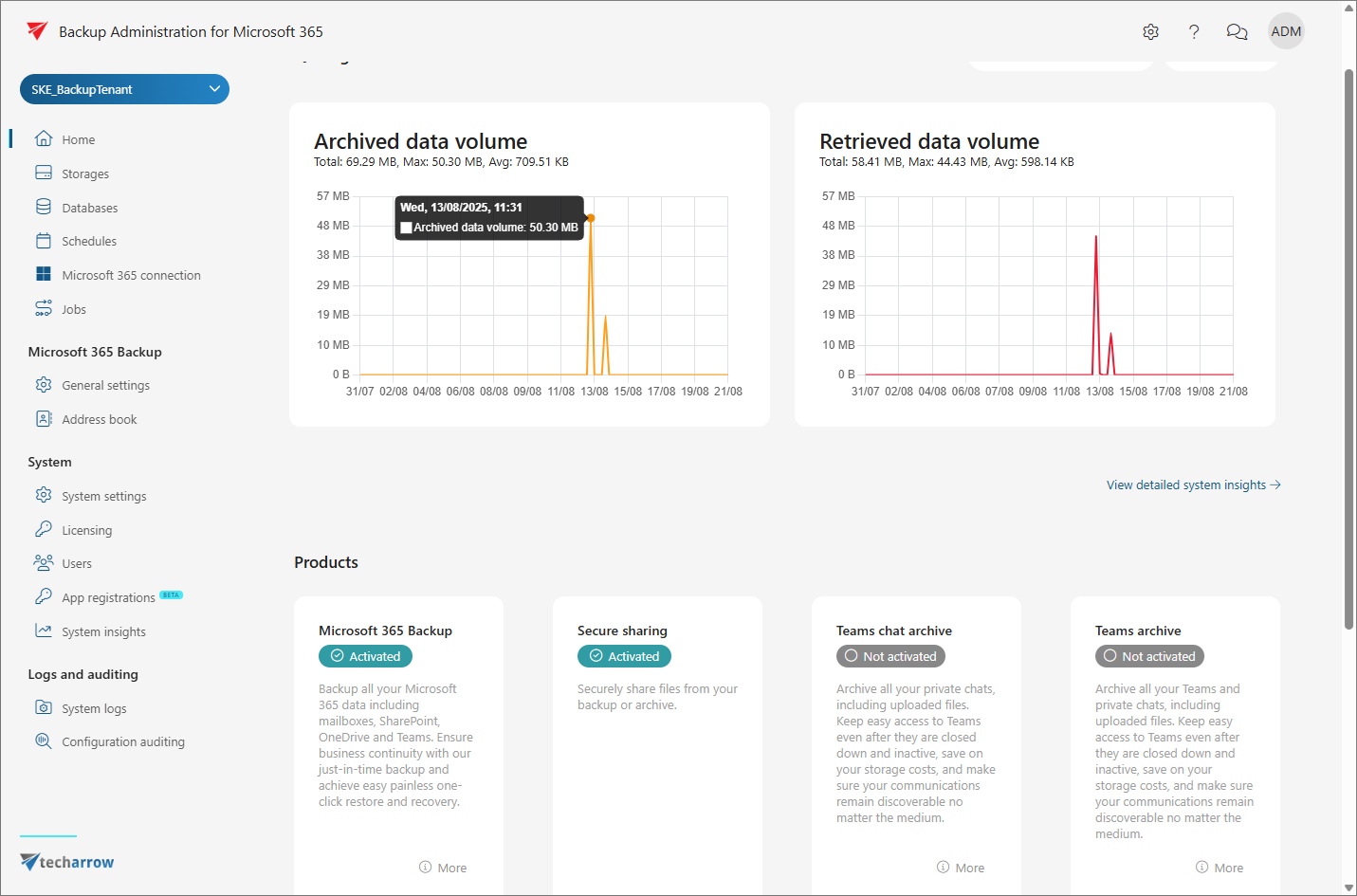
Quick glance
The Quick glance panel displays two charts showing data volumes over the selected time period:
- Archived data volume: Shows the total, maximum, and average volume of archived data over time.
- Retrieved data volume: Shows the total, maximum, and average volume of retrieved data over time.
The charts provide the following metrics:
- Total: The cumulative data volume for the selected period.
- Max: The maximum data volume recorded during a single time interval.
- Avg: The average data volume across the selected period.
You can adjust the displayed period using the date selector, which shows the start and end dates and times. To update the charts with the latest data, click Refresh.
To view more detailed analytics, click View detailed system insights to open the System Insights page.
Products
The Products section lists the products available for the selected tenant and shows their current activation status.
The following statuses can be displayed:
- Activated: The product is active and available for use.
- Not activated: The product is available but has not yet been enabled. For the Microsoft 365 Backup product, an Activate button is displayed when the product has not yet been activated.
- Request a license: The product requires a license before it can be activated. Contact your administrator to request a license.
Each product is displayed in a product card that includes a short description and a More button for accessing additional information.