Amazon S3 storage
Introduction
The Amazon S3 storage page in Backup Administration for Microsoft 365 allows administrators to configure Amazon S3 storage endpoints, authentication settings, optional storage features, and the storage status options available after creation.
Amazon S3 (Simple Storage Service) is a cloud-based storage solution provided by Amazon Web Services (AWS). It allows you to store and retrieve data from anywhere on the web. S3 organizes data into buckets and stores individual files as objects identified by unique keys. It supports flexible storage classes for different needs, from frequently accessed data (S3 Standard) to long-term backup (S3 Glacier). S3 is also highly secure, offering encryption, access controls, and integration with other AWS services. Key features include its pay-as-you-go pricing and ease of integration with tools and services.
Configure Amazon S3 storage
When configuring an Amazon S3 storage, first specify the basic storage settings:
- Name: Specifies the name of the storage.
- Type: Select Amazon S3 as the storage type.
- Role: Set the role to Primary. A Primary storage acts as the main repository for the selected workflow or task, such as email backup or document management. If multiple storages are defined, the storage marked as Primary takes precedence for data storage and retrieval.
- Priority: Specifies the priority of the storage.
After selecting Amazon S3 as the storage type and setting the required role and status, select Amazon S3 from the service dropdown menu.
The following settings are available for connecting to the selected service:
- Endpoint: Specifies the service endpoint used by the storage. Backup Administration provides preconfigured endpoints for Wasabi, Amazon Simple Storage Service (Amazon S3), and Alibaba Cloud Object Storage, which also uses the Amazon S3 interface. If you want to use another cloud service that supports the Amazon S3 interface, select [Custom Service] and enter the URL of the service endpoint.
- Version: Specifies the communication version used with the selected service endpoint. The service determines which version is supported. All available services support Service Version 2 or 4.
- Access key: Specifies the access key used to authenticate with the cloud service. The key is provided by the cloud storage service.
- Secret access key: Specifies the secret access key used to authenticate with the cloud service.
Amazon S3 storage also supports the following options:
- Compression: Compresses files to reduce storage space usage.
- Use single instancing: Keeps only one physical copy of a file in the storage when the same file occurs in multiple locations.
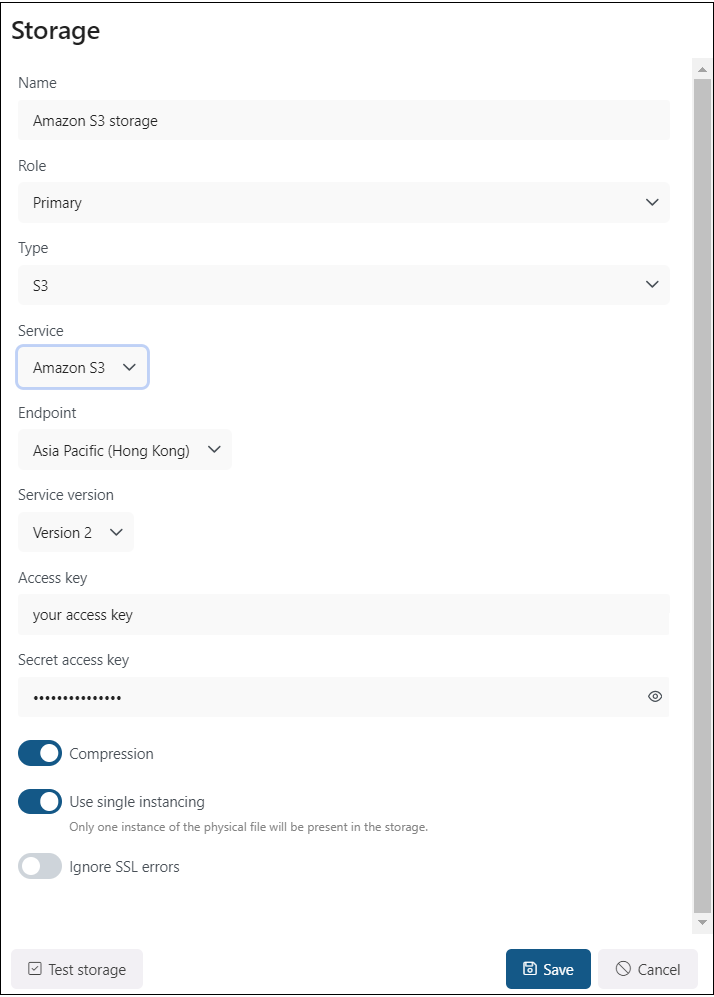
Screenshot: Configuring Amazon S3 storage with the Amazon S3 service endpoint.
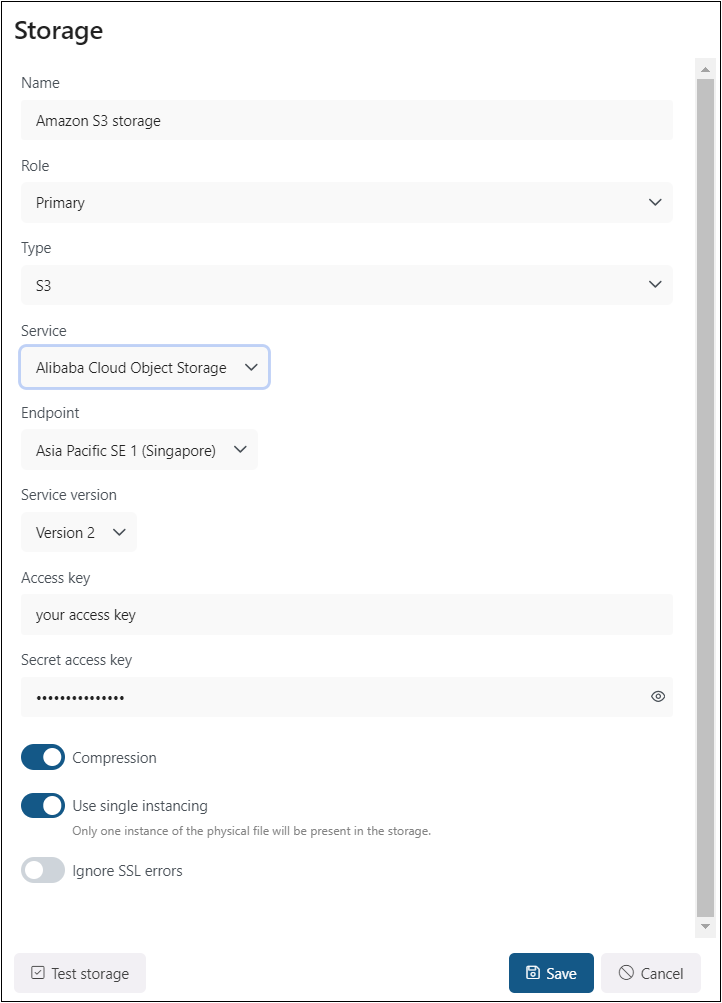
Screenshot: Configuring Amazon S3 storage with the Alibaba Cloud Object Storage service endpoint.
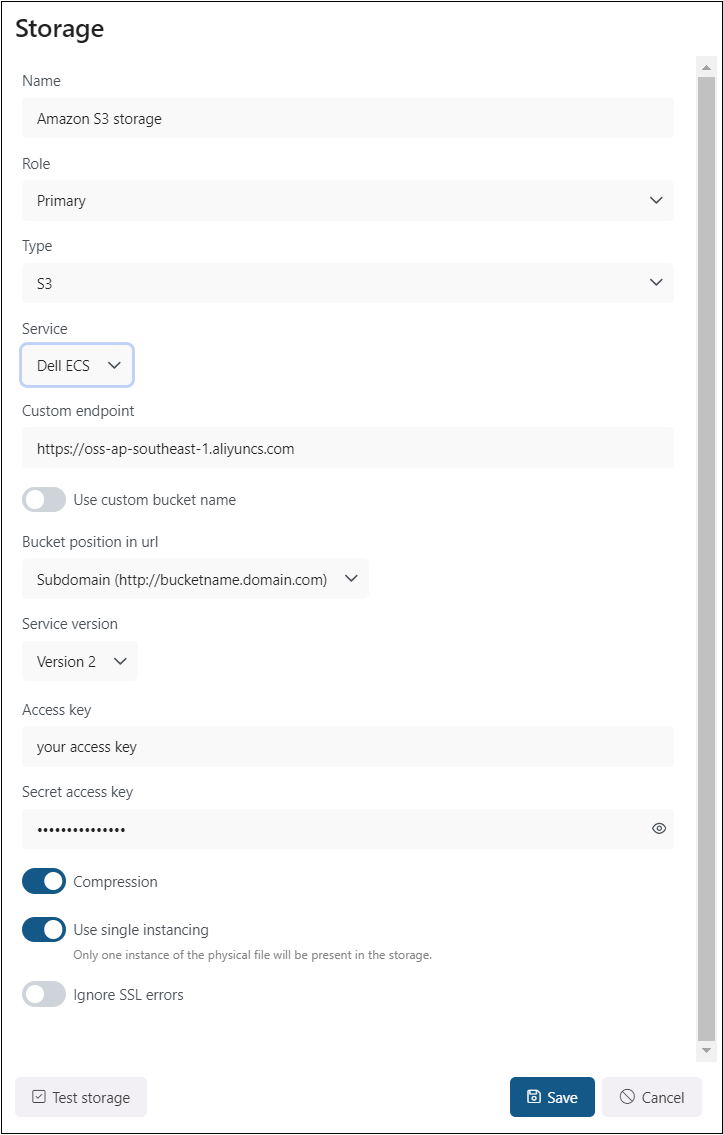
Screenshot: Configuring Amazon S3 storage with the Dell ECS service endpoint.
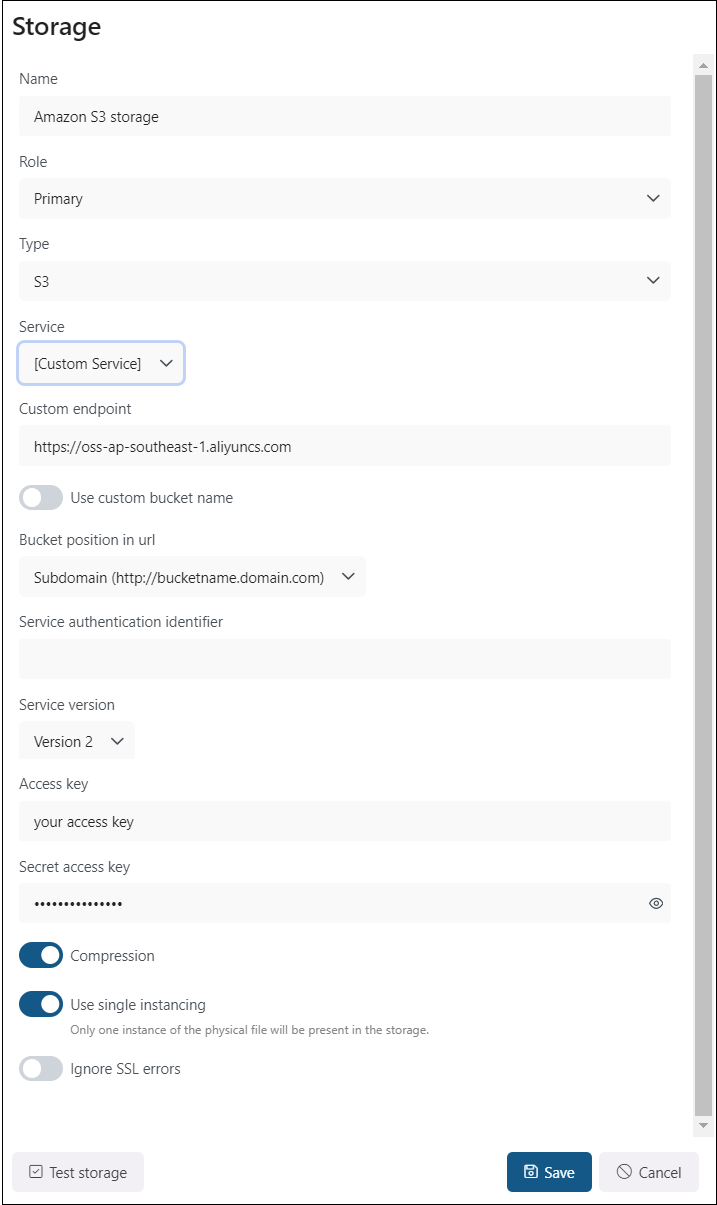
Screenshot: Configuring Amazon S3 storage with a custom service endpoint.
Storage status
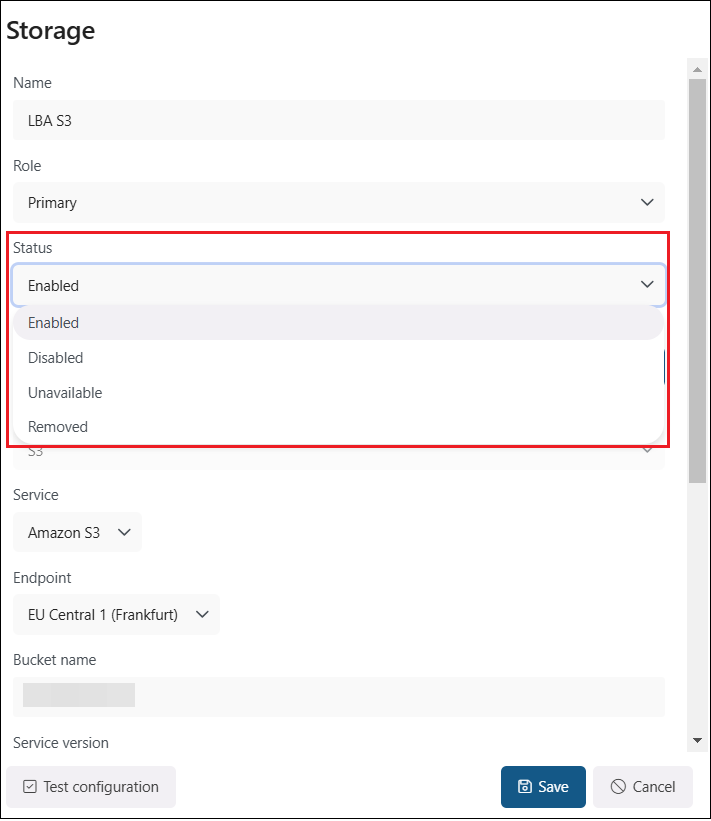
After the storage has been created, the Status option becomes available when you open the storage for the first time or select Edit from its context menu.
The storage can have one of the following statuses:
- Enabled: The storage is active and ready for use. It can accept new data, perform retrieval operations, and participate in workflows such as archiving, backup, or file storage.
- Disabled: The storage is temporarily turned off and is not used by Backup Administration. It remains in the system but cannot accept new data or participate in workflows until it is enabled again. Backup can continue if an allowed writable replica storage is available. In this case, documents are stored in the replica storage, and when the storage is enabled again, the Storage Replication Job duplicates the files to the primary storage.
- Unavailable: The storage cannot currently receive data or be used for operations. No operations can be performed with the storage until the issue is resolved and its status returns to Enabled.
- Removed: The storage has been deleted or disconnected from the system and is no longer available for operations or workflows.