User interface
The user interface of cA Mobile is divided into following sections:
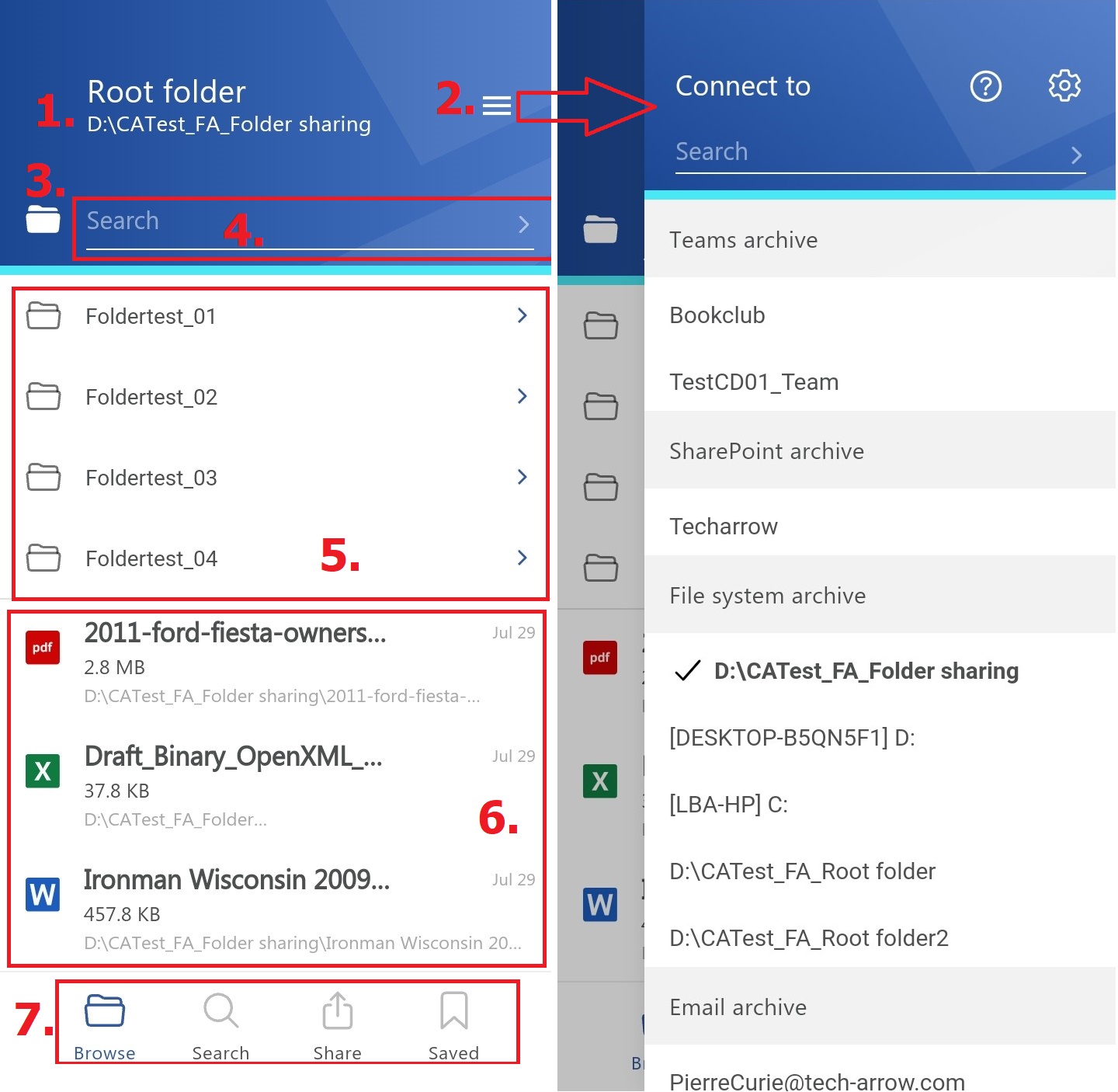
- Breadcrumbs – The logged on user may see here the entity that he is currently connected to in the "Connect to" menu;
- “Connect to” menu – From this menu the user may connect to the associated entities. An entity can be an Email archive mailbox, File system archive folder etc., so anything processed/archived by a certain contentACCESS plugin type and displayed in this menu;
- Button for enabling/disabling subfolder view;
- Search textbox – search in the entity/folder you are connected to;
- Subfolders of the entity;
- Content of the entity;
- Pages – Browse, Search, Share, Saved (they are the same for all entities);