Sharing plugin
The Sharing job is used to collect files (e.g. big files that cannot be sent as email attachments) and enable them to be shared with other users. The job only collects these documents. The sharing process is done by officeGATE, TECH-ARROW's genuine MS Outlook add-in. This section provides the user with the information about how to set up a Sharing job in contentACCESS. After the job is well configured, the plugin appears in the officeGATE’s navigation pane in MS Outlook.
Sharing job configuration
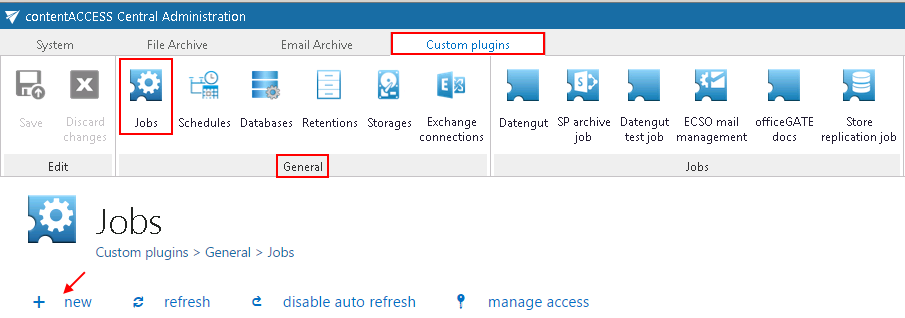
Navigate to Custom plugins ⇒ General ⇒ Jobs on the Central Administration web interface to open the Jobs page. Click on + new on this page.
In the "Add new job instance" window select “Sharing” from the list of Available jobs, name it and add it to the jobs’ list.
contentACCESS will prompt you to configure the job instance now.
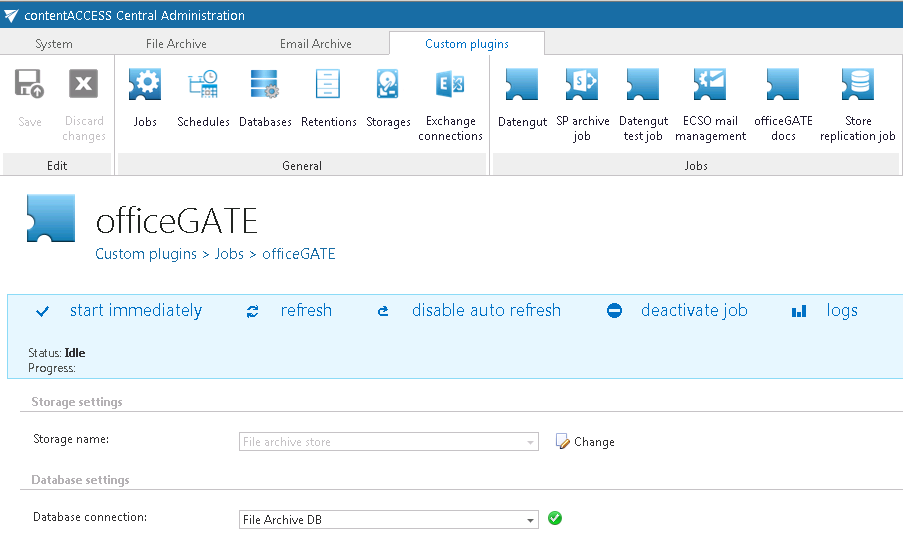
On the job’s configuration page configure a database and a storage for the Sharing job and save your settings.
Now the user can use the sharing function in officeGATE directly from his MS Outlook.