LoboDMS storage
The LoboDMS storage is used only by the Email archive plugin. The storage can be configured in Email archive => Settings => Storages. Click on + new. The Storage repository window will open. Enter the following:
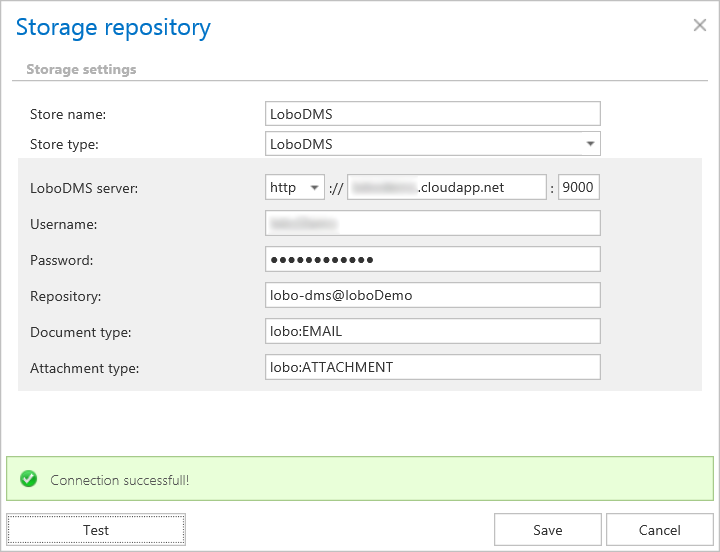
- Store name – A display name for the store.
- Store type – Select LoboDMS – it should be available if your license is valid.
- LoboDMS server – Server where LoboDMS is installed – Protocol://ServerName:Port
- Username – The name of the user who has access to LoboDMS.
- Password – Password provided for the user mentioned above.
- Repository – LoboDMS instance can contain more repositories. The repository where the system will archive emails has to be provided here.
- Document type – The name of the type defined in LoboDMS, where the metadata of the mail will be archived.
- Attachment type – The name of the type defined in LoboDMS, where the binaries will be archived.
Click on the Test button to check if your connection with the LoboDMS works. If a green table appears, then everything should be working fine. Save your settings.