Microsoft 365 SuperUser mailbox configuration
In this part we will explain what needs to be configured for the "SuperUser" mailbox, which can be later used for archiving.
1. Set permissions in Online Exchange
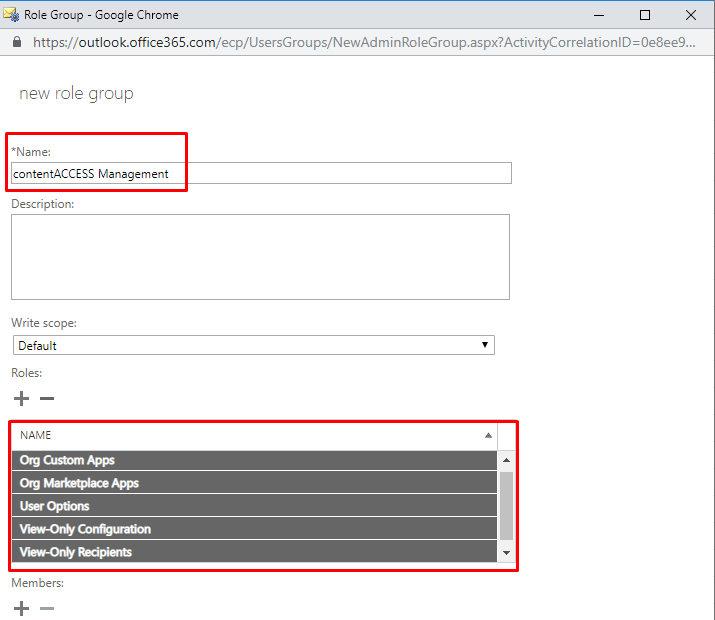
5 roles are recommended for the SuperUser: View-Only Recipients, View-Only Configuration, Org Custom Apps, Org Marketplace Apps and User Options. The easiest and most secure way is to create an Admin role group called contentACCESS Management, assign the roles mentioned above to the group and put the SuperUser to the group as a member. For more information about how the role group should look like, please see the screenshot below.
2. Grant Full Access rights for the SuperUser on all mailboxes
The easiest way to grant the full access rights for the SuperUser is through PowerShell.
First, you have to login to the Exchange Online and run this one line command after changing the “SuperUser” for the real SuperUser account:
Get-Mailbox| Add-MailboxPermission-User SuperUser-AccessRights fullaccess-InheritanceType all
To connect to Exchange Online PowerShell, please click here.
Important: This user will have access to all mailboxes, so a strong password has to be set for him.