Solution for indexing PDF files
Here is how to set the Path environment variable for the Adobe PDF iFilter:
- Open File explorer.
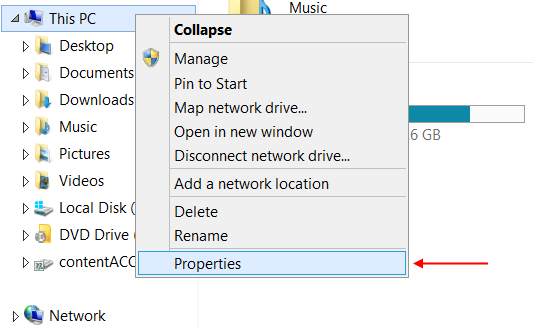
- Right-click on This PC (or My computer) and select Properties.
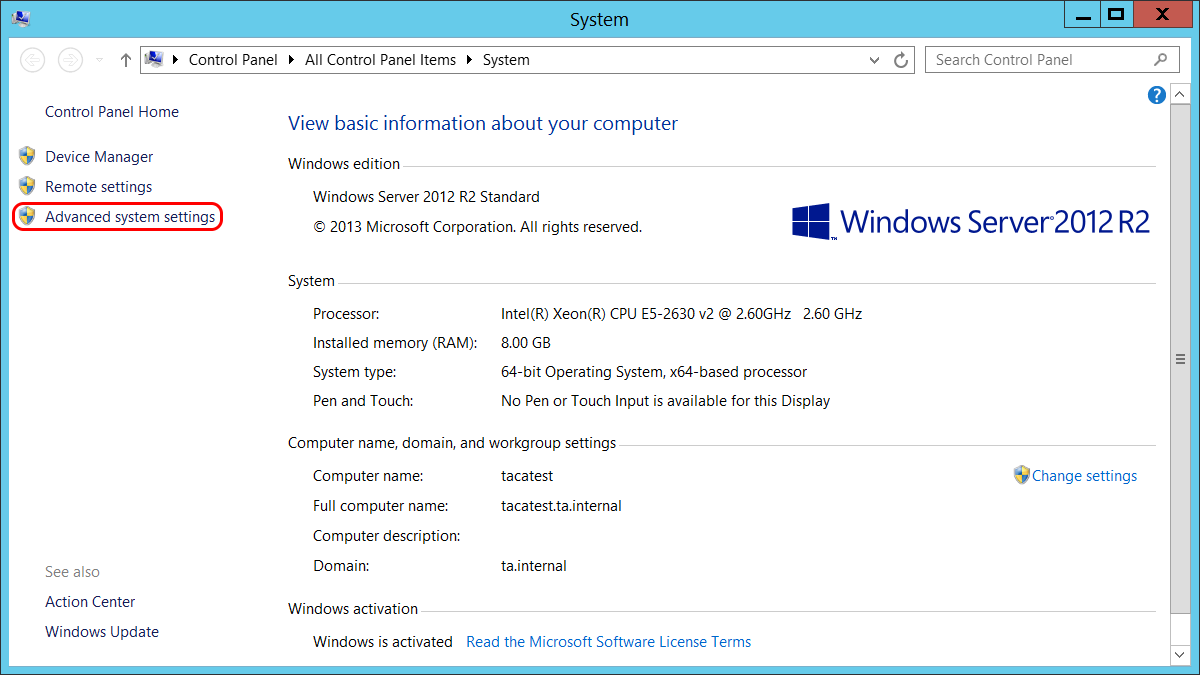
- Click on Advanced system settings.
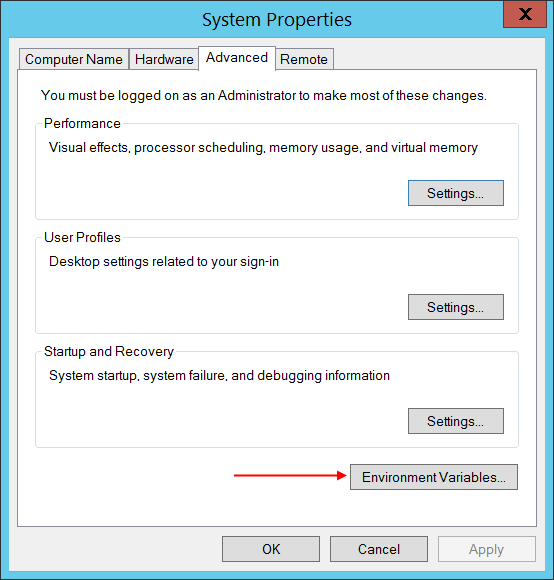
- In the lower right corner click on Environment Variables.
- Find the variable named Path. Click on Edit.
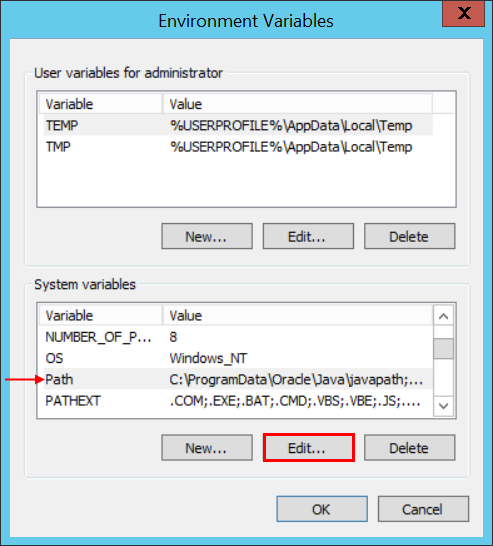
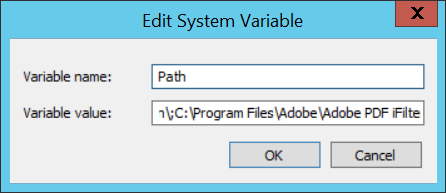
- Append the path C:Program FilesAdobeAdobe PDF iFilter 11 for 64-bit platformsbin to the variable value separated by semicolon. Click OK.