How to activate your license key
If you want to activate a new license, click on option "activate license" below the breadcrumbs.

Insert your license key into the License key textbox of License activation wizard dialog and choose from 2 methods of license activation and follow the steps described below:

-
Online activation (requires internet access on the contentACCESS server) – click Next ⇒ Finish and your license will be activated automatically.

-
Offline activation (doesn't require internet access on the contentACCESS server)
-
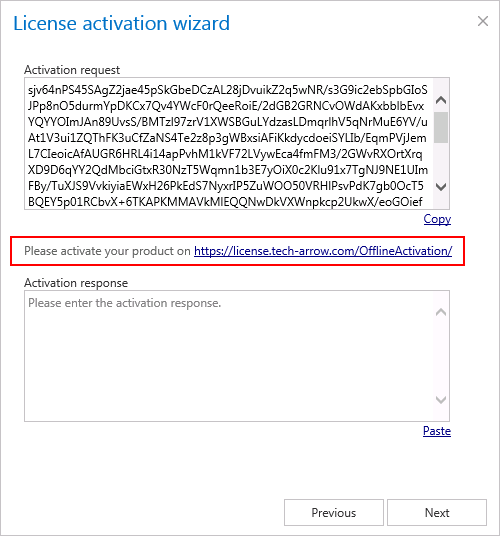
Open the offline license activation page of contentACCESS using the link in the dialog:
-
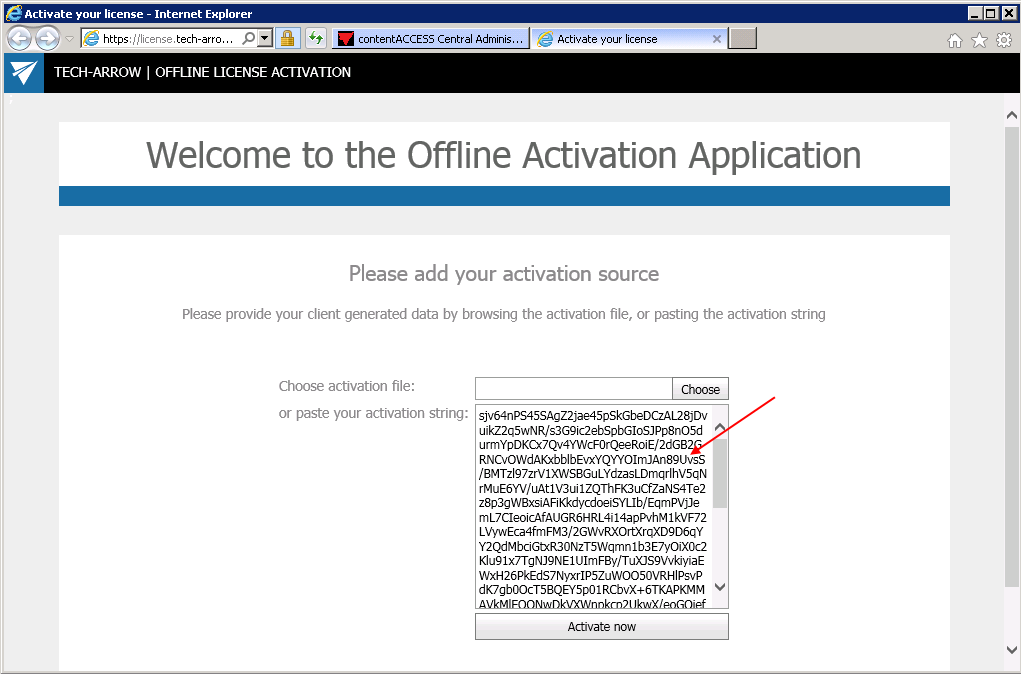
Copy&paste the Activation request from the above dialog to the appropriate field and click “Activate now” to generate an activation response.
-
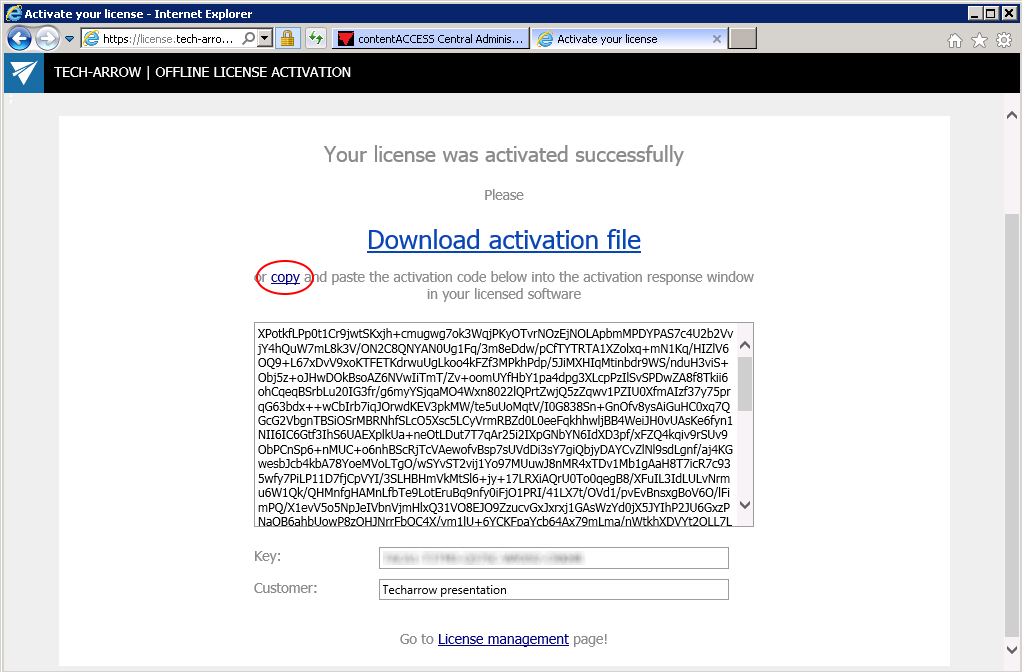
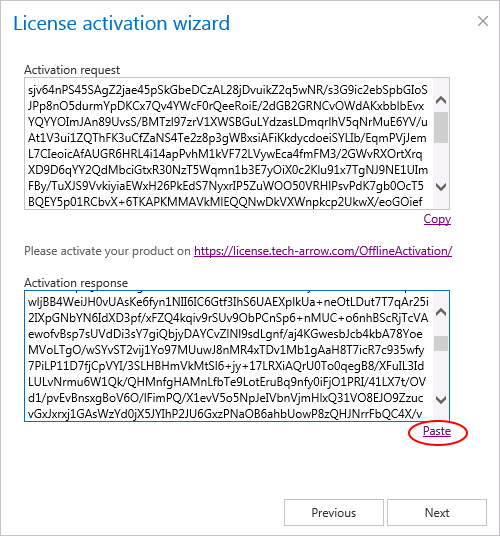
Copy&paste the activation response from the web page (1st picture below) to the license activation dialog (2nd screenshot below).
-
Click Next and the license key will be successfully activated.
-
After successful license activation all Allowed plugins, stores and limitations within this license will be updated on the page.