Manual import of Exchange servers/groups/mailboxes to the contentACCESS Address book
Introduction
The Address book in contentACCESS allows administrators to import Exchange servers, groups, and mailboxes manually from CSV files, in addition to the automatic synchronization methods. This page explains how to prepare the required CSV files and how to use the manual import options available on the View address book page.
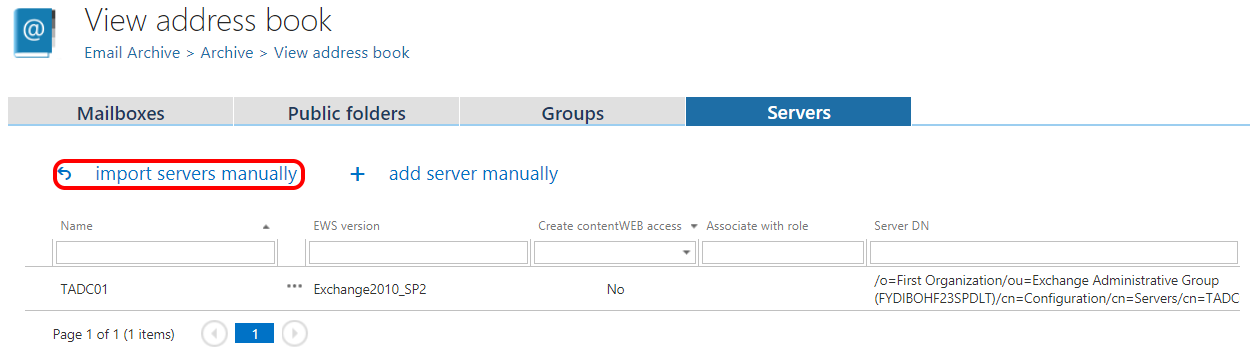
The manual import options are available on the View address book page of Central Administration (Email Archive tab → Archive group → View address book button), on the respective tabs.
Prepare the CSV file
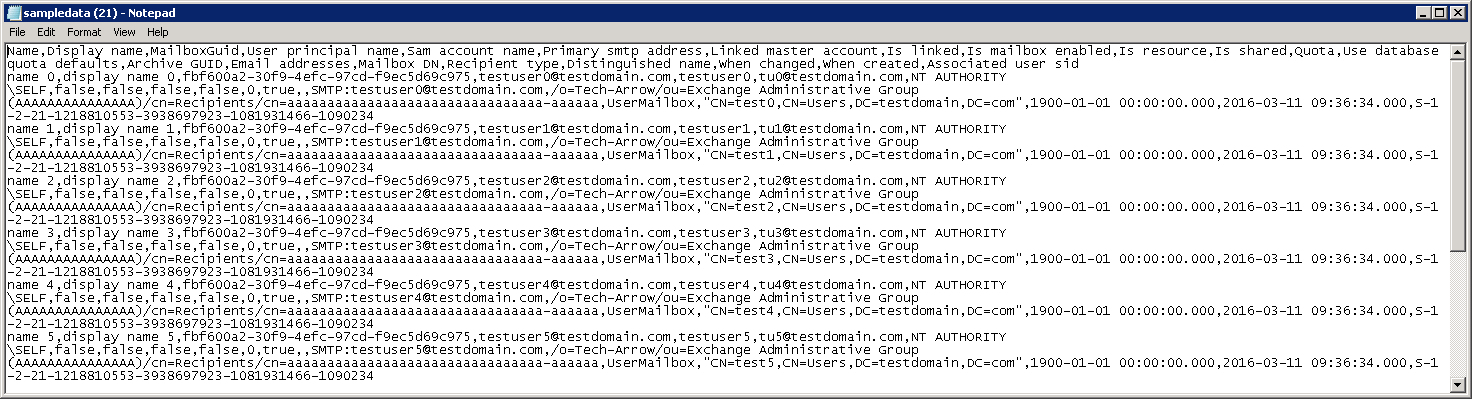
In all cases, you need to create a CSV file matching the structure of the sample file. Select the import method in the dialog and click Show sample to view the expected format.

Fields marked as nullable are not mandatory and can be left empty. If you do not have data for a nullable field, add an empty character in its place instead of omitting it.
CSV file with servers
A row in the CSV file with servers contains:
- Name
- Server DN – nullable
- Settings – nullable
Example: Office365,Office365,settings
If some of the nullable data is not available, add an empty character instead, for example: Office365,,,

CSV file with groups
A row in the CSV file with groups contains:
- Name
- Display name – nullable
- Sid
- Distinguished name – nullable
- When changed
- When created

CSV file with mailboxes
A row in the CSV file with mailboxes contains:
- Name
- Display name – nullable
- MailboxGuid
- User principal name
- Sam account name
- Primary smtp address
- Linked master account – nullable
- Is linked
- Is mailbox enabled
- Is resource
- Is shared
- Quota
- Use database quota defaults
- Archive GUID – nullable
- Email addresses – nullable
- Mailbox DN – nullable
- Recipient type – nullable
- Distinguished name
- When changed
- When created
- Associated user sid
Configure mailbox import options
When importing mailboxes, certain common properties must be set externally. An extra configuration is available for mailbox imports in the Mailbox options section of the importer dialog. Only values marked with an asterisk (*) are mandatory.
The mailbox options allow you to associate the imported mailboxes with an already provisioned or imported Exchange group, an archive database, and a storage.
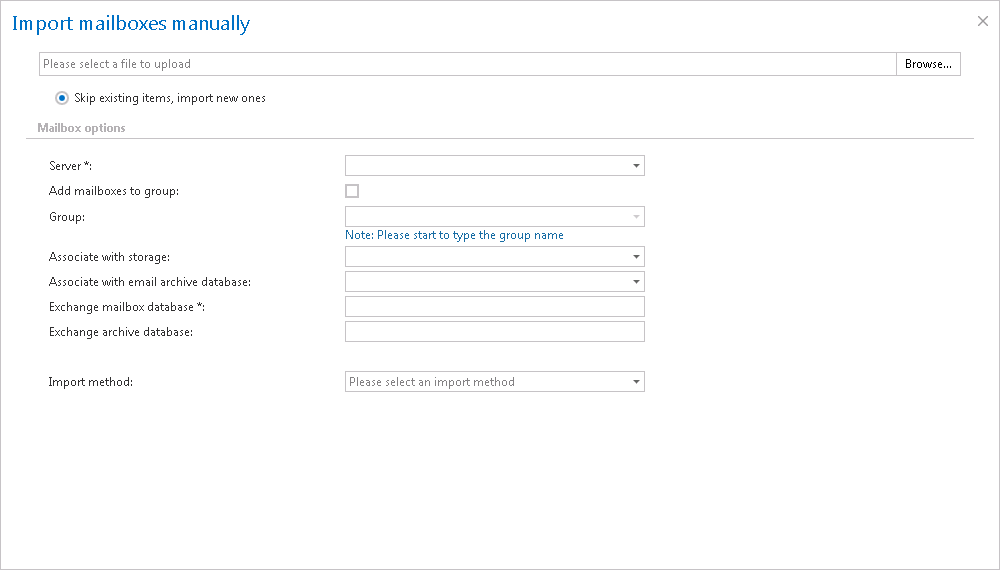
The following properties are set for all imported mailboxes:
- Server
- Group – nullable if the checkbox is not checked
- Database – nullable
- Storage – nullable
- Exchange database
- Archive database – nullable
Note: The importer control uses the skip existing items method for importing.