Creating email archive schedulers
Introduction
The Schedules page for Email Archive allows administrators to automate the execution of email archiving jobs at defined intervals. This page describes how to access the schedulers grid for Email Archive and how to create a new scheduler.
Access the schedulers grid
Navigate to Email Archive ⇒ Settings ⇒ Schedules.
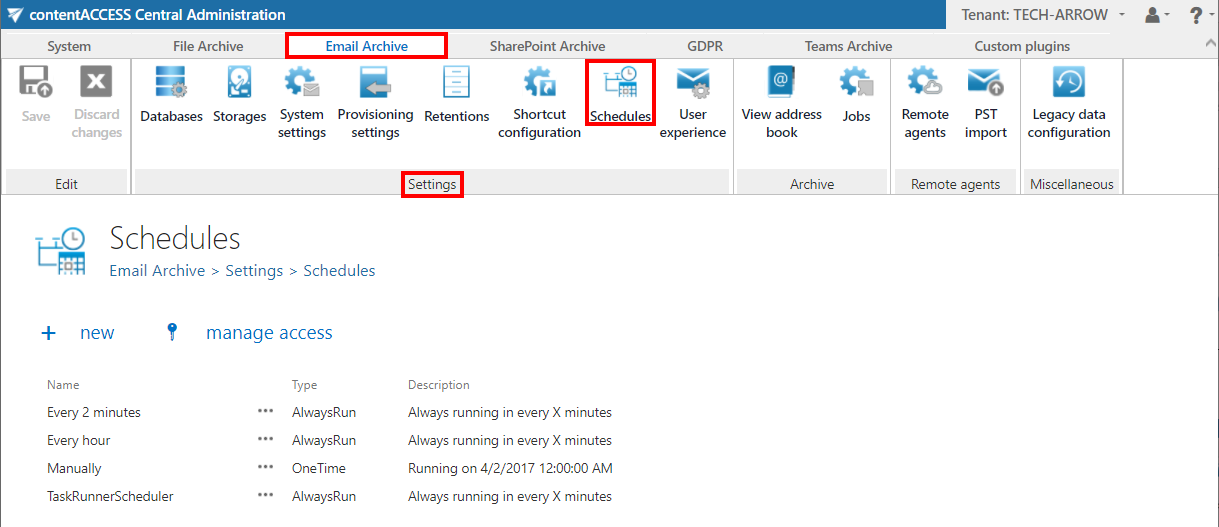
The already configured schedulers for automated email archiving are listed in the schedulers grid on this page.
Create a new scheduler
Click + new to create a new scheduler.
info
Note: For more information about how to configure schedulers, refer to the Schedules page.