How to assign database, storage and index zone to a mailbox?
Introduction
The Assign database, storage and index zone function allows administrators to assign a specific database, storage, and index zone to an individual mailbox, rather than applying these settings at a broader level. This page describes how to configure these settings for a single mailbox under Exchange mailboxes, and explains the implications of changing them after items have already been archived.
Assign database, storage and index zone to a mailbox
To assign a database, storage, and index zone to a single mailbox:
-
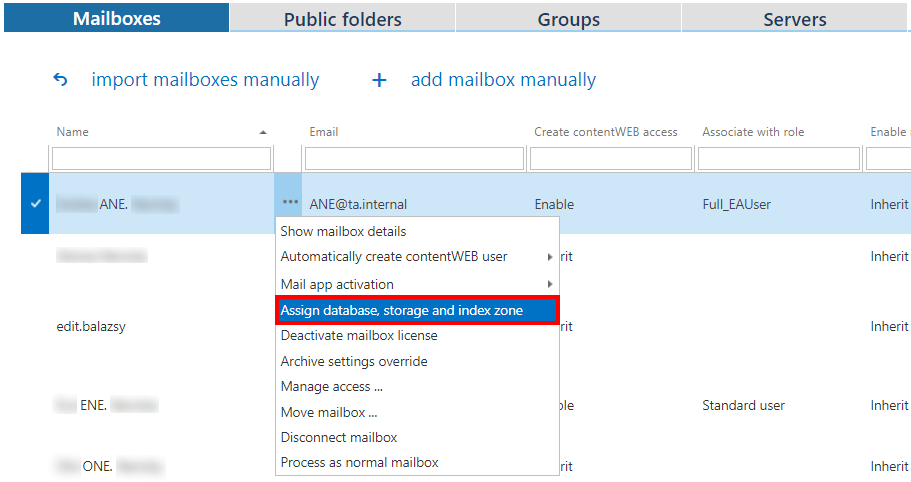
Select a mailbox under Exchange mailboxes.
-
Click the … icon next to the mailbox.
-
Select Assign database, storage and index zone from the list.
-
Fill out the Mailbox configuration window.
 Screenshot A: Mailbox configuration window.
Important: If you edit these settings in the future, a pop-up window will warn you that changing the database containing already archived items will make these items unaccessible for the user(s).
 Screenshot B: Warning displayed when changing the database of a mailbox with already archived items.
Once configured, the assigned database, storage, and index zone information is displayed in the corresponding columns:
