How to move data from source database/storage into a second (target) database/storage?
Introduction
The Mailbox mover feature allows you to move the archive data of one or more mailboxes into a different database and a different storage. This is achieved by creating a new mailbox move job directly from the address book.
This page describes how to initiate a mailbox move from the address book so that the archive data can be relocated to a target database and storage.
Move a mailbox to a different database or storage
- Go to Email Archive ⇒ Archive ⇒ View address book.
- Open the Mailboxes tab.
- Click the ellipses (…) next to the mailbox containing the archive data that needs to be moved.
- Select Move mailbox from the context menu.
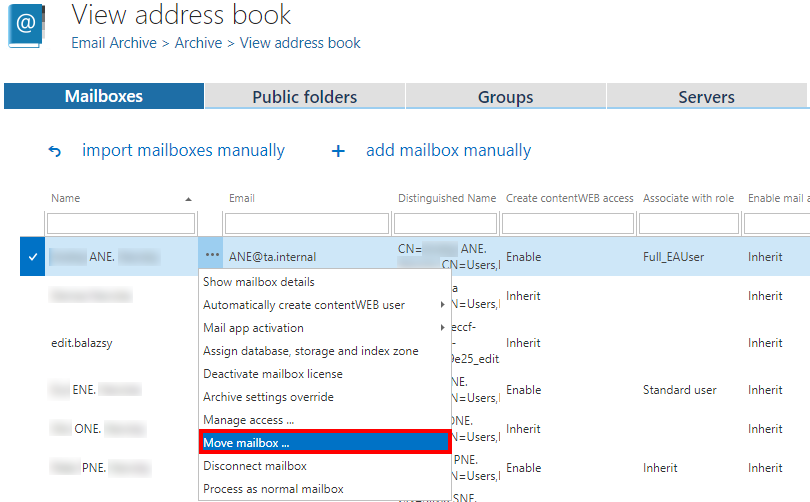
This creates a new mailbox move job for the selected mailbox, which can then be configured to target the desired database and storage.
For more information on how to configure the job, see Mailbox move job configuration.