Archiving of rights protected messages
Introduction
Rights protected messages (RPM) are encrypted emails sent by Microsoft 365 users through the Azure Rights Management cloud service. contentACCESS can archive these messages from both user mailboxes and journal mailboxes, although each archiving method has different capabilities and limitations regarding access, indexing, and shortcut conversion.
This page covers:
- how RPM emails are archived from user mailboxes;
- how RPM emails are archived from journal mailboxes;
- how to configure filtering and shortcut behavior for RPM emails.
User mailbox archiving
Rights protected messages archived from a user mailbox are stored in encrypted form. As a result, contentACCESS is subject to the following limitations:
- the email is stored in encrypted form;
- contentACCESS is not able to access, display, or full-text index the email body or its attachments.
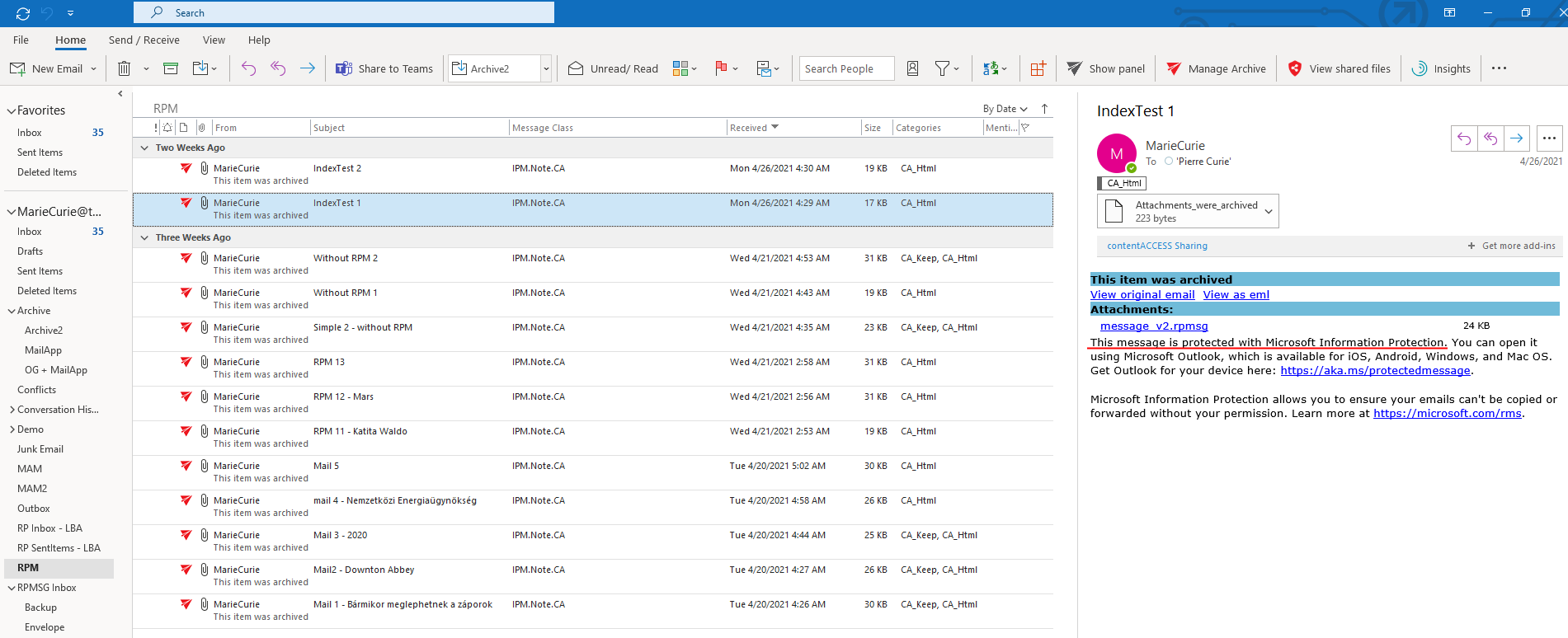 Screenshot: An archived RPM email in the mailbox.
contentACCESS can convert the email to a shortcut, but this is not recommended. Shortcut conversion must first be allowed by checking the Allow converting to shortcut checkbox in Email archive System settings. If RPM emails are converted to shortcuts, only Outlook users will be able to access the archived email — mobile and OWA users will not be able to open it.
Important: Converting rights protected messages to shortcuts is not recommended, as it restricts access to Outlook users only.
To work with archived rights protected messages, the user requires Outlook and a Microsoft 365 account. Outlook automatically decrypts the email when it is opened from an .msg or .eml file.
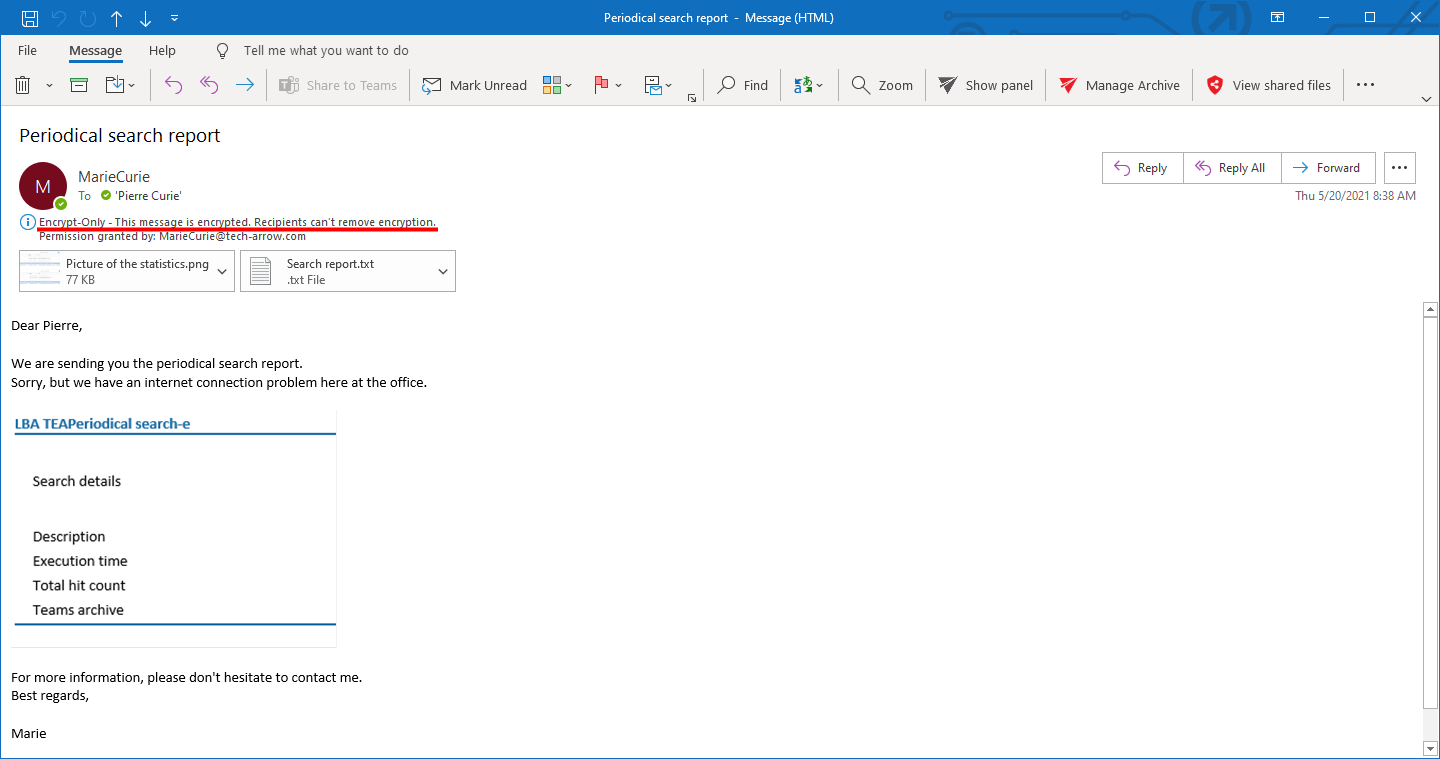 Screenshot: An RPM email opened.
Journal mailbox archiving
If contentACCESS is archiving the Microsoft 365 journal mailbox (which requires a configured contentACCESS SMTP server), contentACCESS receives an envelope journal message. These envelopes contain the decrypted email alongside the encrypted email. contentACCESS archives both the encrypted and the decrypted version of the email.
This allows administrators to search and access the contents of rights protected emails, but only in the journal mailbox.
 Screenshot: Archiving a mailbox as a journal mailbox.
The end user still will not be able to access the encrypted emails directly and needs to open them in Outlook for them to be decrypted automatically.
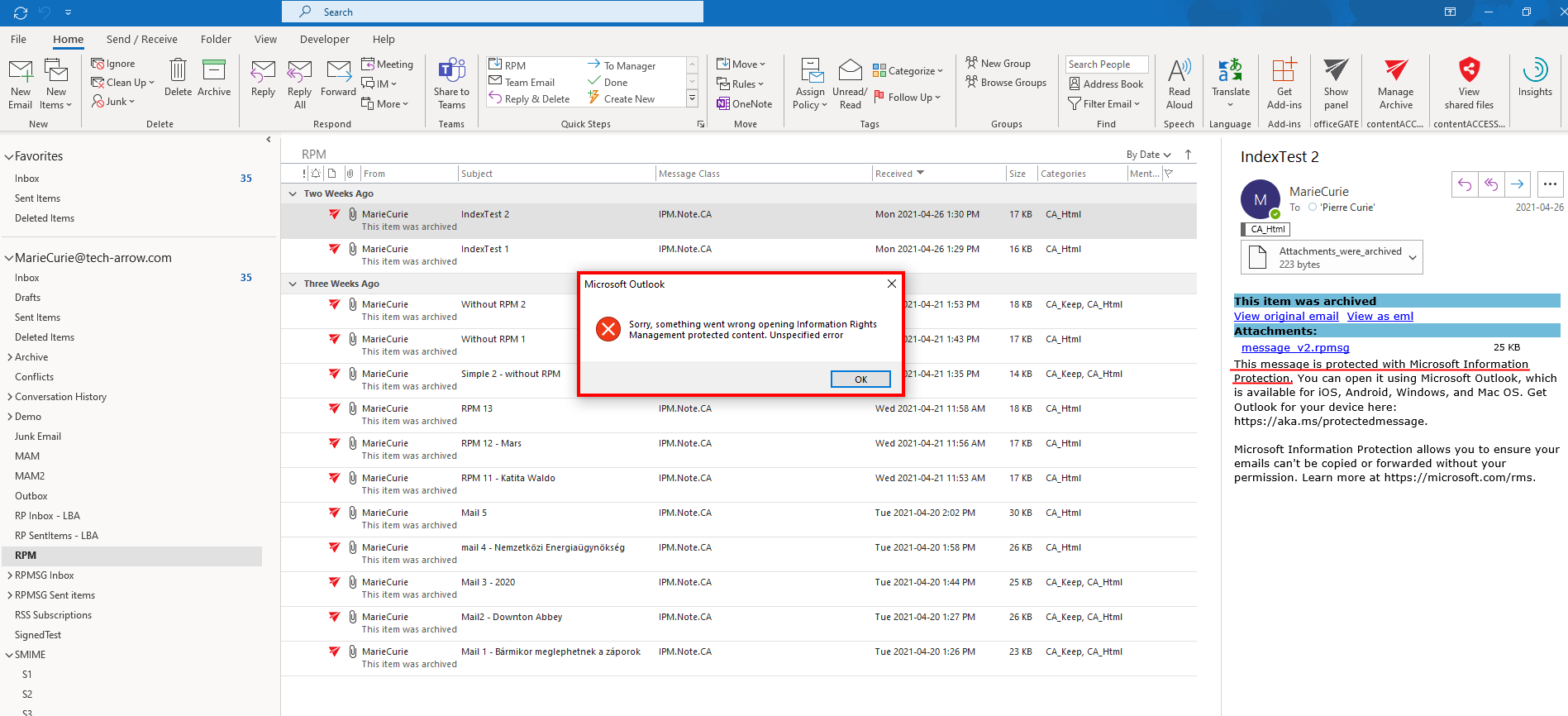 Screenshot: Opening an archived RPM email without the necessary permissions.
Configuration
Rights protected messages are archived by contentACCESS archive jobs.
Exclude rights protected messages from archiving
If you want to exclude rights protected emails from archiving, filter out these messages using the following filter:
(TransportHeaders:([AnyInList] RegexMatch "(?i)^Content-Class: rpmsg.message"))
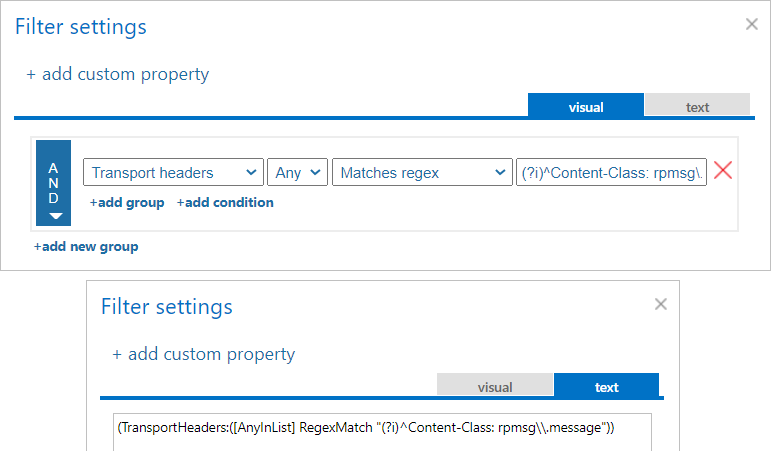 Screenshot: Excluding rights protected messages from archiving – both visual and text filtering are shown on the screenshot.
Control shortcut conversion
The administrator can control the shortcutting of rights protected emails at the Tenant level. Shortcut creation is disabled by default and can be enabled in Email archive → System settings → Message class handling by checking the corresponding checkbox.
