Recommendations after turning on journal archive
Introduction
This page describes the recommended actions to take after turning on journal archive or SMTP archiving in contentACCESS. It explains how to handle emails that were sent or received before the feature was activated, and how to configure archive jobs so that reporting remains accurate.
Additional tasks after turning on journal archive
Turning on journal archiving or SMTP archiving applies only to emails sent or received after the feature is turned on. Emails sent or received prior to this feature need to be archived differently. This section explains how to configure the archive to cover those emails as well.
What to do with emails prior to journal activation
Definition of term: Journal activation is the date/time when journaling or SMTP archiving was activated.
If the older emails do not need to be archived
No additional configuration is needed.
If the older emails need to be archived as well
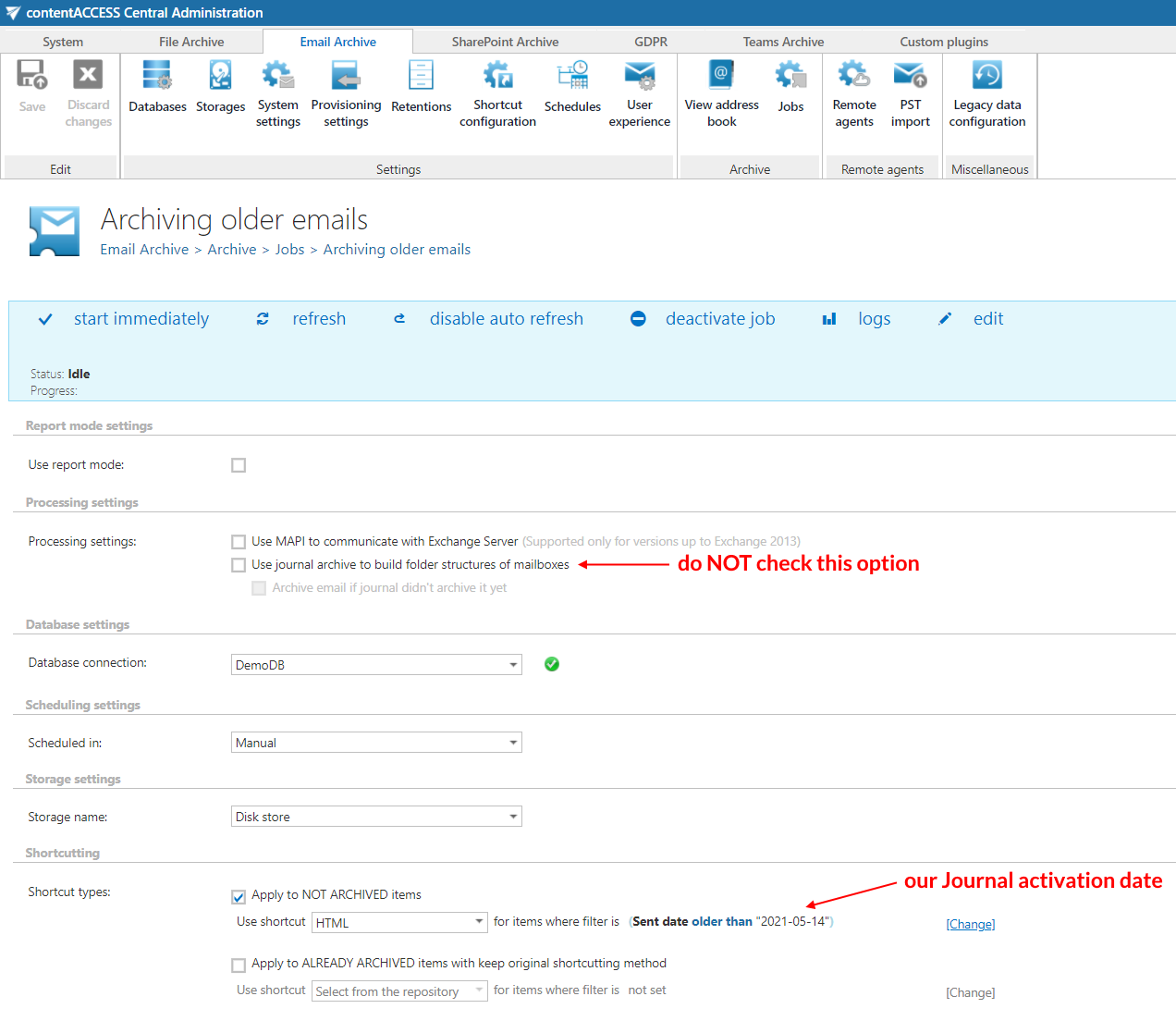
We recommend creating a new email archive job for these emails, with a filter to archive emails older than the journal activation date. This archive job should NOT use the option Use journal archive to build folder structures of mailboxes. By turning this option off, the archive job will process all emails prior to journal activation as regular user emails.
Once the older emails are covered, the journal-based archive jobs will cover the new emails.
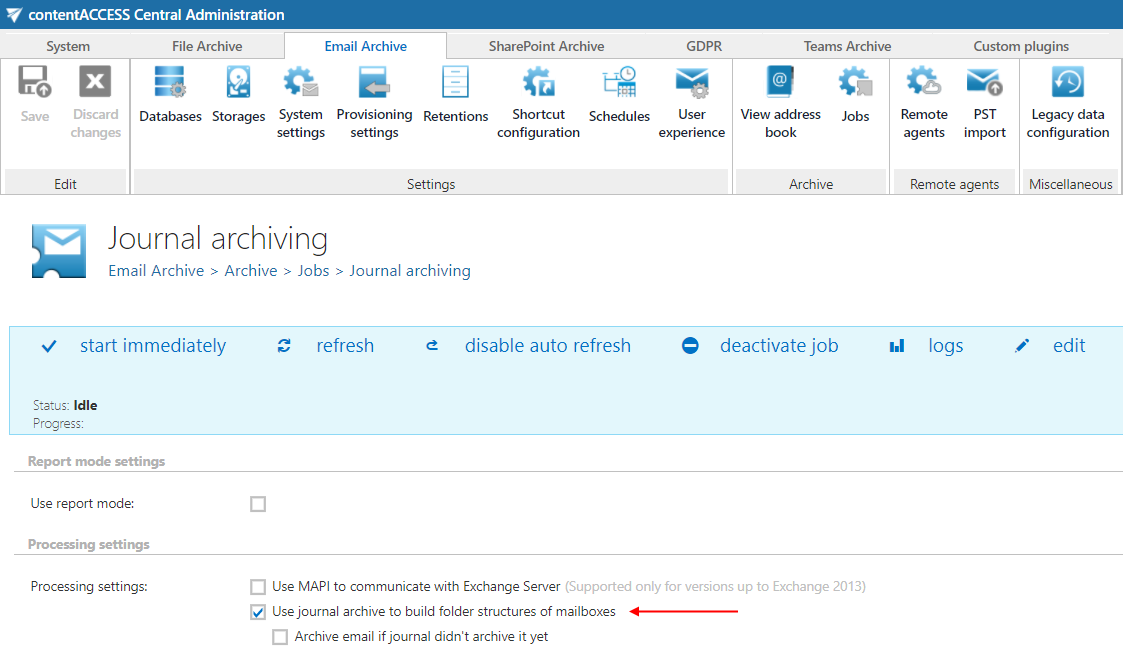
Note: If you miss this step, the job in report mode will not be able to distinguish between mails sent before and after journal activation, resulting in misleading numbers in the report.