Google provisioning
Introduction
The Google Provisioning page allows administrators to configure the Google provisioning job that keeps Google Workspace users, groups, and organization units in sync with the contentACCESS Address book. This synchronization ensures that the correct Google accounts and organizational structure are available in contentACCESS for access management and user provisioning inside the Google Workspace environment.
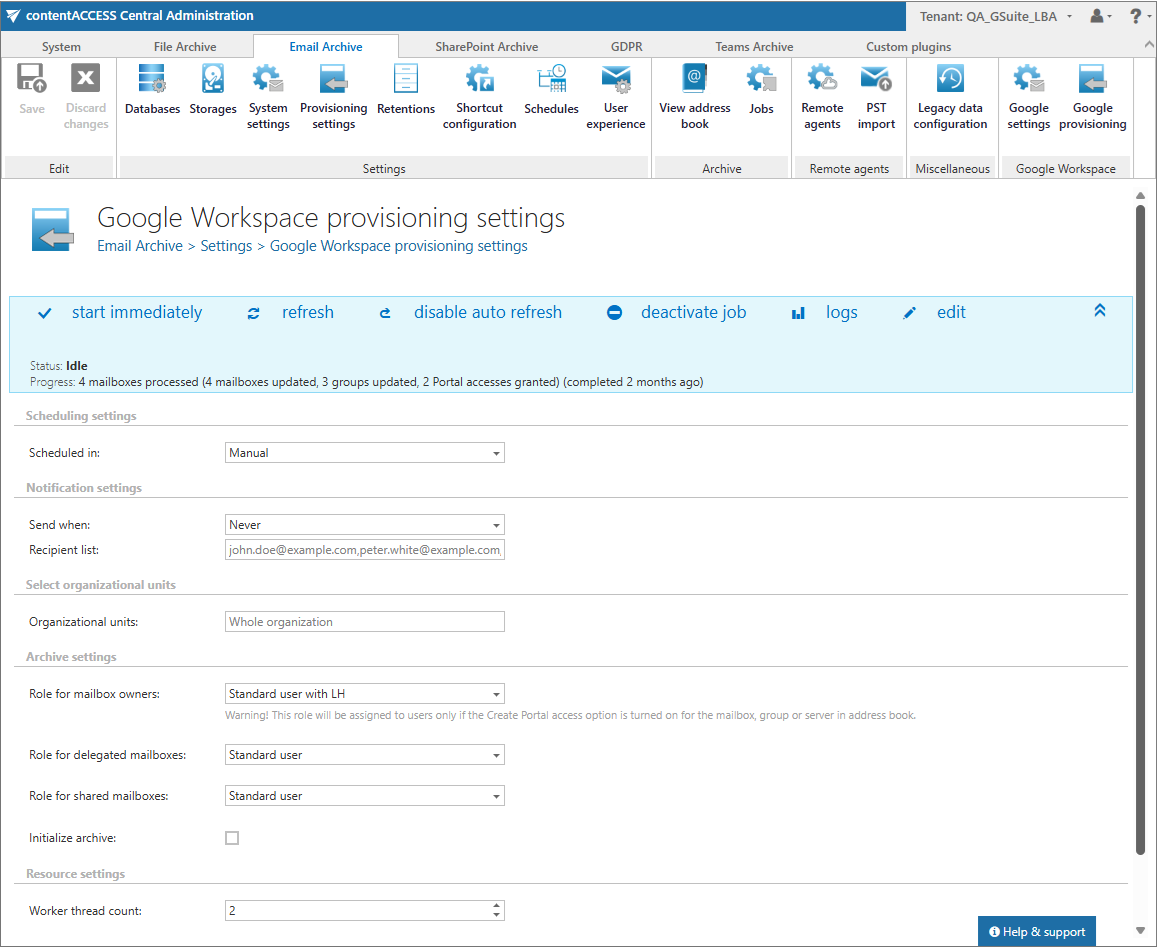
The provisioning job can be scheduled to run automatically at a defined interval or executed manually on demand. Administrators can limit the synchronization to specific users, groups, or entire organization units, depending on the selected criteria. The settings for this job are available on the Google provisioning page (Google Workspace => Google provisioning):
Configuration sections
The following configuration sections are available on the Google provisioning page:
Scheduling settings
Select the execution times for the provisioning job or create a new scheduler. For more information about configuring scheduler settings, refer to the Schedules page.

Notification settings
If the provisioning job cannot run properly, contentACCESS can send a warning about the problem or failure. The notification email message is sent to the email address(es) specified in the Recipients list field. Here, you can also specify when these notifications should be sent:
- never
- only if an error occurs
- when errors or warnings occur
- or always, regardless of the job result(s)

Select organization units
Here, you can set the organization units to be provisioned. You can select the entire organization or only specific organization units. Please note that if you select specific groups, they must start with a slash (for example, /TestOU). You can also select multiple organization units by separating them with a vertical line (for example, /TestOU1|/TestOU2).

Archive settings
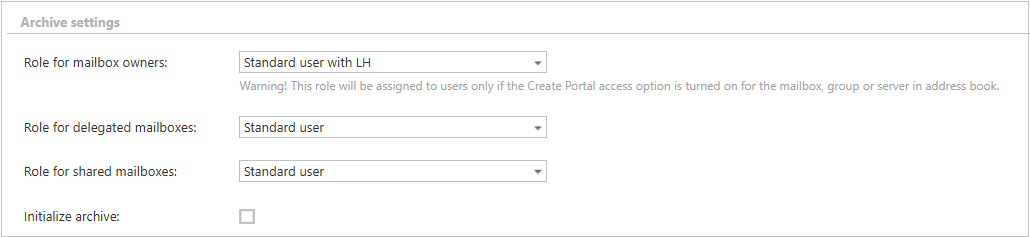
This section allows you to assign default contentACCESS Portal user roles. The provisioning job assigns the role defined here to the Google Workspace users, groups, and organization units that are synchronized to the Address book and for which contentACCESS Portal user creation is allowed. The roles to be assigned must be created on the Roles page.
In the Archive settings section, you need to set:
- role for the mailbox owners - a default role assigned to the Google Workspace objects when contentACCESS Portal user creation is enabled in the Address book
- role for the delegated mailboxes - a role that defines the user’s permissions on delegated mailboxes
- role for the shared mailboxes - a role that defines the user’s permissions on shared mailboxes
This section controls the default archive configuration for the synchronized Google Workspace objects and supports the access model used for Google Workspace users, groups, and organization units.
Resource settings
In this section, you can configure job resource settings. Set the value that determines how many items are processed simultaneously. The recommended default value is 2.

The provisioning job processes Google Workspace objects such as users, groups, and organization units, and these objects are displayed in the Address book objects page after synchronization.