Google Workspace Marketplace Add-on
Introduction
The Google Workspace Marketplace Add-on is designed to open migrated HTML shortcuts from Exchange directly in Gmail. It works only with contentACCESS HTML shortcuts and allows users to review and restore archived email content from the Gmail side panel.
This section explains how the add-on is used in Gmail and what the basic user flow looks like.
After installation, users can use the contentACCESS add-on from the side panel in Gmail to
- review the archived message or original email content;
- restore the email to Gmail when needed.
Preview and restore archived emails
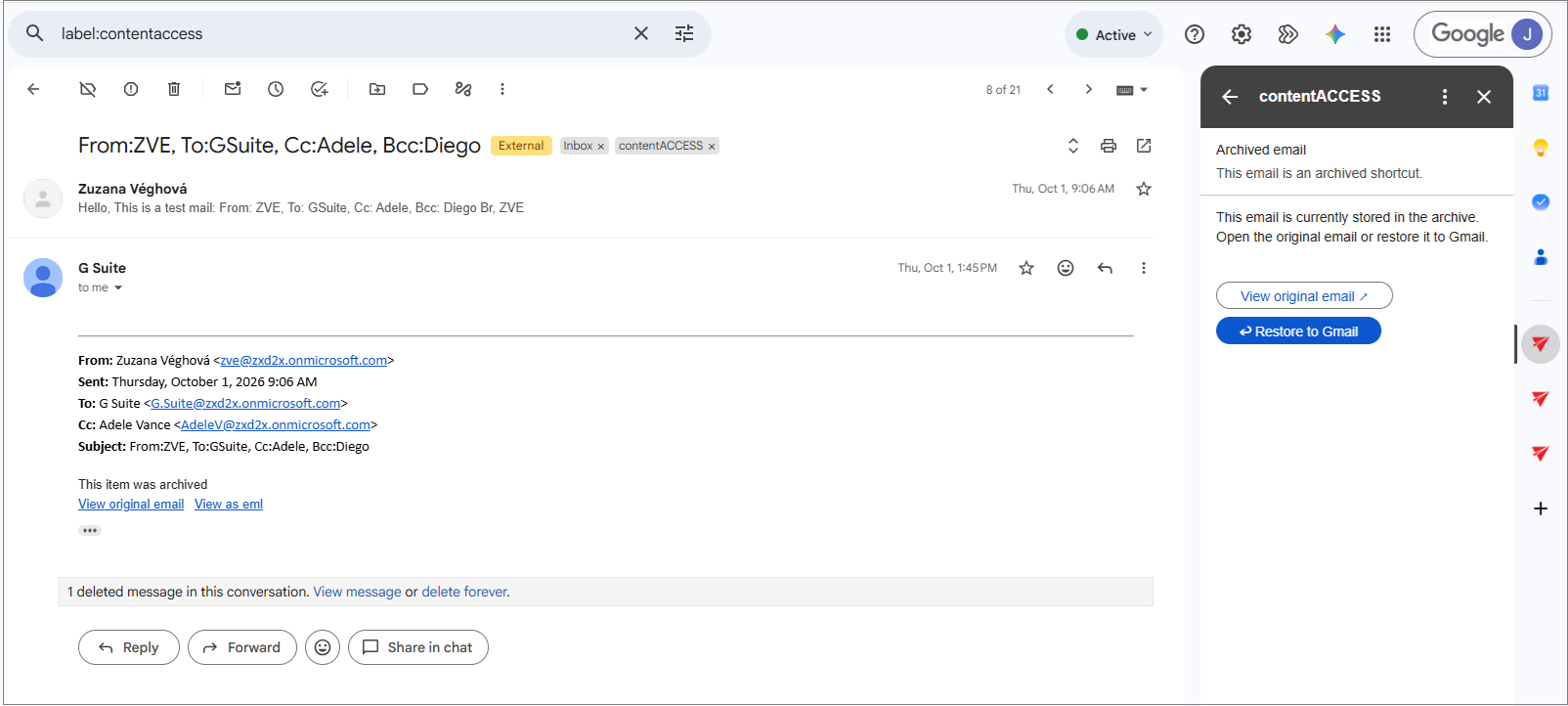
The right-side contentACCESS panel is the main user interface for the add-on. It displays the archived email context and provides the actions needed to review or restore the message.
The add-on shows the following user-facing information:
- This email was archived shortcut email – explains that the current Gmail message is an archived shortcut
- View original email – opens the archived content for preview
- Restore to Gmail – restores the email back to the mailbox
This workflow is designed to make recovery simple and fast when a user needs to access a previously archived message.
If the email is not a contentACCESS shortcut, the app shows the following message: "Not a contentACCESS shortcut. This message does not require any action from contentACCESS."
Restore workflow
When the user restores an archived email, the add-on updates the current message state in Gmail and shows a confirmation message in the side panel:
- Restore completed
- The message was restored to Gmail
- Open restored email
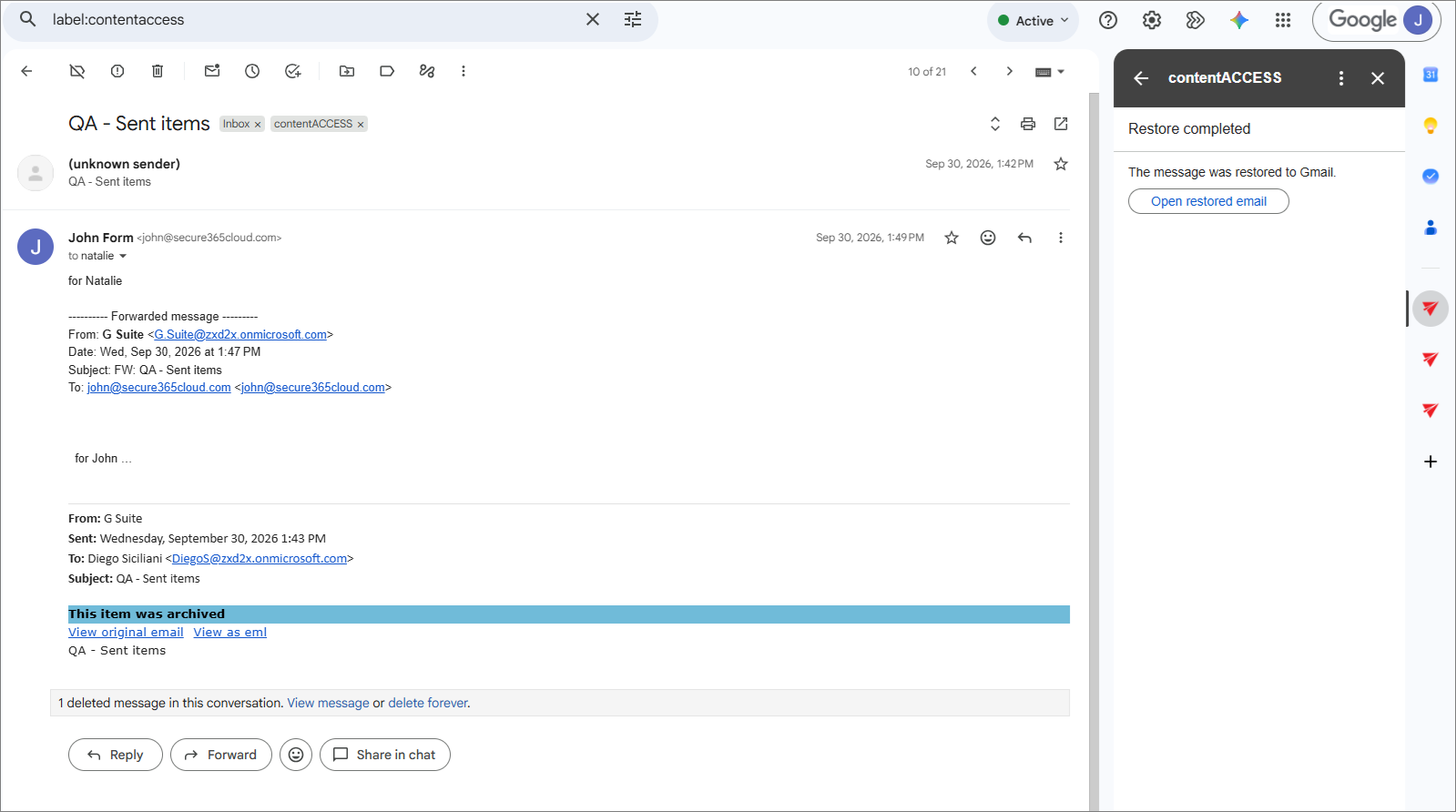
This makes the recovery flow clear and immediate for the end user, without leaving the Gmail interface. The restored message can then be opened directly from the confirmation panel, and the user continues working in the same Google Workspace workflow.