How to configure a job to archive public folders
Introduction
Public folder archiving in contentACCESS is configured using a standard email archive job, with the only difference being the selection of the public folder in the Address book objects configuration section. This page describes how to configure a job to archive public folders, how to include or exclude specific folders from the archiving process, and important considerations when an on-premise Exchange group used in a job configuration is moved to the cloud.
Configure the job
To archive public folders, create a standard email archive job. All job configuration options are the same as for a standard email archive job — you can define the shortcut type, the time periods when the job will run, the retention time, and other settings.
The only difference is in the Address book objects configuration section, where a public folder is selected instead of a mailbox or group.
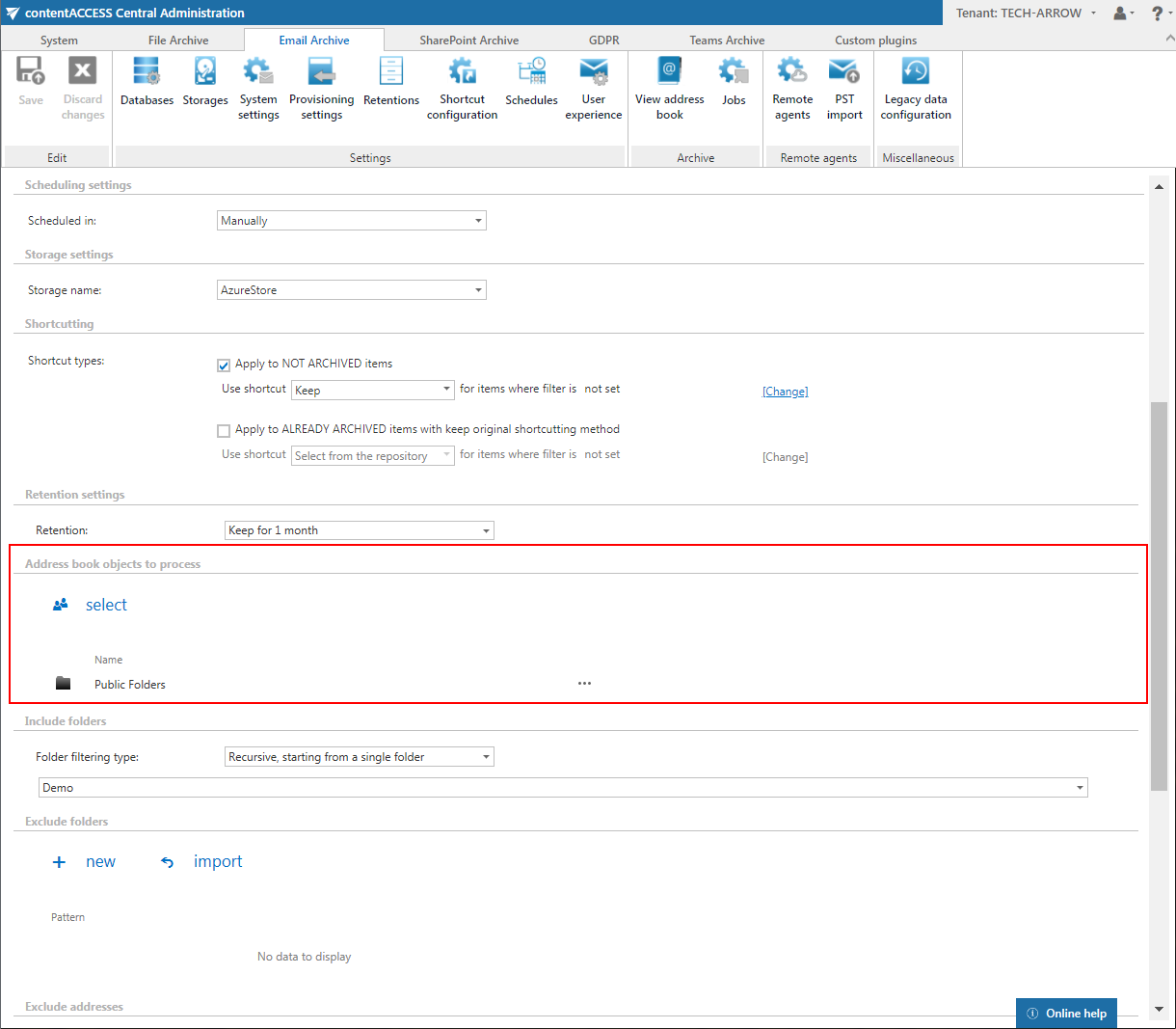
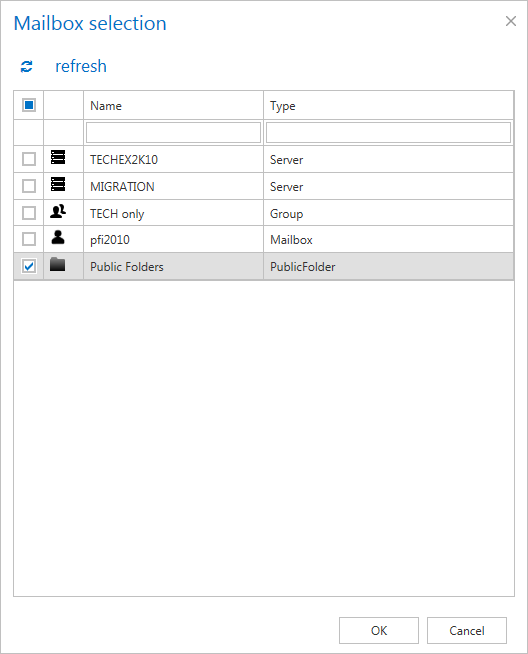
When you click Select, the Mailbox selection dialog opens. Select the Public folders item from the list.
Note: If the public folders haven't been provisioned yet, the Public folders item is not included in the list.
Important: If an on-premise Exchange group is used in a job configuration, the job configuration needs to be updated after the group is moved to the cloud, since the group identifier changes and the job is still using the old identifier.
Steps to take:
- Open the job's configuration page.
- Remove the group from the list of Address book objects to process.
- Select the group again and re-add it to the list.
- Save the job configuration.
Include and exclude folders
You can specify which folders will be archived in the public folder hierarchy using the Include folders and Exclude folders sections.
In Include folders, it is necessary to specify the exact folder path that needs to be archived. The same rules apply as for mailboxes, with one exception: it is not possible to use placeholders such as %INBOX% and similar.
Other jobs supporting public folders
Public folders can also be selected in the following email archive jobs:
- Email archive restore job
- Email archive recovery job
- Mailbox move job
- Shortcut synchronization job