Public folders in the contentACCESS Portal archive
Introduction
Public folders in the contentACCESS Portal archive allow users to access and recover archived public folder mailbox items directly from the Portal, just like they would with a regular mailbox. Access to public folders is controlled by individually evaluated permissions, and archived items can be manually recovered to their original location.
Access permissions
The archived public folder mailbox can be accessed from the contentACCESS Portal just like a regular mailbox. The logged-on user must have permission on the public folders. Permissions are evaluated individually on each folder, and the user can only access folders for which they have the correct permissions.
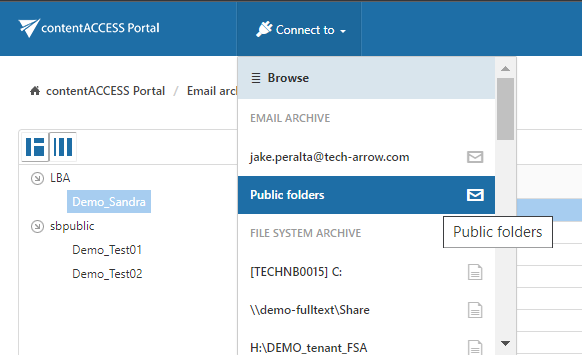
Public folders are displayed as Public Folders in the connection list:
Recover public folder items
A contentACCESS Portal user can manually recover archived public folder items back into their original location.
Note: When recovering folders, the top-level folders must already exist.