LoboDMS storage
Introduction
The LoboDMS storage is a storage type used exclusively by the Email archive job. It allows administrators to configure a LoboDMS storage repository, including connection details, authentication, and archive type mapping.
Configure the LoboDMS storage
The LoboDMS storage can be configured under Email archive => Settings => Storages.
- Click + new.
- In the Storage repository window, enter the required information.
- Click Test to verify the connection to LoboDMS.
- Click Save.
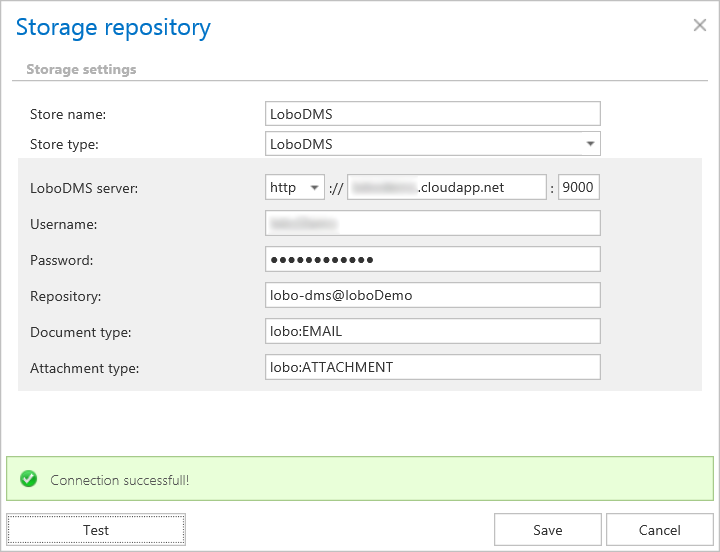
Storage repository settings
- Store name: A display name for the store.
- Store type: Select LoboDMS. This option is available only if your license is valid.
- LoboDMS server: The server where LoboDMS is installed, specified as
Protocol://ServerName:Port. - Username: The name of the user who has access to LoboDMS.
- Password: The password for the user specified above.
- Repository: A LoboDMS instance can contain multiple repositories. Specify the repository where the system will archive emails.
- Document type: The name of the type defined in LoboDMS where the email metadata will be archived.
- Attachment type: The name of the type defined in LoboDMS where the binaries will be archived.
info
Note: Click Test to check whether the connection to LoboDMS works. If a green table appears, the connection is working correctly.