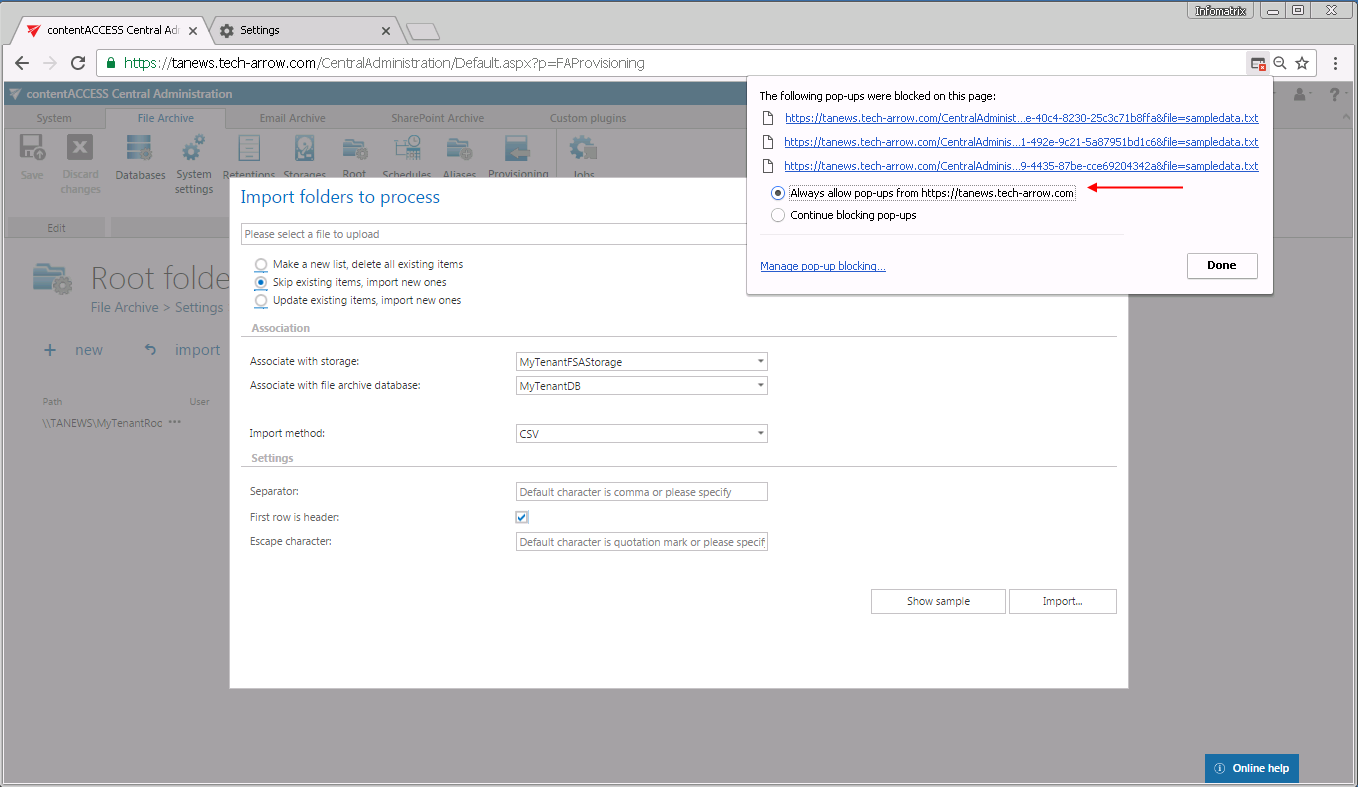
Samples are not shown using "Show sample" option in the Import dialog
Introduction
This troubleshooting page addresses an issue where the Show sample option in the Import dialog does not display any output. It explains the likely cause of the problem and the steps required to resolve it.
Problem
The Show sample option in the Import dialog does not work.
Solution
This issue typically occurs because the browser is blocking pop-up windows.
- Check your browser settings to determine whether pop-ups are being blocked.
- If pop-ups are blocked, allow pop-ups for the application.