Configuration of jobs available in contentACCESS File Archive
Introduction
Configuring a job in contentACCESS File Archive allows administrators to define how files are archived, including the source, filters, scheduling, and other processing options. This page describes how to create a new file system job and how to access its configuration settings, either immediately after creation or at a later time.
Create a new job
- Select the required tenant.
- Navigate to the File Archive tab.
- Under File Archive ⇒ Archive, click the Jobs control button.
- Click + new to create a new job.
Note: You can configure a file system job either immediately after creation, or later by navigating to the file system jobs page and using the Configure option in the job's context menu. The job configuration page can also be opened by double-clicking the selected job in the jobs grid.
 Screenshot A: Configure the job configuration page immediately when it is created.
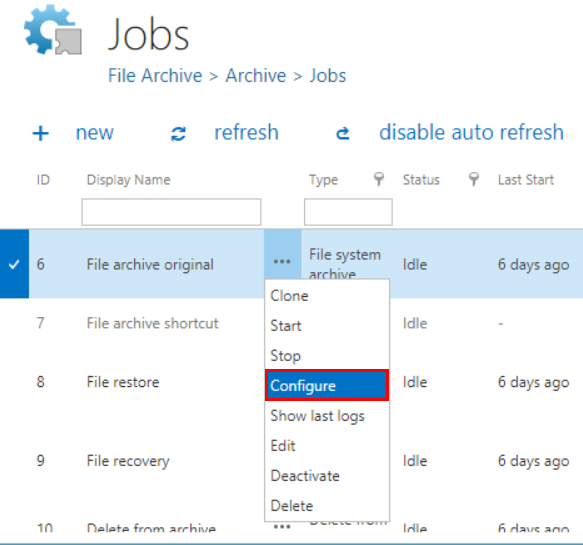 Screenshot B: Opening the job's configuration.
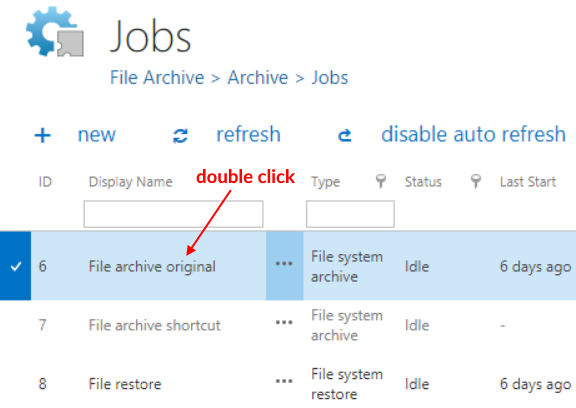 Screenshot C: Opening the job's configuration with a double click in the grid.