GDPR File system job
Introduction
The GDPR File system job processes the file system locations configured in the GDPR File system settings. It extracts and indexes file content according to configurable filtering rules, supports a report mode for previewing which files will be processed, and keeps the database and index synchronized with changes made to the file system, such as file and folder moves, deletions, and modifications.
This page explains how to create and configure a GDPR File system job, and describes its runtime behavior.
Create a GDPR File system job
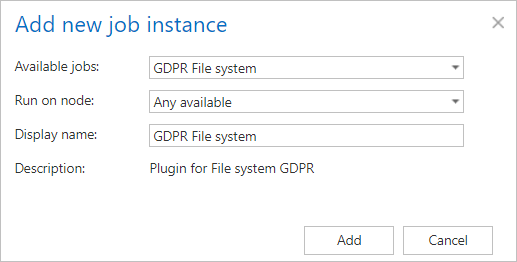
- Click + new.
- Pick the job type from the dropdown list.
- Enter the display name.
- Click Add.
Configure the job
On the job's configuration page, go through the following sections.
Report mode settings
If the Use report mode checkbox is checked, the job will run in report mode. After the job finishes its run in this mode, the user will be able to download a .csv report file in this section. The file contains a list of files that belong to the folder(s) configured in GDPR File system settings, along with information about them, including whether they will be processed or not.

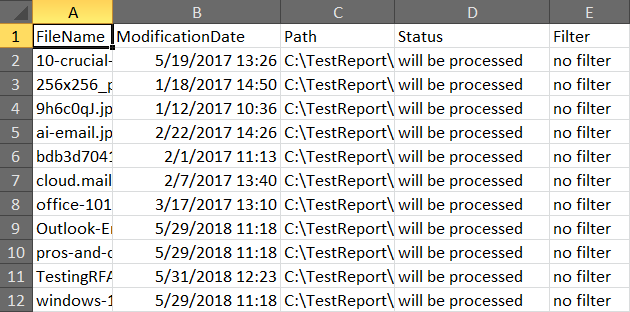 Screenshot: Report file preview
Scheduling settings
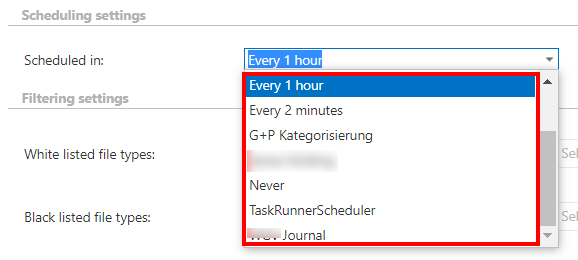
In this step, the running time(s) of the job must be selected. You can either select a scheduler from the list or create a new scheduler via the create new… option in the dropdown list. For GDPR jobs, it is recommended to set a schedule that starts the job every week.
File type filtering settings
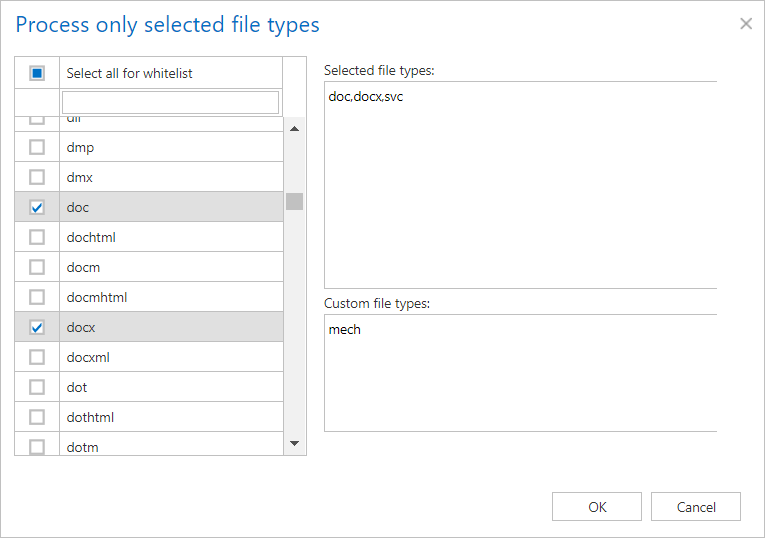
In this section, you can select the file types from which the job should or should not extract content. Custom file types can also be specified.

-
White listed file types: If this option is checked and file types are filled in, only content of those types will be extracted. Any other file type's content will not be extracted.
-
Black listed file types: If this option is checked and file types are filled in, content of those types will not be extracted. Any other file type's content will be extracted.
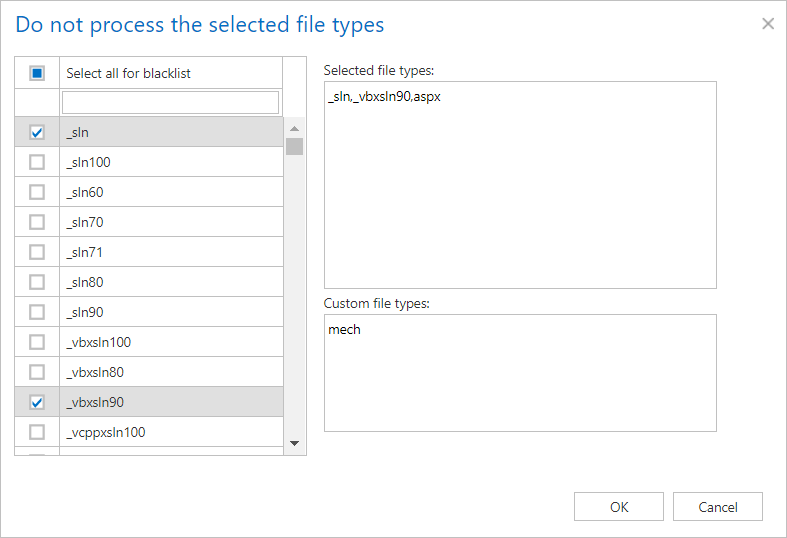
Filtering settings
Click Change filter and set the filtering according to your needs and/or regulations. To learn more about how to work with filtering settings, see the Filtering in jobs section of our documentation.
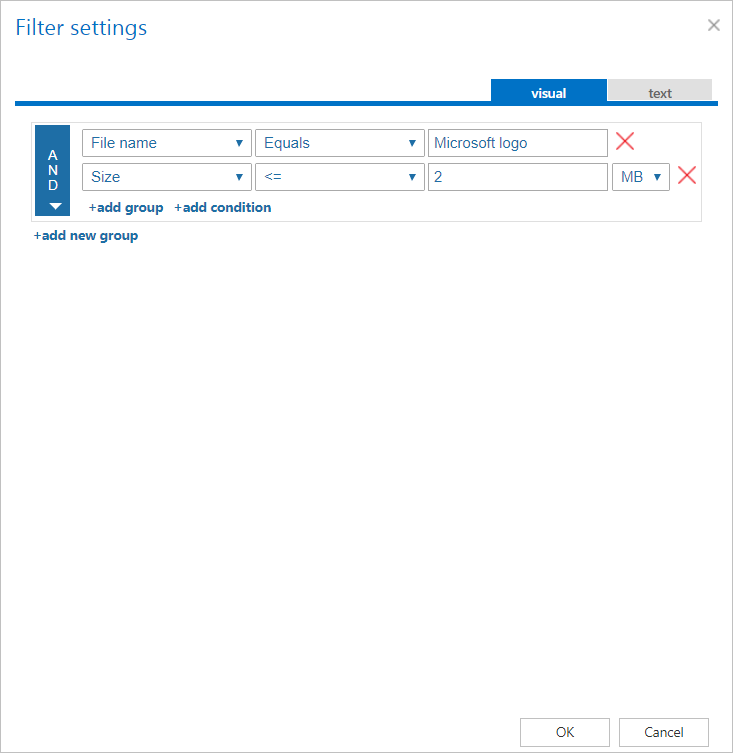
Notification settings
Select the cases in which you need to receive notification emails from the GDPR File system job. You can set the notification to be sent always, never, or only when an error or warning occurred during the job run. In the Recipient list textbox, enter the email address(es) of the person(s) who will receive these notifications.
Note: Notifications should be used if the administrator does not use the System logs feature.

Job functionality
- File deletion: After a file is deleted from one of the specified root folders and the job is run, the file is deleted from the database and from the index as well.
- Folder deletion: After a subfolder is deleted from one of the specified root folders and the job is run, the folder and the files under it are deleted recursively from the database and from the index as well.
- File move: After a file has been moved between different folders and the GDPR File system job has been run again, the file will disappear from its original location and show up under the new location. This information will also be updated in the database and index.
- Folder move: After a folder has been moved between different locations and the GDPR File system job has been run again, the folder and the files will disappear from their original location and show up under the new location. This information will also be updated in the database and index.
- Root folder deletion: After a root folder is deleted from the File system settings configuration, the next time the job is started, it will delete all the root folder related data from the database and from the index as well.
- File modification: If a file has been modified since the last run of the job, the job will update the file's content and properties in the database and index as well.