Legal hold
Introduction
The Legal hold feature in Central Administration allows administrators to create legal hold cases in which users can place documents. Documents placed under an active legal hold case cannot be deleted from the system until the legal hold case expires. Legal hold provides the same functionality across File, Email, and SharePoint archive.
This page describes how to configure Legal hold in Central Administration, including task processing, database configuration, and storage requirements.
Configuration
Legal hold management is asynchronous. All operations related to Legal hold are handled by the Task runner (System > Task runner).
The Legal hold feature can be activated and configured per tenant.
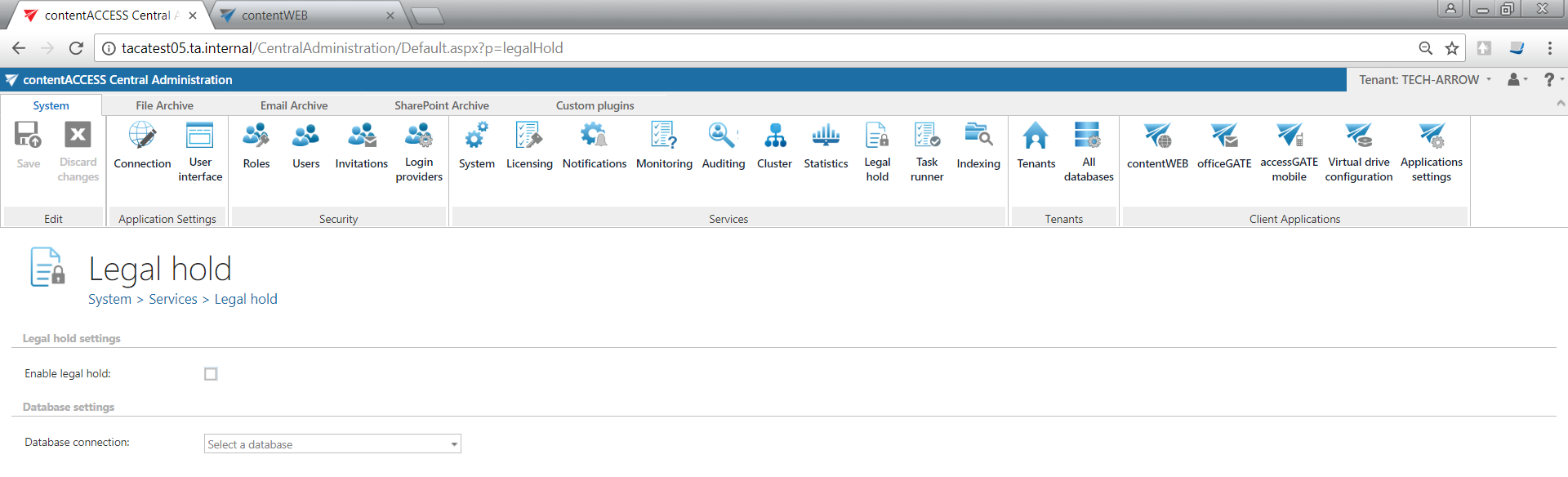
The following settings are available:
- Legal hold: Enables the Legal hold feature. If checked, the Task runner also processes create/update legal hold cases tasks originating from the contentACCESS Portal.
- Database: Select an already configured connection from the dropdown list, where the Legal hold metadata will be stored. For more information on setting up database connections, see Databases.
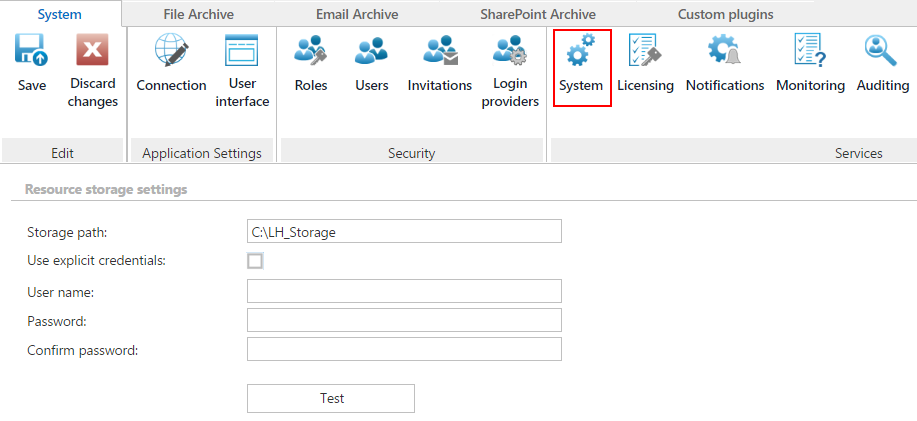
Legal hold also requires an additional storage location, where all exported files are stored. This must be configured in Central Administration under System, by providing a UNC path where the Legal hold job stores all exported files.
User experience
For information on how to use Legal hold, see the Legal hold section.