contentACCESS users in third party systems
Introduction
contentACCESS users in third party systems describes how contentACCESS users can be automatically created when interconnecting with third-party data management systems (DMS), such as Datengut Bauakte and Perceptive DMS, through officeGATE.
officeGATE is an MS Outlook add-in used for collaborating on documents residing in different data management systems. As a client application of contentACCESS, officeGATE requires a contentACCESS user to sign in to the particular DMS interconnected with contentACCESS. To simplify this login process, contentACCESS Central Administration allows administrators to automatically create a contentACCESS user directly from the provider's configuration dialog, enabling single sign-on into the respective DMS providers in officeGATE.
Automatic user creation
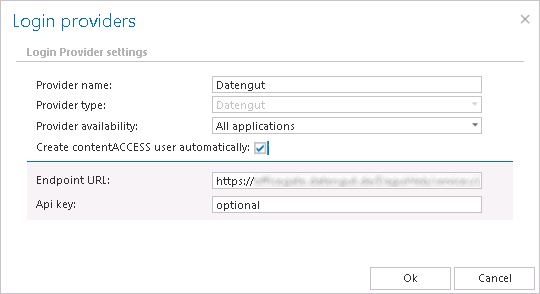
To enable automatic user creation:
- Open the provider's configuration dialog in contentACCESS Central Administration.
- Check the Create contentACCESS user automatically checkbox.
- Fill in the required credentials.
Once enabled, when a user logs in to Datengut or Perceptive DMS in officeGATE with their personal account, the corresponding contentACCESS user is created automatically at the moment of login.
Note: If the Create contentACCESS user automatically function is not enabled in the provider's configuration dialog, the administrator must create contentACCESS users manually.
Automated user creation saves administrators significant time, as they no longer need to manually create a contentACCESS user for each user of the third-party application (such as Datengut or Perceptive).