External AD login provider
Introduction
The External AD login provider allows users to log in to contentACCESS using their remote Active Directory credentials. It communicates with a WCF service that is part of the contentACCESS proxy (Web/contentACCESSWS/ADService.svc). The proxy searches the Active Directory for the user's name and, upon successful authentication, allows the user to log in to the contentACCESS instance it is connected with.
This page explains how the External AD login provider is assigned to a user and describes the underlying login process.
Note: The communication between the external Active Directory and contentACCESS will work correctly only if the contentACCESS proxy is installed on the same server as the Remote File archive agent.
Assign the External AD login provider
The External AD login provider can be assigned to a user in two ways:
- Running the provisioning in the Remote File archive agent.
- Manually adding it in Central Administration:
- Click Edit in the user's context menu.
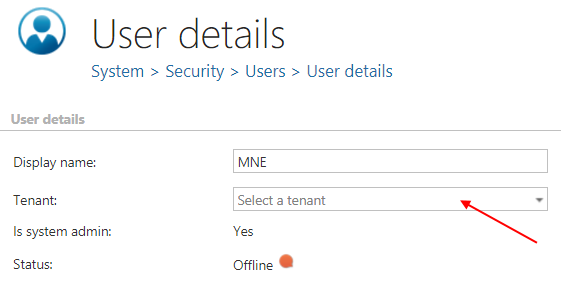
- Click + new, choose External AD from the Login provider dropdown list, and enter the credentials.
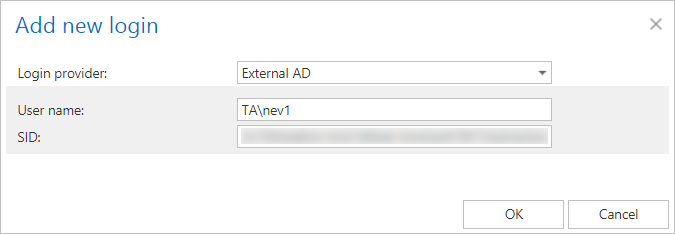
- Click OK.
- Click Edit in the user's context menu.
How the external AD login works
- The user provides their credentials on the login page.
- contentACCESS finds the user in its database by their login name.
- contentACCESS finds all Remote agents on the user's default tenant.
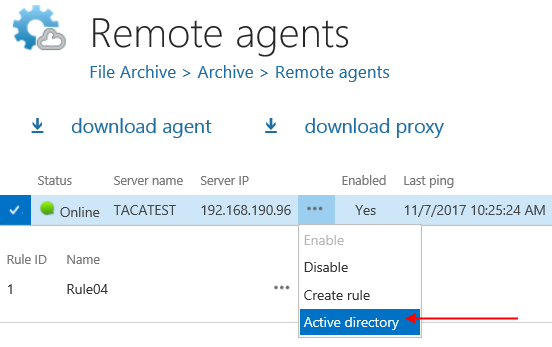
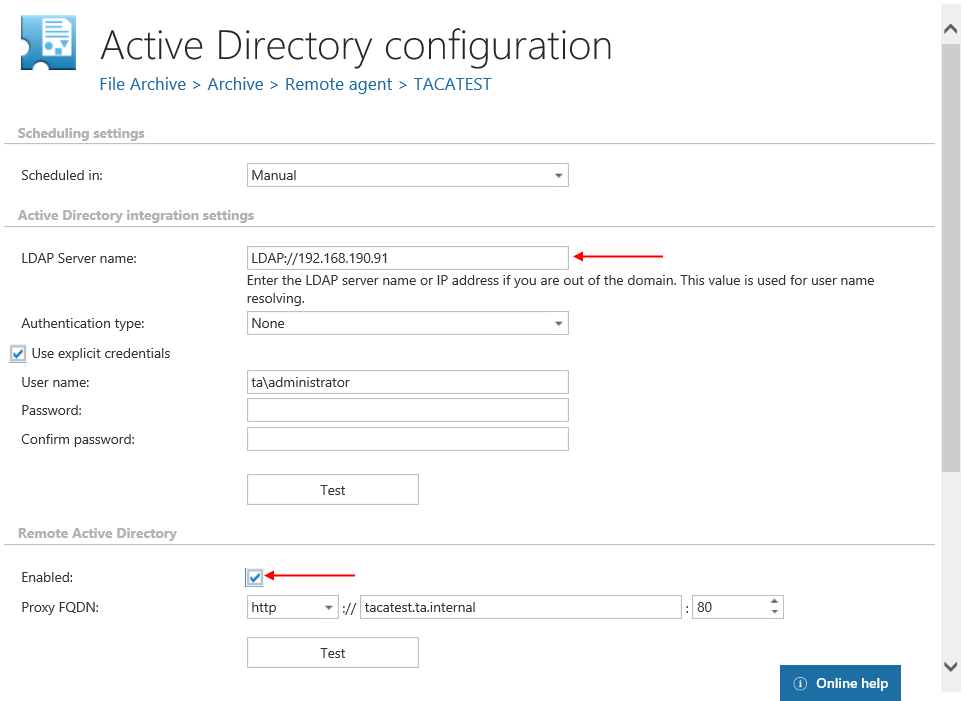
- If the Remote agent has Remote Active Directory enabled (File archive → Archive → Remote agents, Active directory in the agent's context menu), contentACCESS calls the ADService and attempts to log in with the user's credentials to the remote Active Directory.
- If the login to the remote Active Directory is successful, the user is allowed to log in to contentACCESS. The content shown to the user is evaluated based on SDDL permissions.