Common features
Introduction
The Common features in contentACCESS Central Administration provide the shared configuration components used by all jobs, regardless of the type of job being configured. This page explains the concept of jobs, the framework features common to all of them, and where these shared settings are configured for each job type.
Jobs and common settings
To crawl mailbox and folder contents, contentACCESS uses jobs. A job in contentACCESS is a component of the software that adds specific features to the application. Each type of job has its own specific use case, but its features can be extended depending on the process it is meant to implement.
Depending on the implemented process, the administrator creates jobs to perform specific tasks. Although jobs differ from each other in terms of their individual settings, certain features are common to all of them. Every job:
- uses a database, where it writes metadata;
- uses a storage, where it stores binaries;
- has a scheduler, which specifies its running times;
- has a retention, which determines the period for how long the data (documents, emails, etc.) processed by the job must be accessible.
Only the features configured in these common settings can be selected on a job's configuration page.
Where common settings are configured
These common settings are configurable per job type, in the following locations:
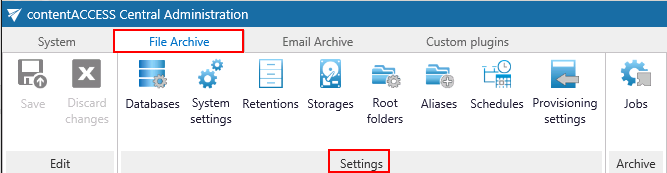
- File Archive tab → Settings group by File Archive.
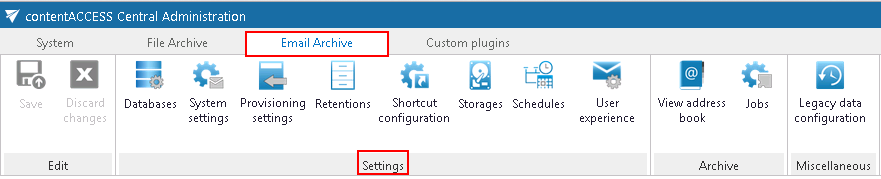
- Email Archive tab → Settings group by Email Archive.
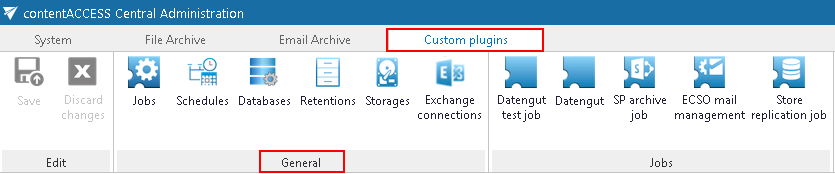
- Custom jobs tab → General group by Custom jobs.
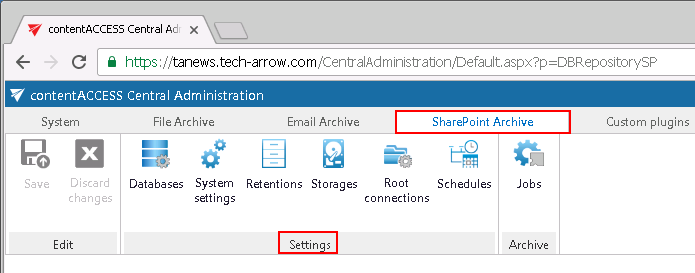
- SharePoint Archive tab → Settings group by SharePoint Archive.
Configuring framework features
The following sections explain how to adjust these framework features. These configurations follow the same logic for all job types — by navigating to the appropriate control button on the Central Administration ribbon.
Note: The configuration logic is from left to right. Following this order ensures that all necessary configuration is completed before moving on to the next step.