Backup Administration for Microsoft 365
Introduction
Backup Administration for Microsoft 365 is a user-friendly solution designed to address various backup scenarios encountered by organizations. It supports the management and backup of email, OneDrive, SharePoint, and Teams, as well as cloud backup solutions, providing a straightforward way to securely store and manage essential data.
Backup Administration enables users to configure and run jobs in the background, allowing tasks to be managed efficiently without interrupting their workflow or compromising access to critical data. It also provides unified access to stored content regardless of the target destination, streamlining data retrieval.
The solution is fully integrated with the contentACCESS framework through a synchronization mechanism that automatically reflects configuration changes made in either platform. For example, a storage created in Central Administration is automatically available in Backup Administration, and vice versa, ensuring consistency and efficiency across the backup infrastructure.
This page explains how Backup Administration for Microsoft 365 integrates with the contentACCESS framework and how administrators can access it after installation.
Access Backup Administration
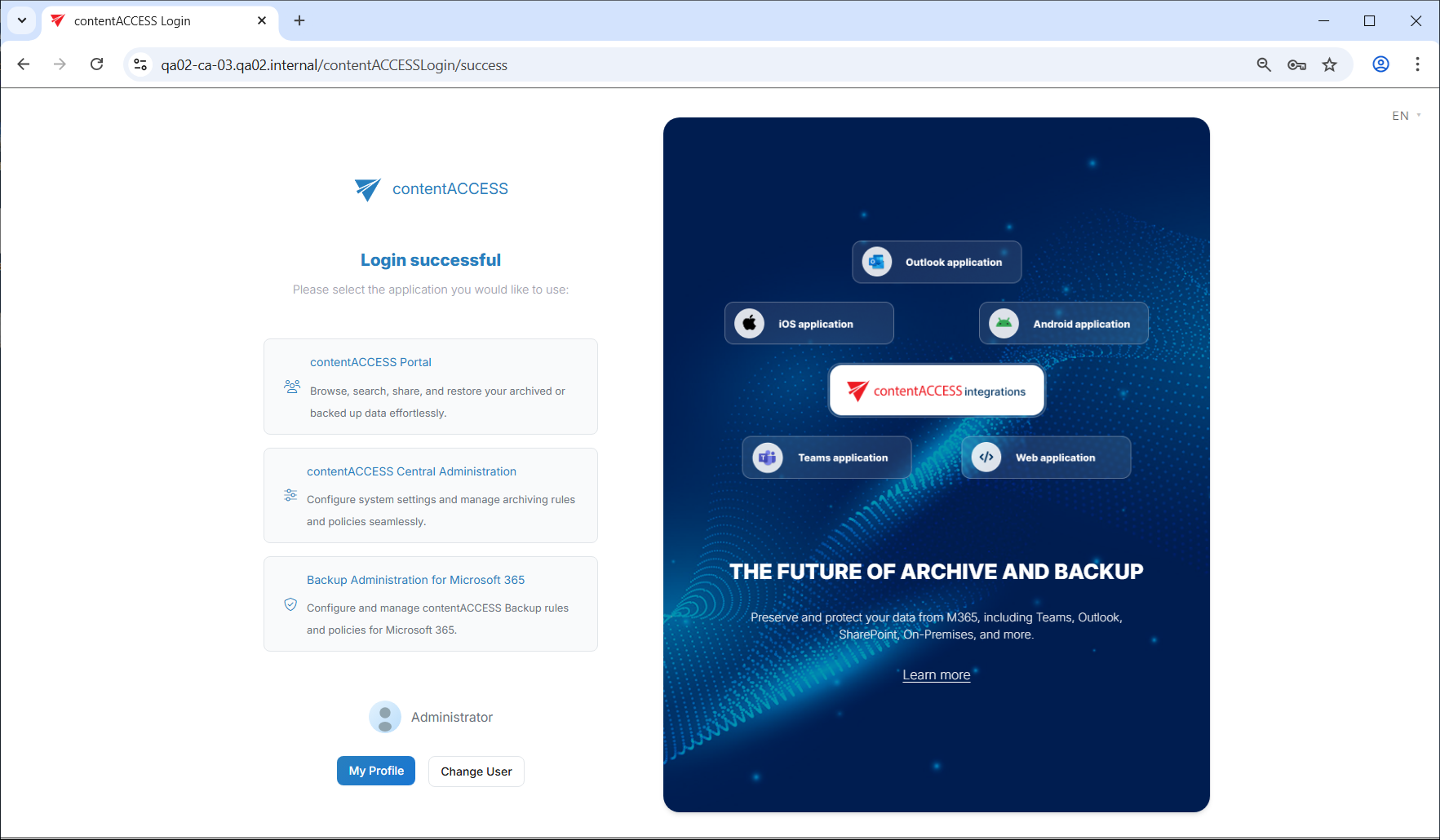
Backup Administration for Microsoft 365 is part of the contentACCESS setup package. Once the installation is complete, the Backup Administration application will be displayed on the TECH-ARROW login page alongside the other available applications.
Clicking Backup Administration for Microsoft 365 allows you to log in to the backup system, provided you have the necessary permissions. For more information about logging in to Backup Administration and contentACCESS, refer to the Central Administration login section of the documentation.
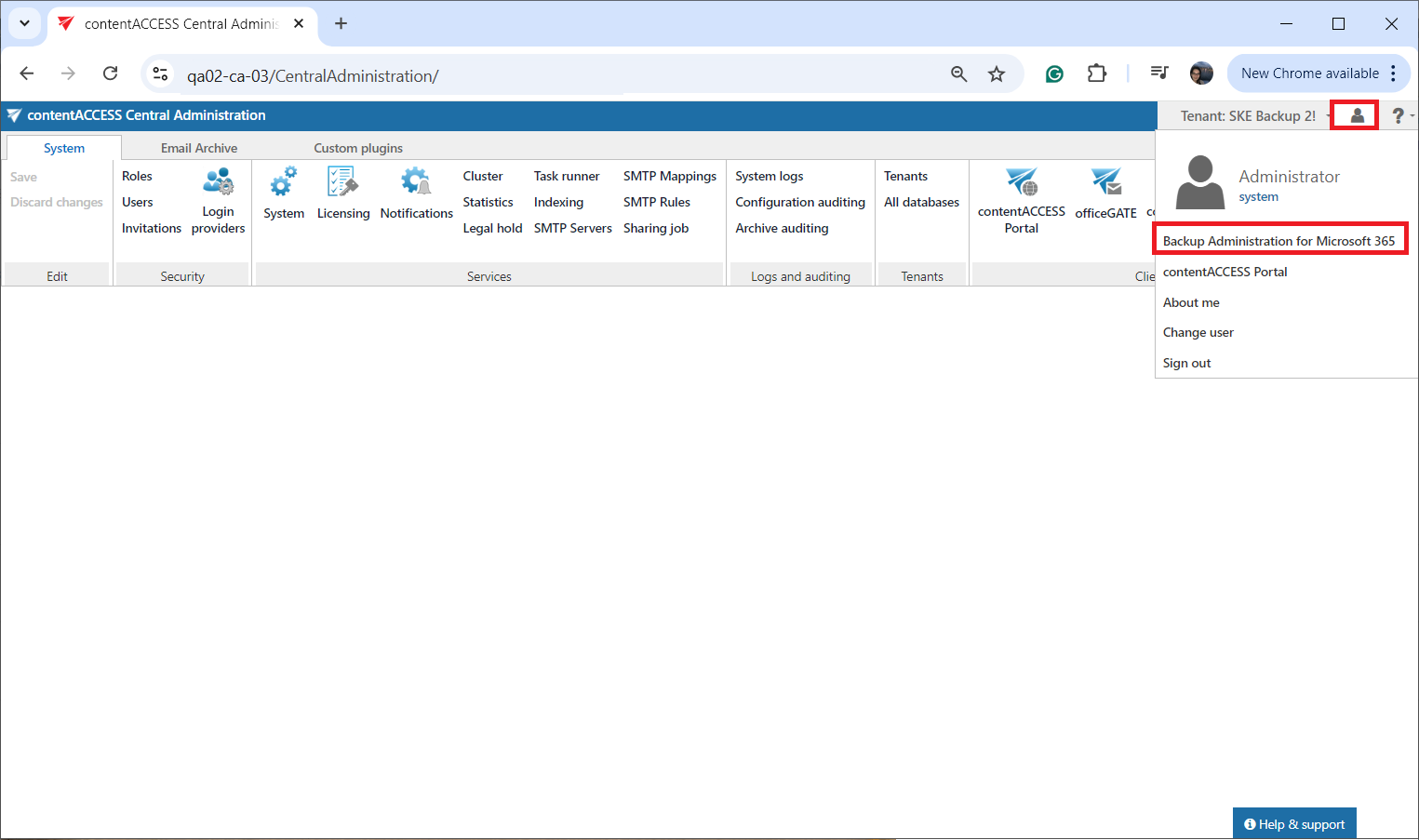
Tenant administrators and system administrators can also open Backup Administration directly from Central Administration, using the login menu in the upper-right corner of the interface. Open the menu, select Backup Administration for Microsoft 365, and the Home page will open in a new browser tab.
For more information about the operation and interface of Backup Administration, refer to the Backup Administration for Microsoft 365 manual.