Categorize to Public folders job
Introduction
The Categorize to Public folders job is a contentACCESS custom job used to create exactly one copy of tagged mails in public folders. Users tag mails in Outlook with categories, and each category is associated with exactly one public folder. Tagged mails are then copied to their respective public folder for further processing.
The folder name is used as the name of the Outlook category. Public folders are organized in a hierarchy, but folder names are unique across the organization.
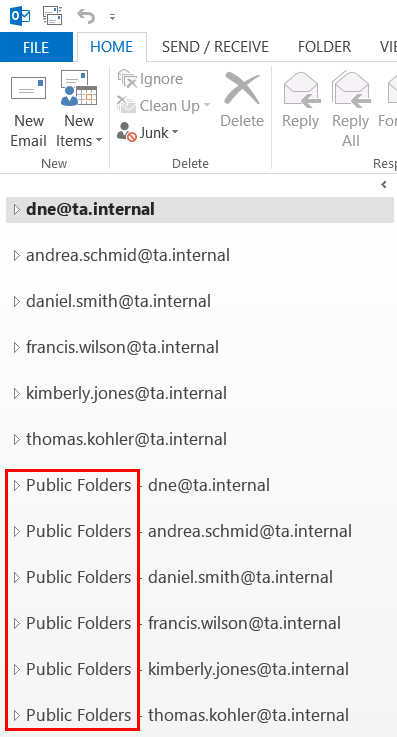
This page describes the job's prerequisites, how to configure the Categorize to Public folders job, how mailbox content is crawled, and the conditions under which a message is or is not processed.
Prerequisites
The job requires the following before it can be configured and run:
- Mapping table (category name to public folder path): This mapping must be maintained by the administrator. When new categories are created, the mapping must be updated accordingly. Changes made to the mapping table are immediately reflected in the job.
- Exchange server connection: An Exchange server connection must already be configured for the mailbox to be crawled. For more information, see Exchange connections.
Configure the Categorize to Public folders job
- Go to Custom jobs -> Jobs.
- Click + New.
- Select Categorize to Public folders.
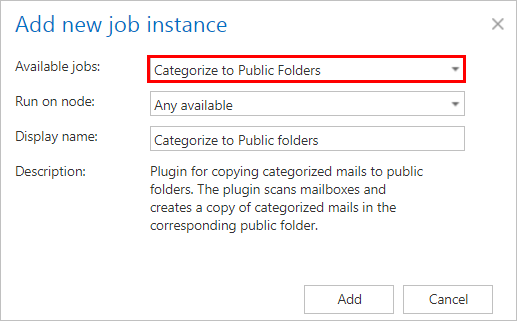
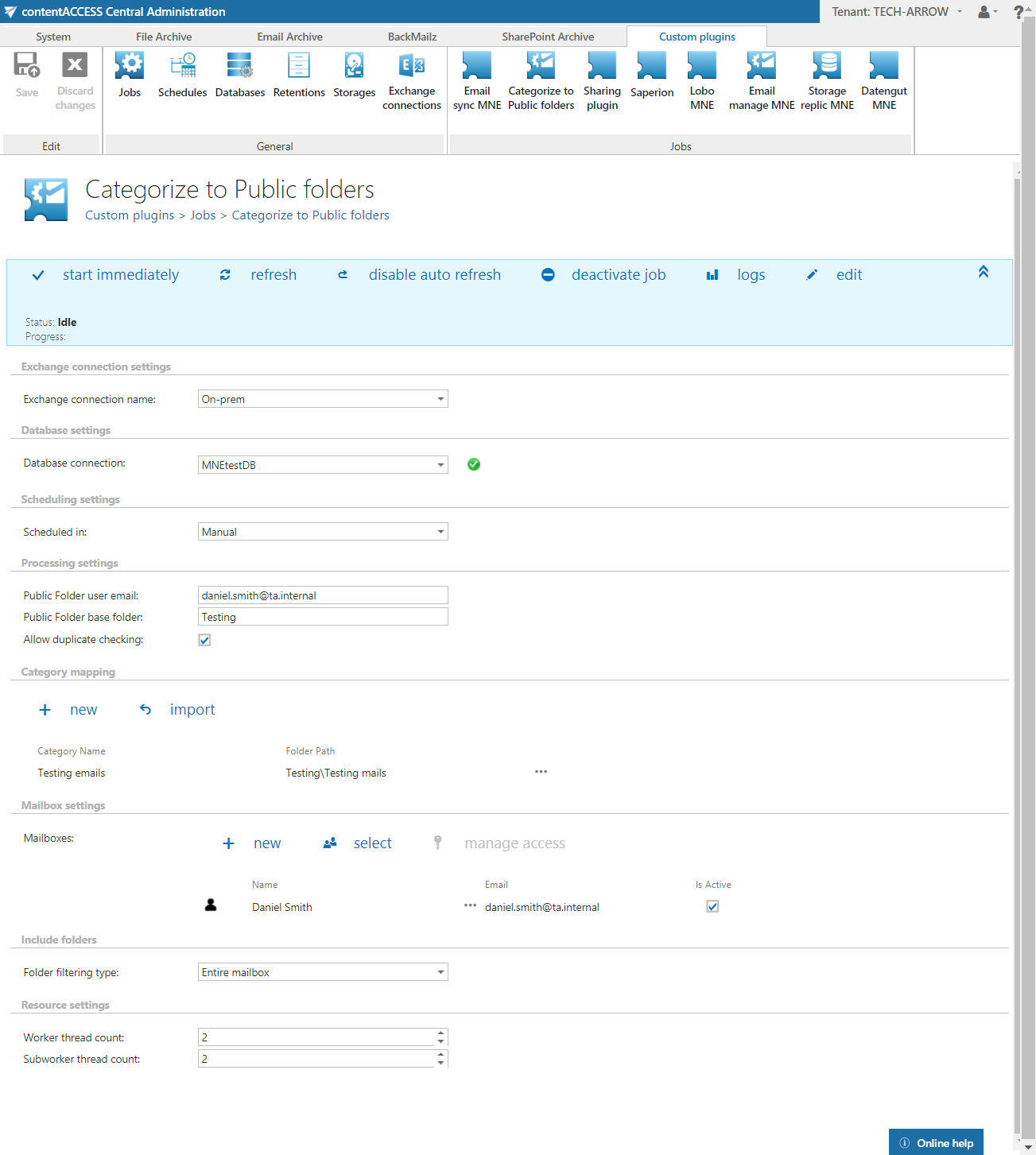
On the configuration page of the job, the following settings must be specified:
Exchange connection settings
The connection with the Exchange server must be established first. Before processing, the job builds a list of all mailboxes and mailbox groups found on the specified Exchange server. Only queue items whose mailbox is handled by the Exchange server are processed.
For more information on setting up an Exchange connection, see Exchange connections. Select this Exchange connection on the job's configuration page.
Database settings
Set a database where the job will write the necessary data. For more information on creating databases, see Databases.
Scheduling settings
Select the running time(s) of the job. You can either select a scheduler from the list or create a new one using the create new … option from the dropdown list. Schedulers allow the administrator to automate the running times of the job. Mailboxes are periodically synchronized with the categories written into the queue at the time intervals set here. For more information, see Schedules.
Processing settings
Enter the email address of the public folder user here.
Category mapping
Map a category name to a public folder by entering the full folder path. When new categories are added, the administrator must update this mapping.
Mailbox settings
Select the mailboxes to be processed by the job.
Include folders
The job crawls either the entire mailbox or recursive folder structures within the mailbox for further processing. Before entering the folder name(s) to be crawled, select the folder filtering type.

Resource settings
Set the values that determine how many items will be processed simultaneously by the job. The recommended value is 2.
Crawling the mailbox content
Mailboxes are crawled using EWS. Only minimal information is retrieved, which helps speed up the process of deciding whether a message needs to be processed.
Processed messages are tracked in the contentACCESS database, along with the category processed for each message. The modification date of the message is also stored, which helps identify whether the message was modified. Unmodified messages can be skipped from processing.
When is an email/message processed?
A message is only processed if it has at least one category that is present in the category mapping. Private messages (messages with non-zero Sensitivity) are skipped from processing.
Message categories are processed sequentially. For each category, the mapping is searched:
- If there is no match, the category is ignored and no record is created.
- If there is a match, the message is copied to the defined public folder.
Special cases
- The message was not yet processed: The message ENTRYID is not found in the contentACCESS database and is therefore sent for processing. All categories of the message are processed.
- The message was already processed
- Category was changed on the processed message
- Category mapping was changed
Note: In cases 2–4, the messages/emails may not be processed again.