Adding address book objects manually
Introduction
The Address book allows administrators to manually add objects — mailboxes, groups, and servers — instead of relying solely on automatic synchronization. Objects can be added in Basic or Advanced mode, depending on how much detail needs to be configured.
This page describes how to add mailboxes, groups, and servers manually in both modes.
Note: Settings marked with * are required and must be specified.
Basic mode
Basic mode is used to quickly create virtual mailboxes, groups, and servers with a minimal set of options.
Adding mailboxes
In Basic mode, mailboxes are created as virtual mailboxes, which can later be used by SMTP server-based archiving. This differs from Advanced mode, which allows adding a mailbox that needs to be archived from a real Exchange server, together with all of its options.
- Server: Select an existing Exchange server from the dropdown list, or type in any server name. If the specified server does not already exist, a model server with that name is created automatically.
- Add mailboxes to group: If this checkbox is unchecked, the Group dropdown list is disabled.
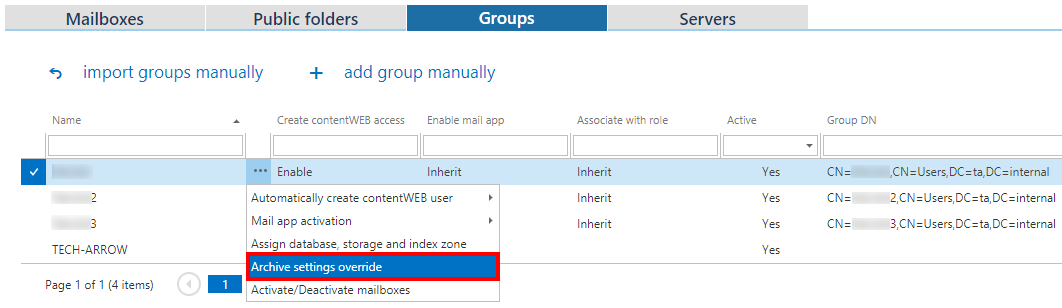
Adding groups

Adding servers

Advanced mode
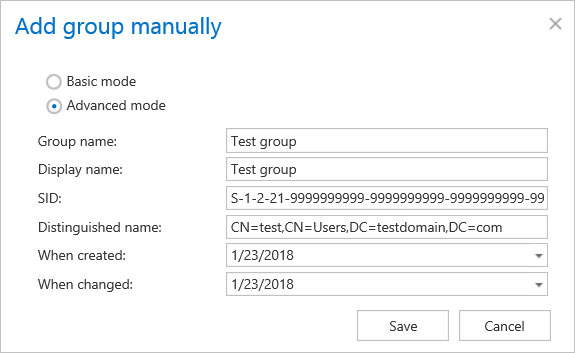
Advanced mode allows the user to configure objects with their full set of options.
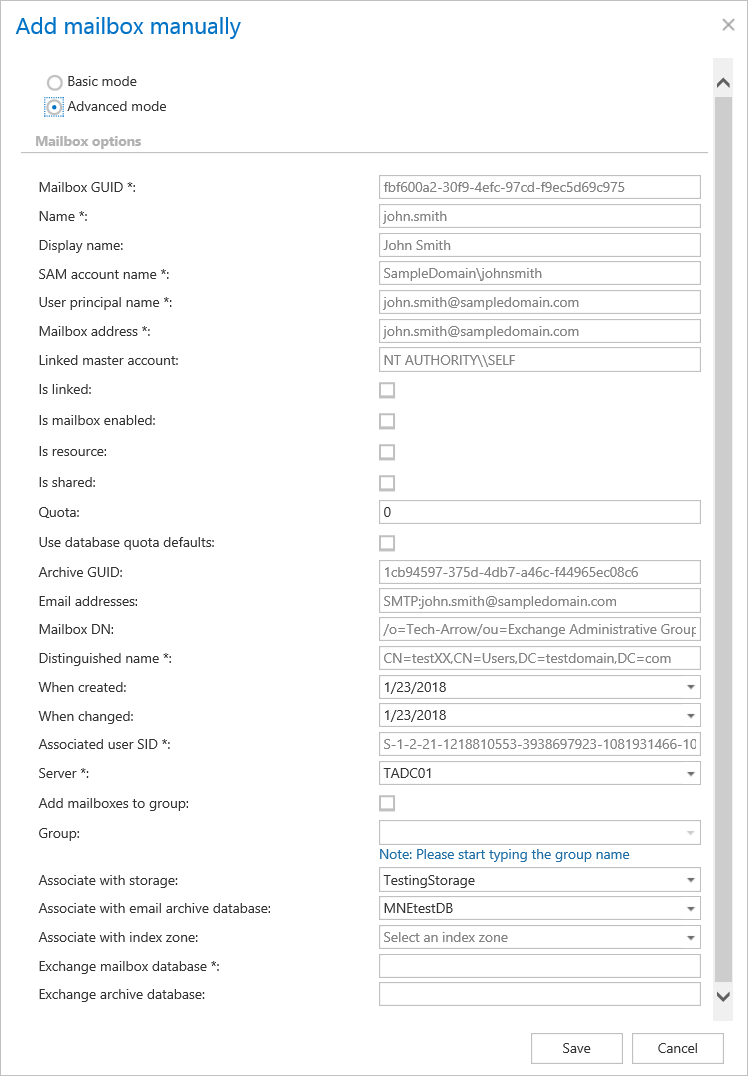
Adding mailboxes
Advanced mode allows the user to add a mailbox, which needs to be archived from a real Exchange server, with all of its options.
Adding groups
Adding servers
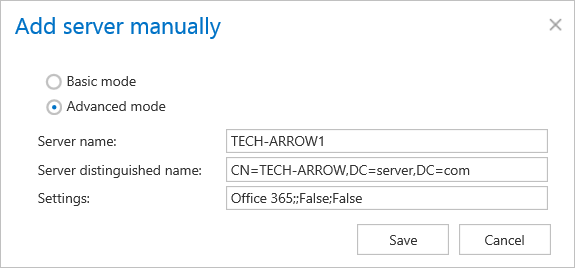
Note: The Settings have to be copied from the actual settings of the Office 365 Exchange server.