Removing groups and mailboxes from the Address book
Introduction
The Address book in Backup Administration allows administrators to remove groups and mailboxes that have not been archived before. This page describes how to remove a mailbox and how to remove a group, including its member mailboxes, from the Address book.
Note: Only mailboxes without archived data can be deleted.
Removing a mailbox
To remove a mailbox from the Address book:
-
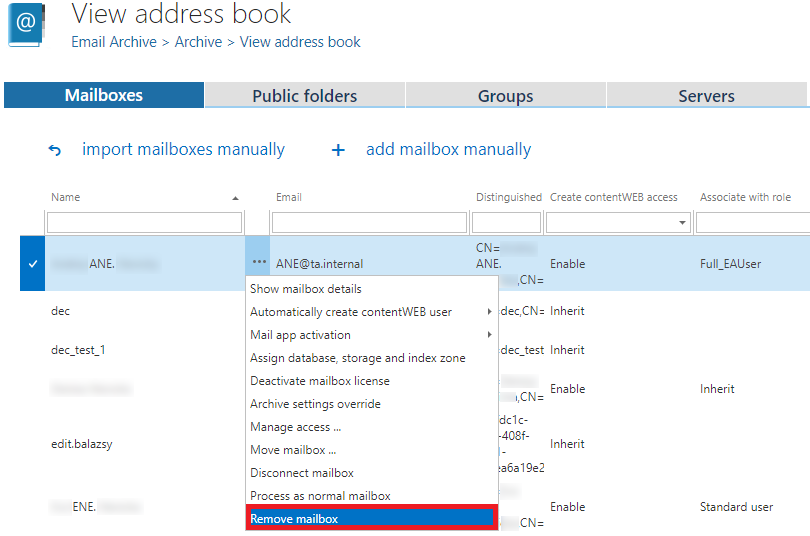
Click Remove mailbox from the mailbox's context menu.
-
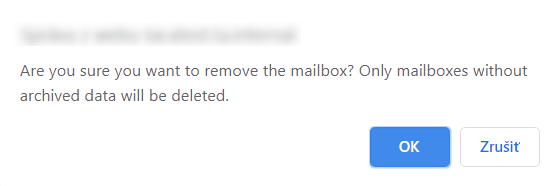
Confirm the action when the system warns you that only mailboxes without archived data can be deleted, by clicking OK.
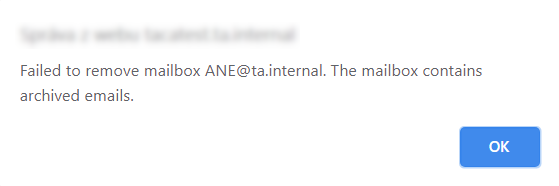
If the removal is successful, the mailbox is removed from the Address book. Otherwise, an alert pops up.
Removing a group
To remove a group from the Address book:
-
Click Remove group from the group's context menu.
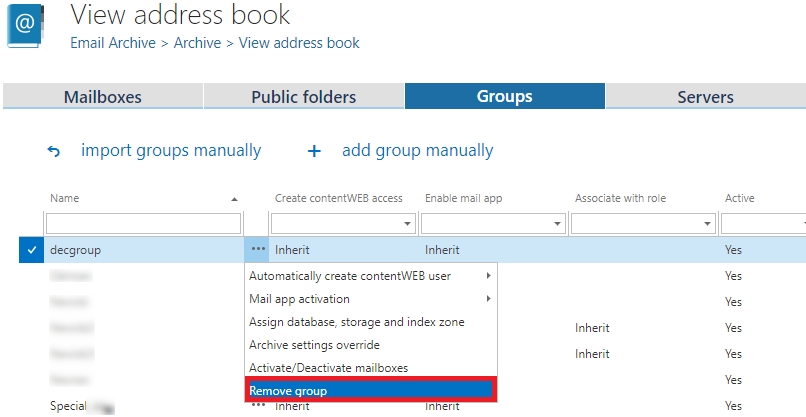
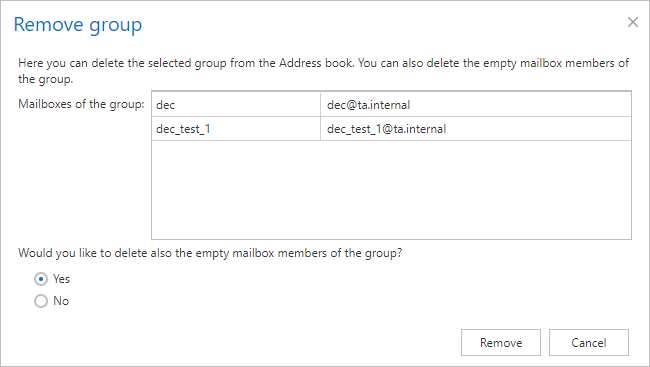
This opens a dialog showing the list of group members. You can choose whether to delete:
- Only the group from the Address book, or
- The group and its empty mailboxes.
If you choose to delete the mailboxes as well, the system attempts to remove all mailboxes belonging to the group. If all mailboxes can be deleted, the group is also removed from the Address book.
-
Click Remove.
warningImportant: Subgroups and subgroup members are not deleted.
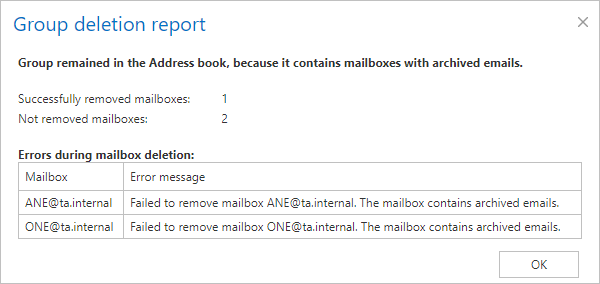
If at least one mailbox in the group cannot be deleted, the group remains in the Address book, and only its empty mailboxes are deleted. A Group deletion report pop-up window appears, summarizing the result.