contentACCESS MailApp access
Introduction
The contentACCESS MailApp access settings in Central Administration allow administrators to control whether the contentACCESS MailApp can be activated for users, groups, or other objects in the address book. Access to the MailApp is managed per object and can be inherited from a parent object or explicitly allowed or forbidden.
This page explains how to enable MailApp activation from Central Administration, how inheritance and object-level configuration work, and how to apply the changes using the Provisioning job.
Important: To be able to activate contentACCESS MailApp via the EA Provisioning job, the roles Org Custom Apps, Org Marketplace Apps, and User Options must be assigned for the EWS user on the Email archive System settings page, in the EWS settings section.
Enable MailApp activation
MailApp activation is managed from Email archive -> Archive -> View address book.
In the Enable mail app column, you can see whether MailApp activation is allowed for the selected object.
Note: By default, objects inherit the Mail app activation setting from their parent. If the parent object has activation enabled or forbidden, the child objects will have the same setting.
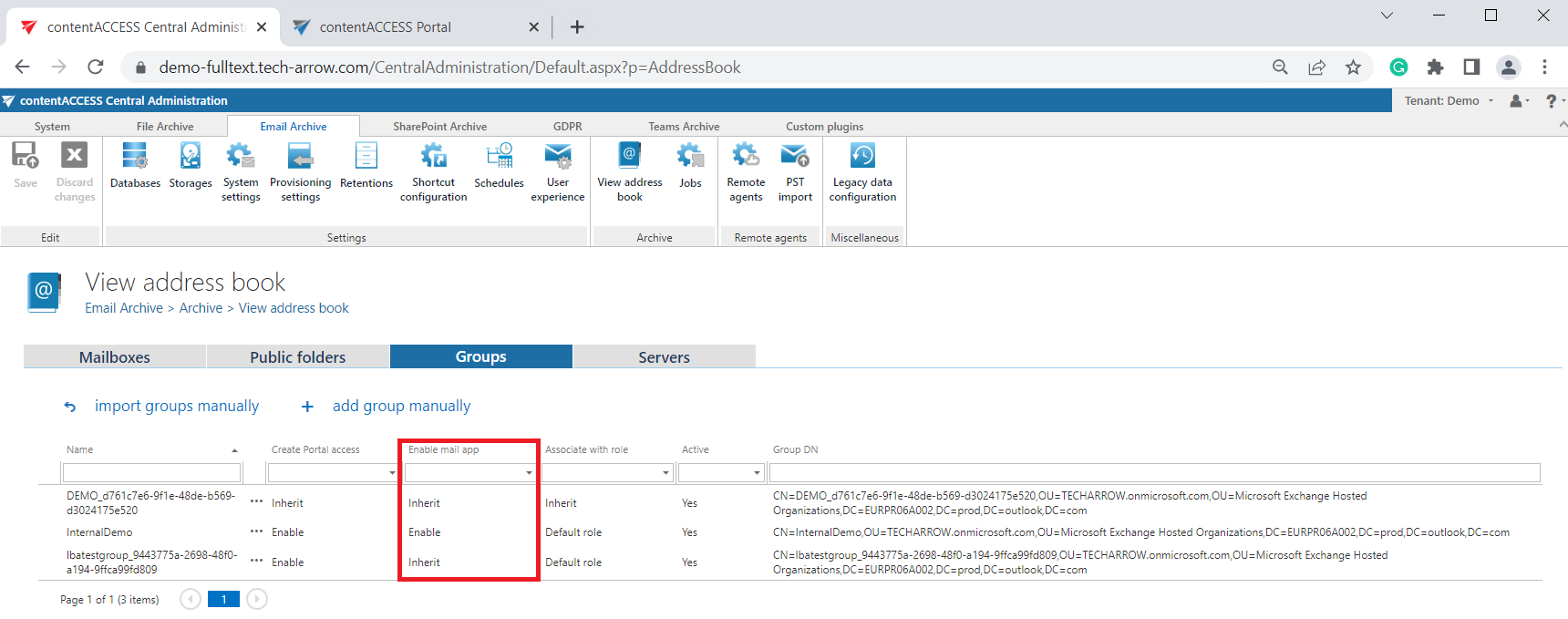
Configure MailApp activation for an object
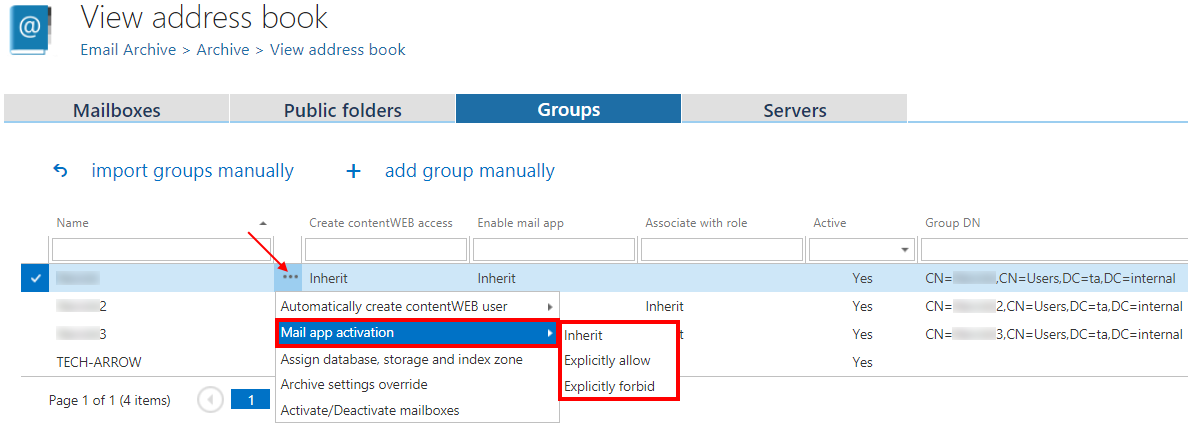
The Mail app activation setting can be changed from the context menu of the selected object. The following options are available:
- Inherit: The object uses the Mail app activation setting of its parent.
- Explicitly allow: The object is explicitly allowed to activate the MailApp, regardless of the parent's setting.
- Explicitly forbid: The object is explicitly forbidden from activating the MailApp, regardless of the parent's setting.
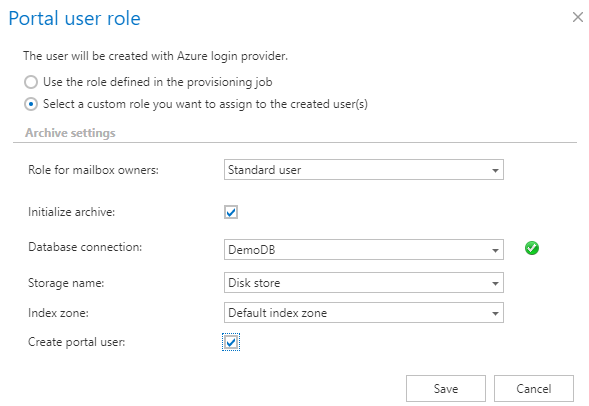
If you select Explicitly allow, the contentACCESS Portal user role pop-up opens. Here, you need to specify the contentACCESS Portal user role (containing user permissions) to be assigned to the contentACCESS Portal user(s). You can either:
- select a custom role from the dropdown list, or
- use the role defined in the Email archive Provisioning job.
Apply the changes
After the changes have been made, you must start the Provisioning job to apply them.
