Public Folder archiving in mixed Exchange environments
Introduction
Public Folder archiving in mixed Exchange environments explains how to configure contentACCESS to archive Public Folders when standard mailboxes and Public Folders are hosted on different Exchange server versions.
For example, standard mailboxes may be hosted on Exchange Server 2013 (referred to in this scenario as TECHEX2K13), while Public Folders reside on Exchange Server 2010 (referred to as TECHEX2K10). To support archiving in this kind of environment, the system must be configured accordingly, including the EWS settings, Public Folder archiving settings, provisioning, Address book server settings, and the archive job.
Configure EWS settings
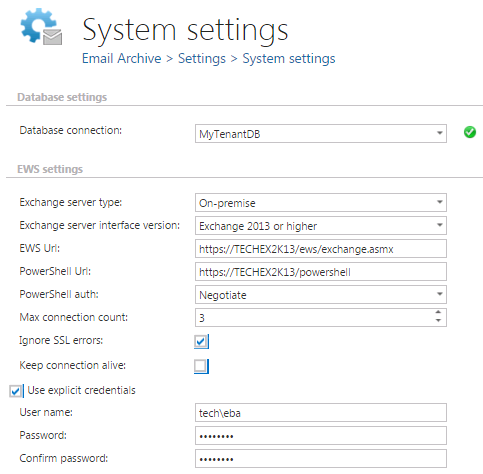
On the Email Archive → Settings → System settings page, under EWS settings, set the Exchange version to the highest Exchange version used in your environment, and specify an EWS user who has the necessary rights on this Exchange server.
Configure Public Folder archiving
On the same Email Archive System settings page, in the General settings section, enable archiving of Public Folders and set the Public Folder owner's email address. This must be the email address of a user who is hosted on the Exchange server that contains the Public Folders.
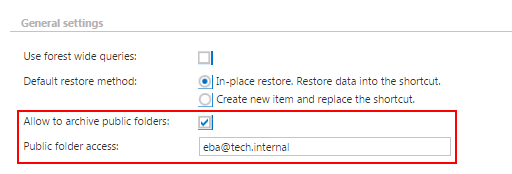
Important: If you move the user to a newer Exchange server, the Public Folder will be moved to the new Exchange server as well. Therefore, it is recommended not to move the user if the Public Folders should remain archived on the old Exchange server. If the user needs to be moved, we recommend changing the Public Folder email address to a different mailbox that still resides on the old Exchange server.
Run provisioning
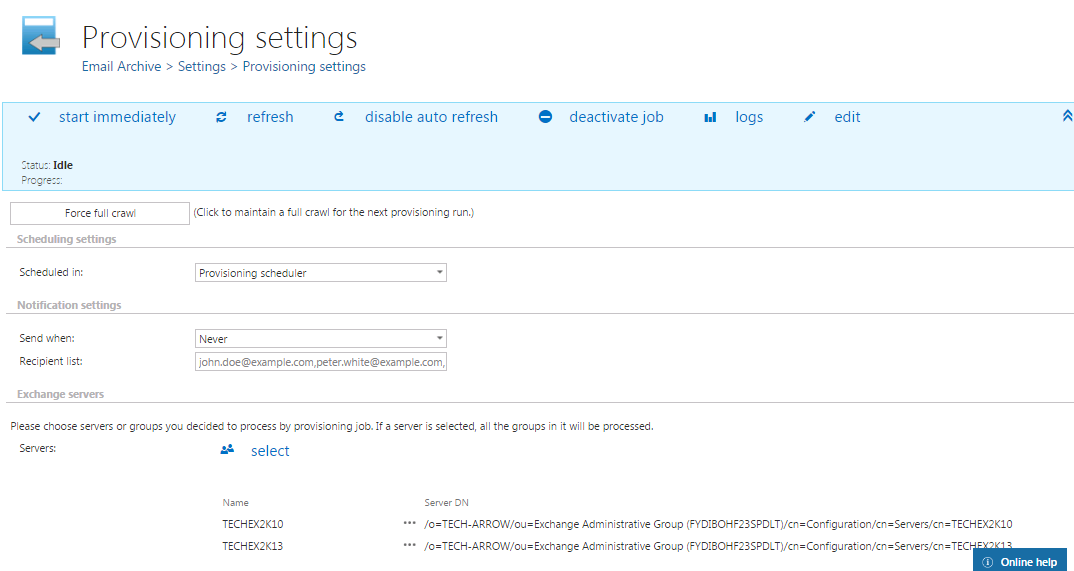
Set up email archive provisioning as standard, and start the provisioning job. All Exchange server mailboxes will be read and written to the contentACCESS Address book. Higher Exchange versions are synchronized first, followed by lower versions.
Configure Address book server settings
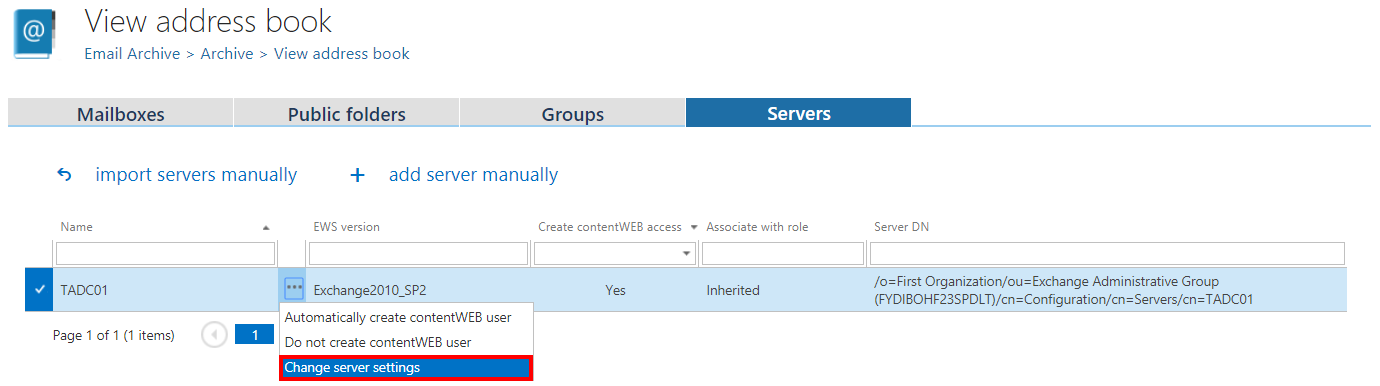
- Go to the Address book. The Exchange server section lists all synchronized servers.
- By default, the system uses the default EWS URL previously set on the System settings page (EWS settings section) to connect to the respective Exchange mailboxes. Set the correct EWS URL for each of your Exchange servers using the Change server settings context menu option.

Configure the archive job
Configure the archive job to archive both your standard mailboxes (from Exchange Server 2013) and Public Folders (from Exchange Server 2010).