Solution for indexing PDF files
Introduction
Proper indexing of PDF files requires the Adobe PDF iFilter to be registered in the system's Path environment variable. This page describes how to configure the Path environment variable so that contentACCESS can correctly index PDF content.
Set the Path environment variable for the Adobe PDF iFilter
-
Open File Explorer.
-
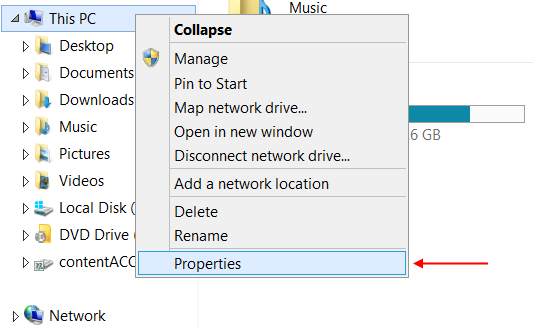
Right-click on This PC (or My Computer) and select Properties.
-
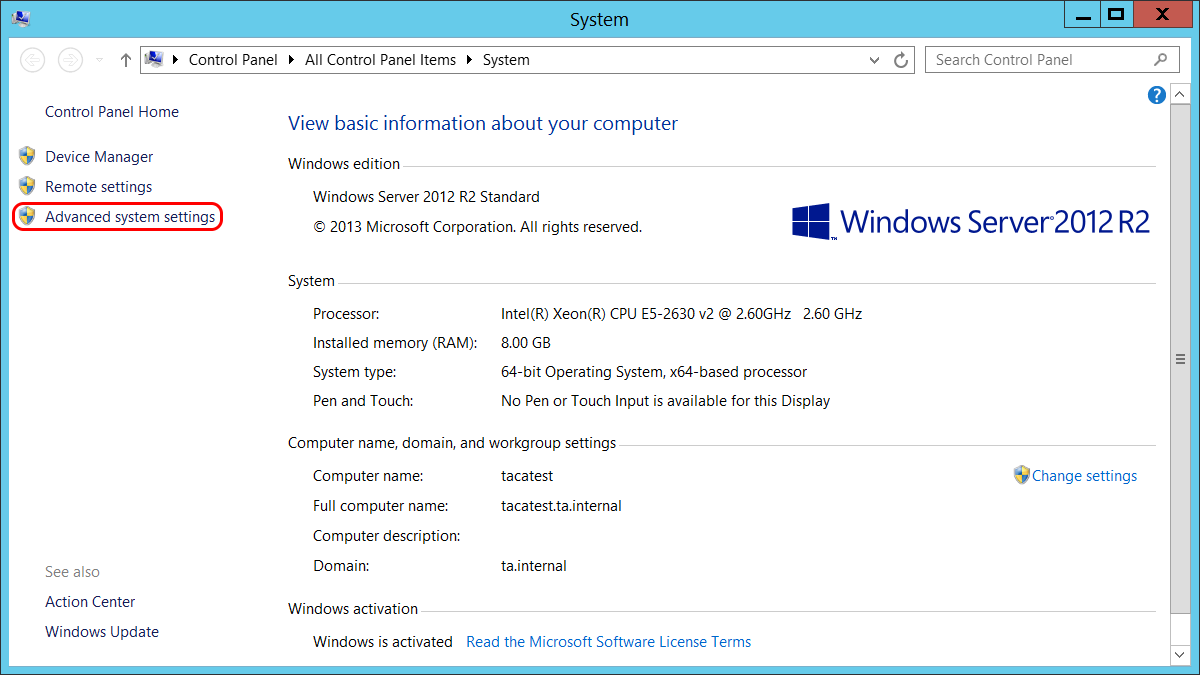
Click Advanced system settings.
-
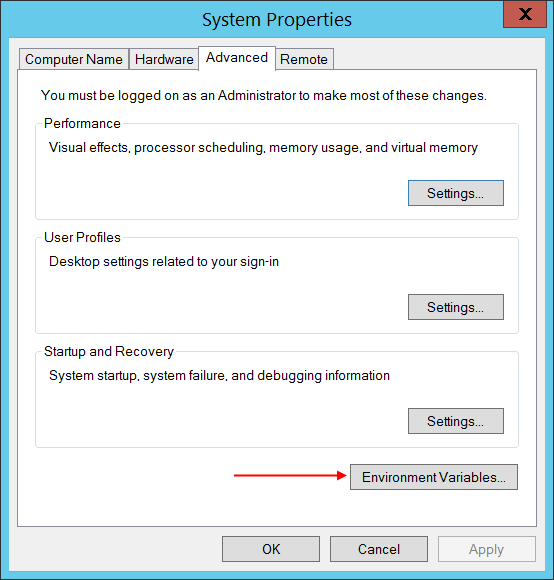
In the lower-right corner, click Environment Variables.
-
Find the variable named Path and click Edit.
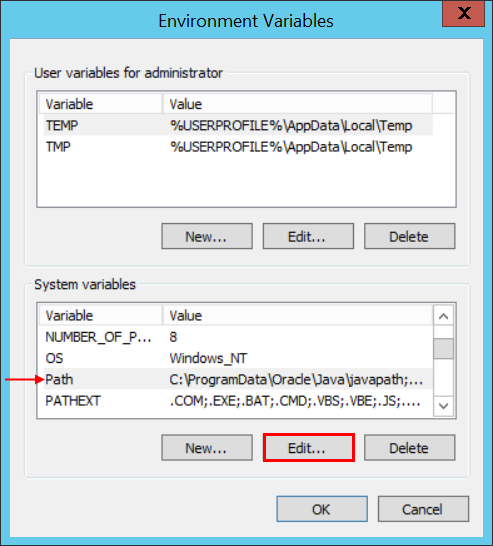
-
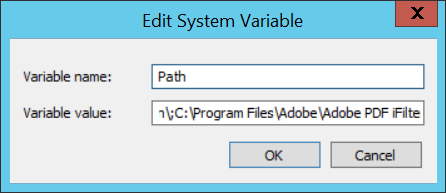
Append the path
C:\Program Files\Adobe\Adobe PDF iFilter 11 for 64-bit platforms\binto the variable value, separated by a semicolon, and click OK.