Introduction to File system archive
File system archive is a job type in contentACCESS used to archive documents from a selected file system location into a selected storage. This page introduces the available file system job types, explains the supported archiving methods, and describes how editing and rights synchronization work for already archived files.
There are 4 file system job types available in contentACCESS:
- File system archive
- File system restore
- File system recovery
- Remote shortcutting
File system archive
The File system archive job archives documents from the selected location into a selected storage. Archiving can be done in multiple ways: the administrator selects the archiving strategy and decides whether the archived file is kept in the file location, replaced by a shortcut, or deleted from there.
The following archiving methods are available:
-
Keep original item: The original file is kept in its original location. This is the recommended archive method for files younger than 1 year.
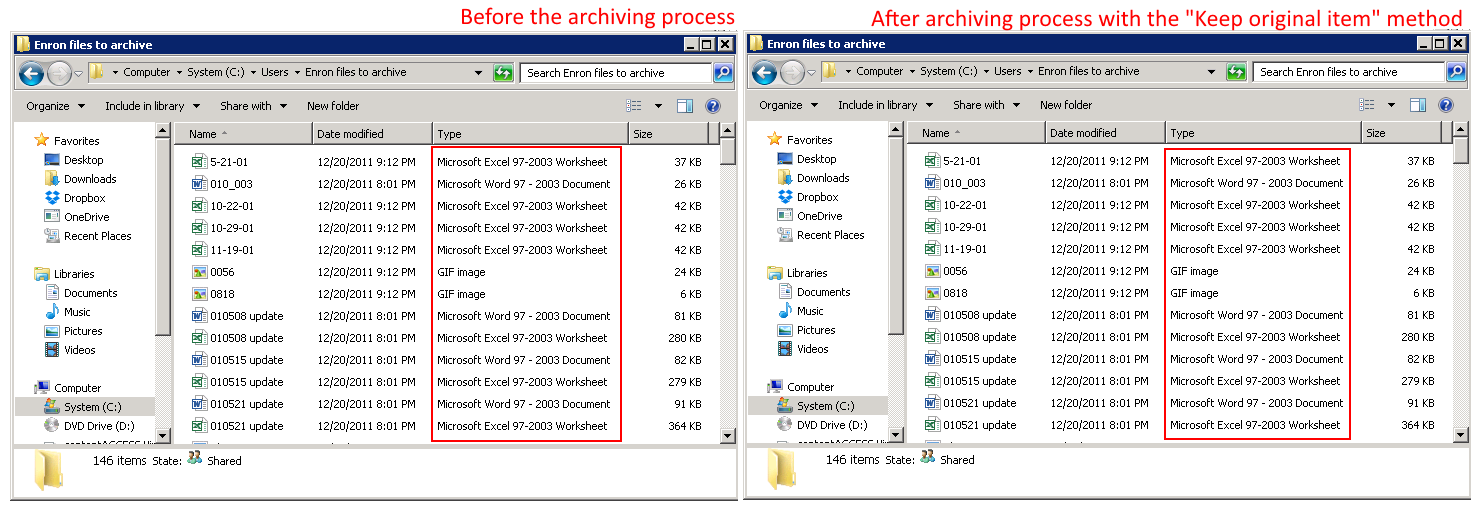
-
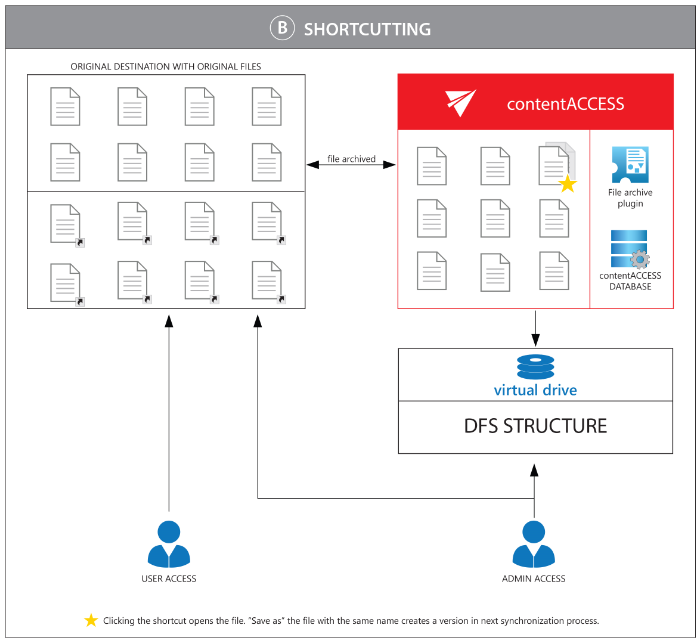
Create shortcut from original item: The archived item is replaced by a shortcut, so it does not take up as much space on the file server (disk), while the file remains available for use as usual. This is the recommended archive method for files older than 1 year and younger than 2 years.
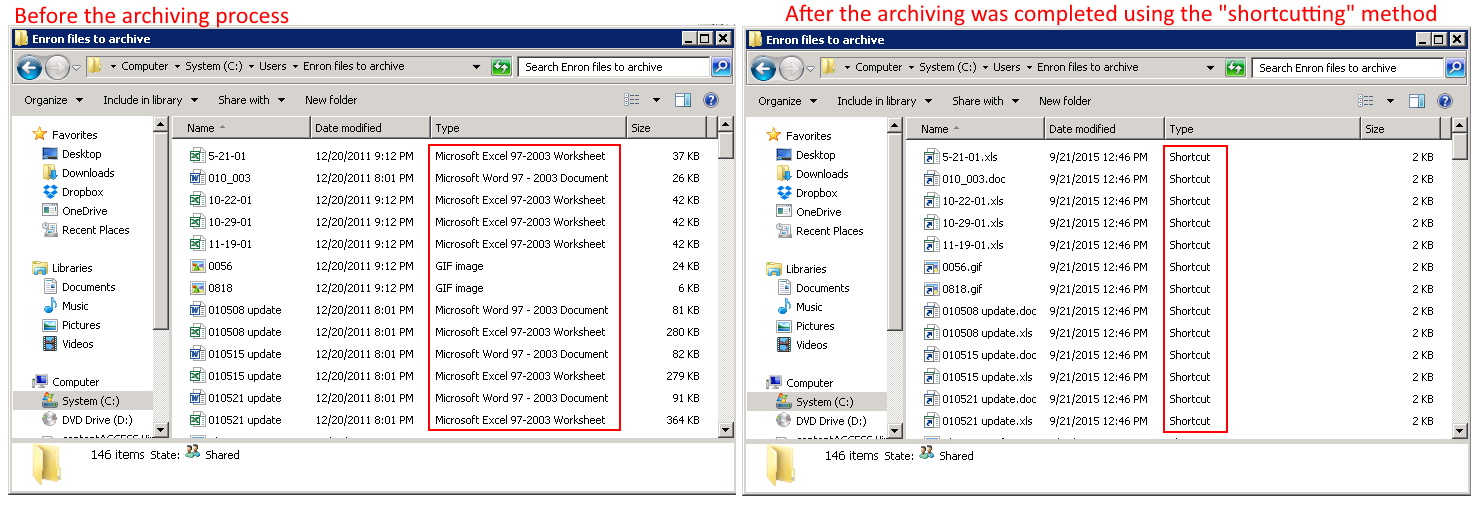
-
Delete original: The archived item is deleted from its current location. This is the recommended archive method for files older than 2 years.
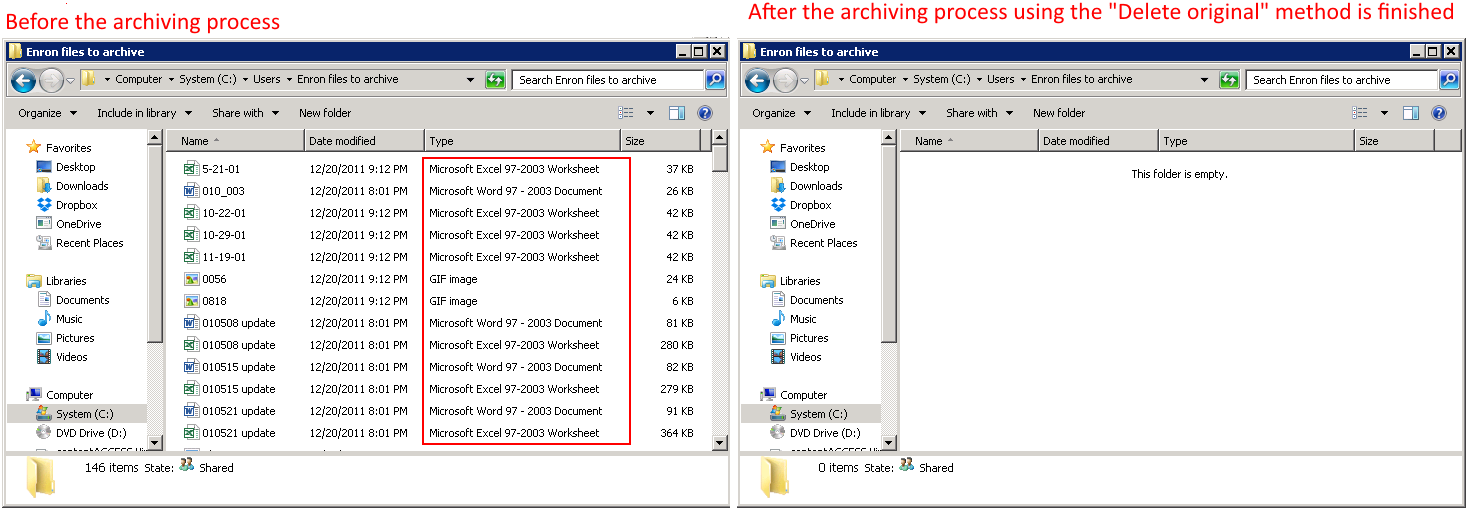
The most advisable method depends on the typical use case:
- The Keep original item method with versioning is used when customers work on long-term projects and their files are modified often. For example, if an architect is working on a project and would like to have a version of it each day, the project can be archived each day to create versions of it. This protects against losing work performed over a longer period, for example, if a hardware problem occurs.
- Shortcutting is used for older files that may still be used, so the user would not like to delete them from the file location yet (for example, files older than 1 year but younger than 2 years).
- Items that are no longer in use, but must remain retrievable from the archive during the retention time required by law, should be deleted from their location when archived. In this case, it is advisable to use the Delete original item method.
File system restore
The File system restore job is used to restore already archived items from shortcuts, moving them from the storage (archive) back into the original location.
File system recovery
The File system recovery job may be used to recover deleted items, folders, or recursive folder structures if they have been deleted from their original location. It is useful if an archived item or folder has been deleted by accident, or if the deletion was caused by a technical failure. The user may recover either the original file or the shortcut.
Remote shortcutting
The Remote shortcutting job is a special job type that can be used together with the file archive jobs. Use this job if you have several remote locations synchronized with your central data center. contentACCESS is installed at the data center and continuously archives the files already synchronized with the data center. Through the synchronization process, the files are copied to the data center, so the archiving itself is performed by a standard File system archive job, while the Remote shortcutting job is used to create shortcuts at the remote locations.
Use this method if you want to run the archiving process in a central data center and replace remote files with shortcuts when they are not in use. If you have multiple remote shares to archive and need to speed up the archiving process and save bandwidth, this is the right solution.
Editing of already archived files, file versions in File system archive
You can edit an already archived file by opening the original file (if it was archived with the Keep original item method) or the shortcut to it (LNK, if it was archived with the shortcutting method) in the original file location or through the Virtual drive.
- If the file was not shortcutted (that is, the already archived file is kept in the original file location), you can open the file in the standard way, edit it, and save it. The next archive job run will create a version of this file in the archive.
- If the file is shortcutted (that is, it was archived using shortcuts) and you open the file through the shortcut, you can make changes to the file if you have write access to it, simply by opening, editing, and saving it with the associated application. The Virtual drive will detect the change and create a new version of the file after a short delay (about 30 seconds).
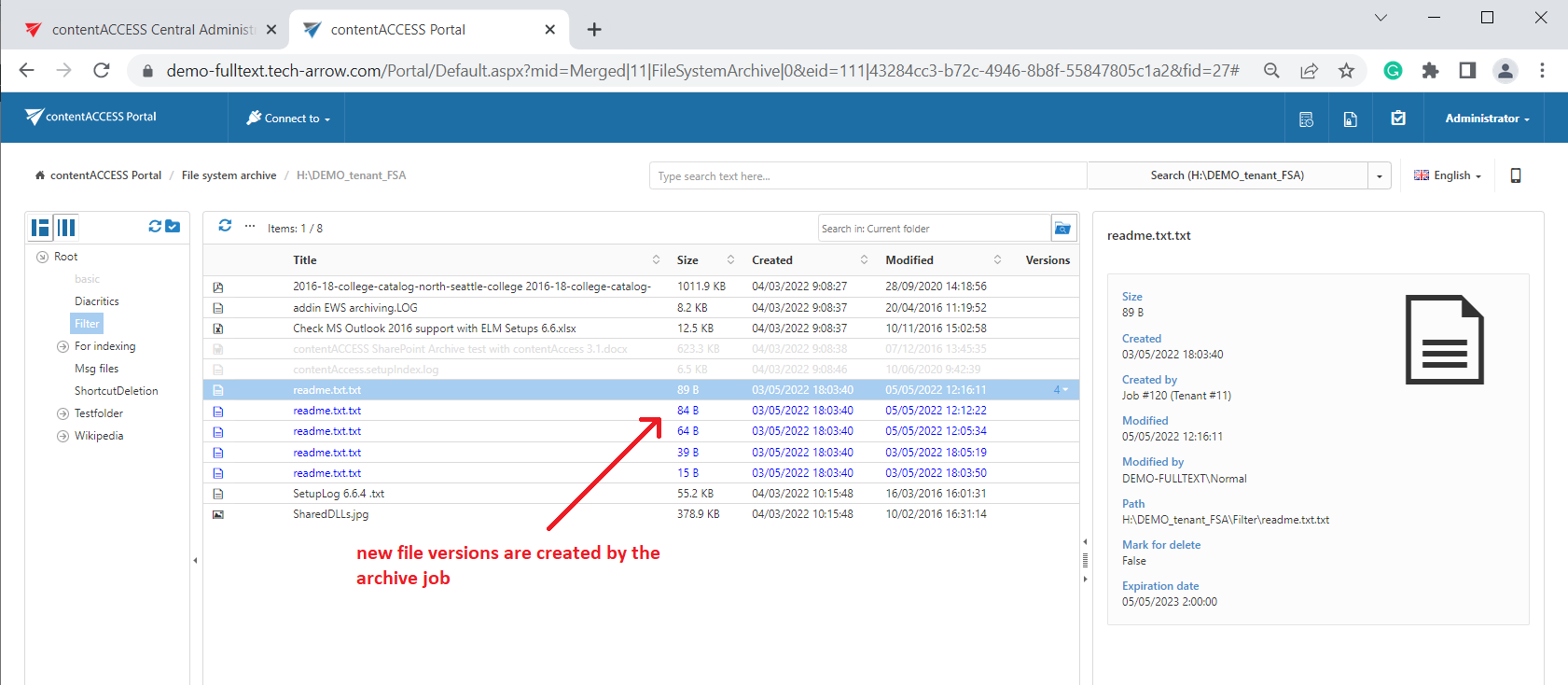
The versioning feature is useful for users working on long-term projects who want to protect themselves from losing their data. In such cases, it is recommended to run an archive job for the project each day, saving the current state (version) of the file or project into the archive.
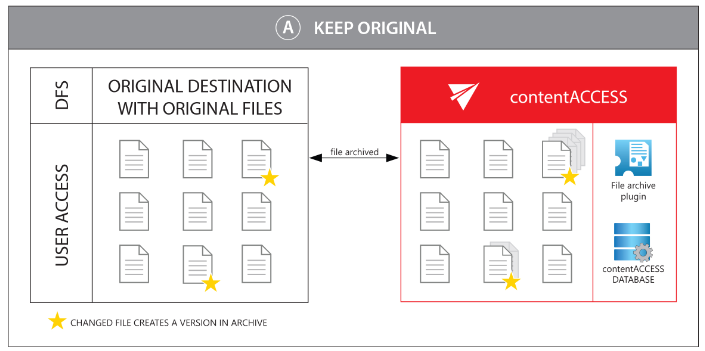
Screenshot A: Versions created when keeping the original item
Screenshot B: Versions created when using shortcuts
Synchronization of rights to a file/folder
The synchronization of user rights to a folder or file in contentACCESS Portal File Archive is managed by the File system archive job. The job writes the file system permissions to the database, and then synchronizes these user permissions in contentACCESS Portal as well.
The File system archive job synchronizes:
- the rights to a folder permanently at each job run;
- the rights to a file only in case a new version of the respective file has been created.