GDPR Application job
Introduction
The GDPR Application job processes the applications configured in GDPR Applications. It keeps the database and index synchronized with changes made to these applications, including deleted, moved, or modified information, tables, views, and applications.
This page explains how to create and configure a GDPR Application job, and describes the changes the job detects and processes.
Create a GDPR Application job
To create a new GDPR Application job:
- Click + new.
- Pick the job type from the dropdown list.
- Enter the display name.
- Click Add.

Configure the job
On the job's configuration page, go through the following sections.
Scheduling settings
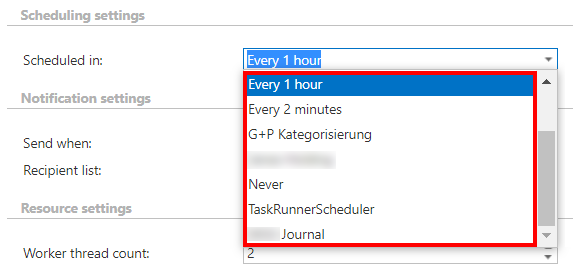
Select the running time(s) of the job. You can either select a scheduler from the list or create a new one using the create new… option from the dropdown list.
Note: For GDPR jobs, it is recommended to set a schedule that starts the job every week.
Notification settings
Select the cases in which you need to receive notification emails from the GDPR Application job. You can set the notification to be sent always, never, or only when an error or warning occurs during the job run. Enter the email address(es) of the recipient(s) into the Recipient list textbox.
Note: Notifications should be used if the administrator does not use the System logs feature.

Resource settings
Set the value that determines how many items will be processed simultaneously by the GDPR Application job. The recommended value is 2.

Job functionality
The GDPR Application job detects and processes the following types of changes:
- Information deletion: After information is deleted from one of the specified tables or views of the specified application and the job is run, the information is deleted from the database and from the index as well.
- Table/view deletion: After a table/view is deleted from one of the specified applications and the job is run, the information under that table/view is deleted recursively from the database and from the index as well.
- Information move: After information has been moved between different tables/views and the GDPR Application job has been run again, the information disappears from its original location and shows up under the new location. It is also updated in the database and index.
- Table/view move: After a table/view has been moved in the specified application and the GDPR Application job has been run again, the table/view disappears from its original location and shows up under the new location. This information is also updated in the database and index.
- Application deletion: After an application is deleted from the Applications configuration, the next time the job is started, it deletes all the related data from the database and from the index as well.
- Item modification: If an item has been modified since the last run of the job, the job updates the item's content and properties in the database and index as well.