External login provider configuration
Introduction
The External login provider configuration page allows administrators to add and configure external identity providers that users can select when signing in to contentACCESS applications. On this page, administrators can create a new login provider, define its availability and display order, and configure the provider-specific settings required by each supported provider type.
Configure a new login provider
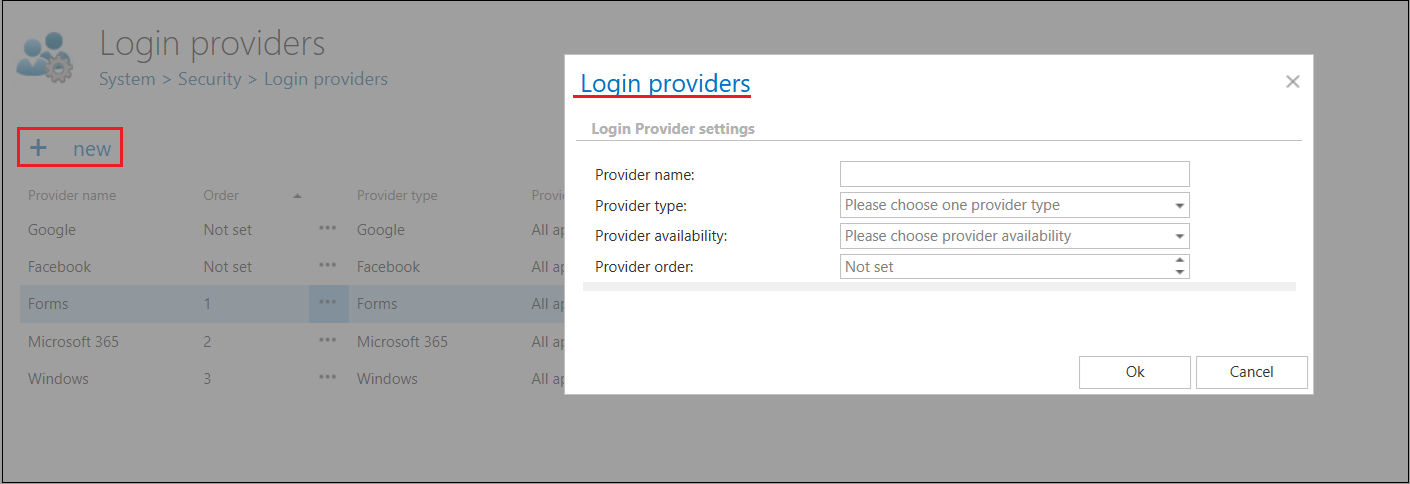
To configure a new login provider, click +new on the Login providers page. The Login providers dialog opens.
- Enter a name for the provider.
- Choose a supported external provider from the Provider type list.
- Set the provider availability — this determines the applications that will use the given provider.
- Set the provider order — the order determines how the configured login providers are displayed on the login page.
info
Note: Providers left as Not set automatically appear at the bottom of the list.
- Fill in the required fields for the selected provider type. These fields differ depending on the provider type and are described in detail on the corresponding provider configuration pages.
- Click OK to save the settings.