Editing roles, editing role assignments
Introduction
The Editing roles and Editing role assignments functions in contentACCESS allow administrators to update existing roles and role assignments without having to delete and recreate them. Roles define sets of permissions, while role assignments apply those roles to specific users, optionally with specific permissions.
This page describes how to edit existing roles and how to edit role assignments already applied to users.
Editing roles
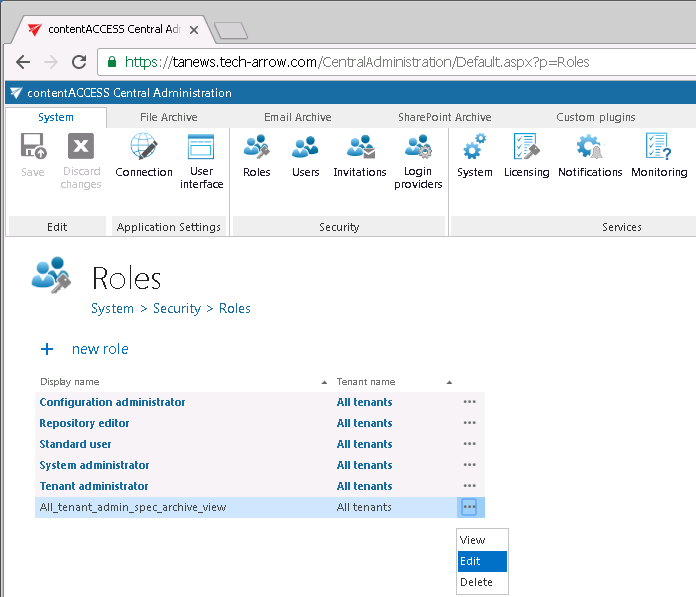
Roles can be edited in the Role details window. Open it from the role's context menu, using the Edit option.
Important: The logged-on user cannot edit a role already assigned to himself, i.e. he cannot extend his own rights.
Editing role assignments
Role assignments are roles already assigned to a given user, with or without specific permissions.
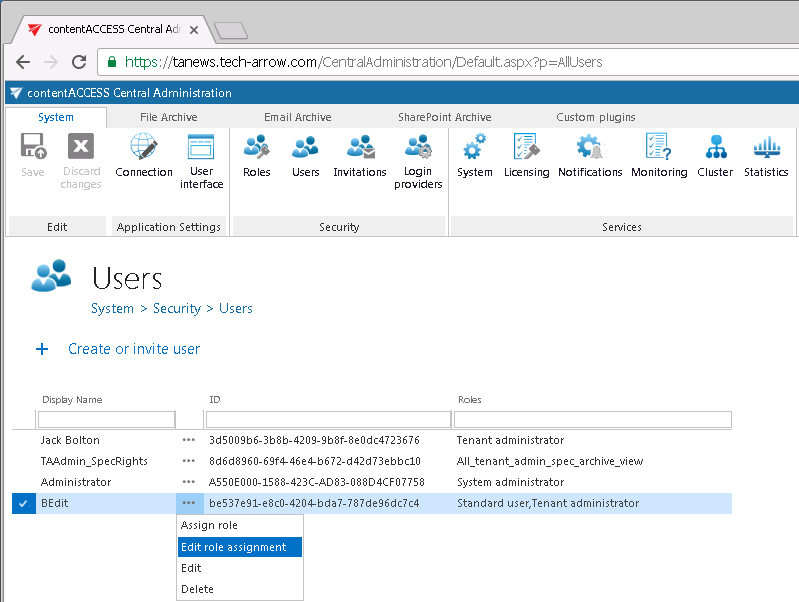
Role assignments can be edited from the user's context menu, using the Edit role assignment option:
- Select Edit role assignment from the user's context menu.
- In the Role assignment window, select the role to be edited. A user may have multiple roles assigned.
- If the role has any specific permissions defined, the Assign specific permissions page opens, where you can change the settings.
Prerequisites
Only users with Manage users and roles permissions can edit role assignments. Without this permission, the Users page is not available to the user.
The role assignments a logged-on user can edit depend on that user's own permissions:
Note: The logged-on user must have equivalent or more permissions than the role assignment they would like to edit. For example, if the logged-on user has no permissions to edit jobs of their associated tenant, they cannot edit a role assignment that grants permissions to edit the jobs of that tenant.