Sharing job
Introduction
The Sharing job is a system-wide job that handles asynchronous post-processing and management of shared files and all sharing activity within the system.
This job performs the following tasks:
- Updates and synchronizes channel and chat memberships for files shared through the contentACCESS Teams Search App.
- Deletes expired files from the store.
This page describes how to configure the scheduling and notification settings of the Sharing job.
Configure the Sharing job
To configure the Sharing job, navigate to System -> Services -> Sharing job.
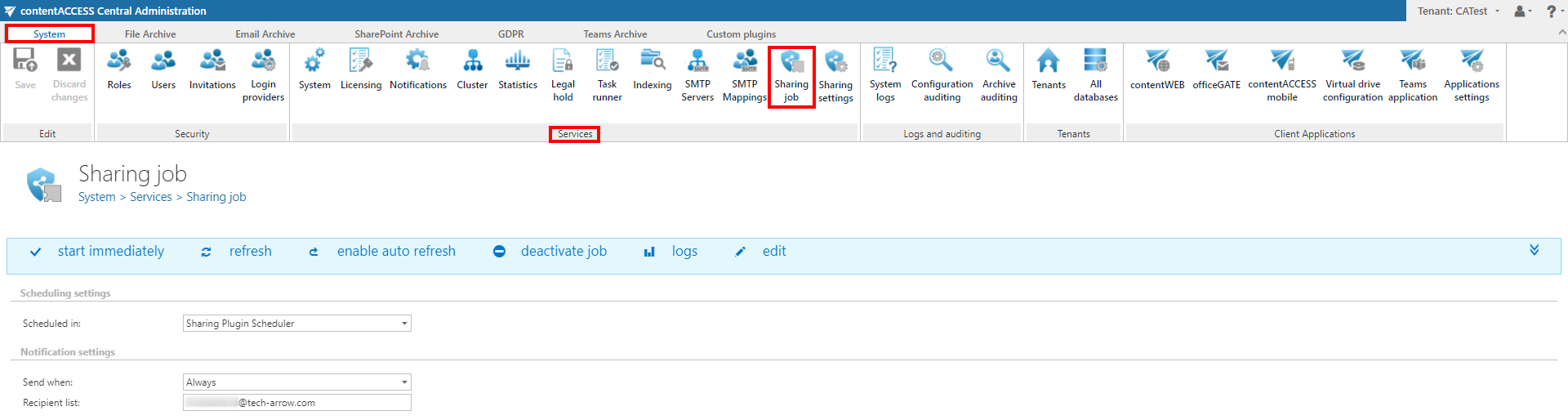
On this page, you can configure the following settings:
Scheduling settings
Select the running times of the Sharing job. You can either select an existing scheduler from the list or create a new one using the Create new option.
For more information about how to set up schedulers, refer to the Schedules page.

Notification settings
Configure the cases in which you want to receive notifications from the Sharing job. Notification emails can be set to be sent only in case of errors or warnings, or in all cases.
In the Recipient list textbox, enter the email addresses of the people who should receive these emails. Notification emails can be used as a troubleshooting tool.
