SharePoint Archive settings
Introduction
The SharePoint Archive settings page in contentACCESS Central Administration allows administrators to configure the core components required to create and run a SharePoint archive job. This includes setting up databases, storages, retentions, system settings, shortcut configuration, site connections, provisioning settings, and schedules.
The page also introduces the four SharePoint job types available in contentACCESS: SharePoint Archive, SharePoint Recovery, SharePoint Publishing, and SharePoint Provisioning jobs, each of which is described in detail in dedicated chapters of this guide.
Activate SharePoint Archive
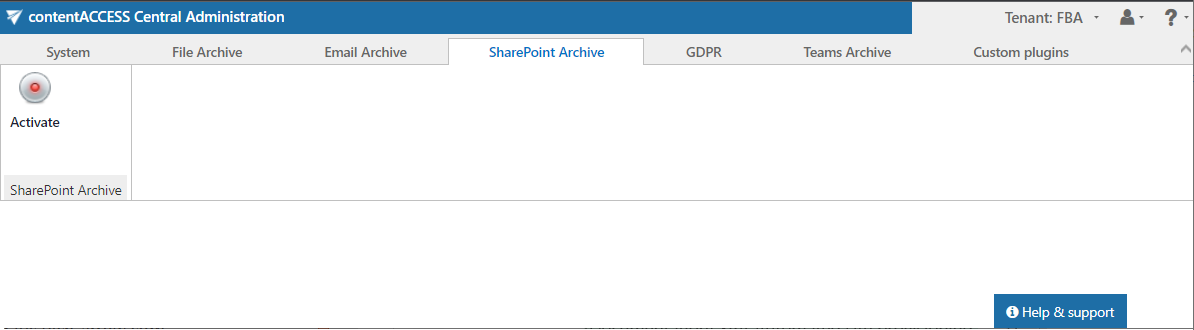
When the SharePoint settings are configured in contentACCESS Central Administration for the very first time, SharePoint Archive must be activated:
Configure the SharePoint Archive settings
All SharePoint settings that are necessary to create a SharePoint archive job can be found on the SharePoint Settings page (SharePoint Archive tab => Settings group).
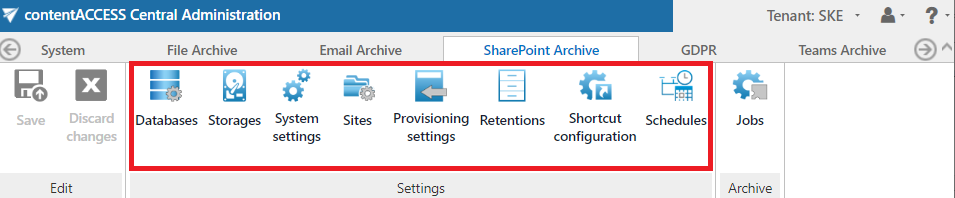
The administrator configures the following here:
-
Databases: A list of MS SQL database connections configured for your tenant. You can either configure an already existing database connection (option Configure existing) or add a new database on the All databases page (System tab => Tenants group => All databases). For more information about how to add new databases and perform database settings, refer to the Databases chapter.
-
Storages: The SharePoint Archive storage for the binaries must be set here. For more information about how to create a new storage connection, refer to the Storages chapter.
-
Retentions: Retentions define the time period during which the data is stored in the archive storage. For more information about how to create retentions to be applied, refer to the Retentions chapter.
-
System settings: The main system database connection, the retention settings, and the SharePoint settings for the SharePoint Archive are selected here. All site connections and their settings are kept in this database. For more information, refer to the SharePoint archive System settings page.
-
Shortcut configuration: The administrator configures the archiving methods here. Two shortcut types are available in the SharePoint archive: Keep original and HTML shortcut. For more information about how to configure the shortcut types, refer to the Shortcut configuration in SharePoint archive chapter.
-
Sites: The administrator configures the connections to the SharePoint sites that will be archived. This tab is only available when the On-premise type is selected on the System settings page. The site connections define the start point of the SharePoint site to be archived. For more information about how to configure the site connections, refer to the Site connections in SharePoint archive chapter.
-
Provisioning settings: The job that creates and updates contentACCESS users and assigns contentACCESS roles to them based on information gathered from SharePoint. For more information, refer to the SharePoint archive Provisioning settings chapter.
-
Schedules: The schedules automating the archive process must be set here.
SharePoint job types
There are four available SharePoint job types in contentACCESS:
- SharePoint Archive job
- SharePoint Recovery job
- SharePoint Publishing job
- SharePoint Provisioning job
Each job type, together with its configuration, is detailed in the following chapters of this guide.