Tenant - database association
Introduction
The Tenant - database association in contentACCESS defines how a tenant is linked to a database used by the Task runner job and the Indexing job. This association is established when the tenant is created and determines which database stores the tables required by these jobs.
This page describes how the tenant database is configured during tenant creation, how it is displayed for existing tenants, and how it can be changed afterward.
Configure the tenant database during tenant creation
When a new tenant is created, the tenant database association is configured as part of the setup process:
-
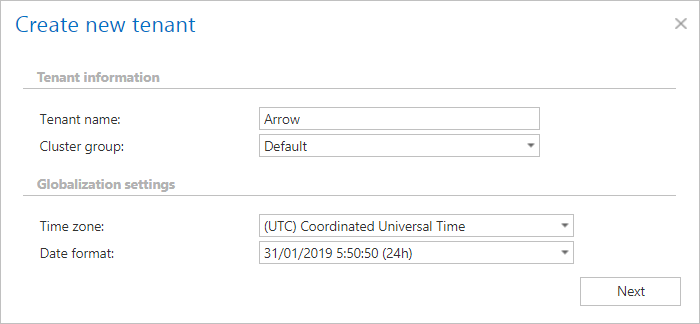
Specify the tenant name.
-
Select a Cluster group from the dropdown list to which the tenant will belong.
-
Set the Time zone, selected from the dropdown list.
-
Set the Date format, either selected from the dropdown list or specified manually using the Custom date format option.
These settings are defined at the tenant level.
-
Click Next.
-
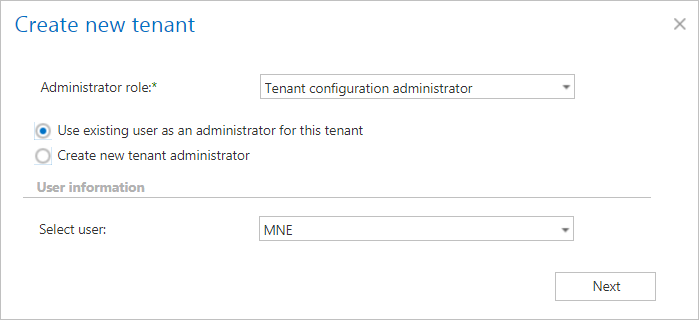
Add the tenant administrator.
-
Choose whether to create a new database on the SQL server or use an existing one.

-
Specify the required database parameters.
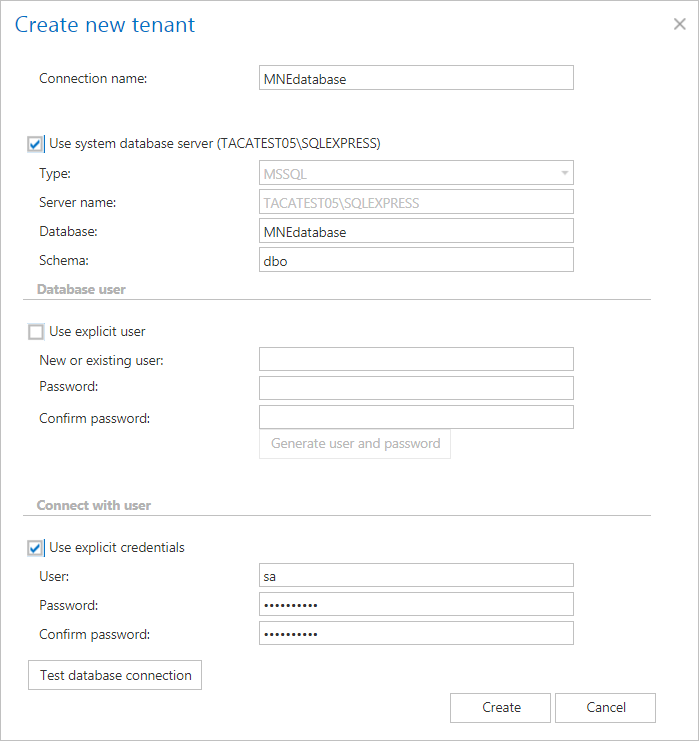
After the tenant is created, the database scripts automatically create the tables required by the Task runner and Indexing jobs.
View the tenant database
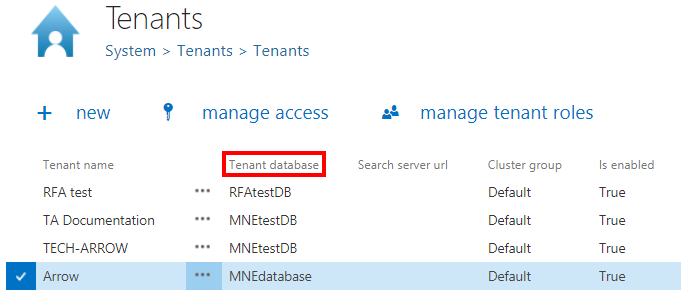
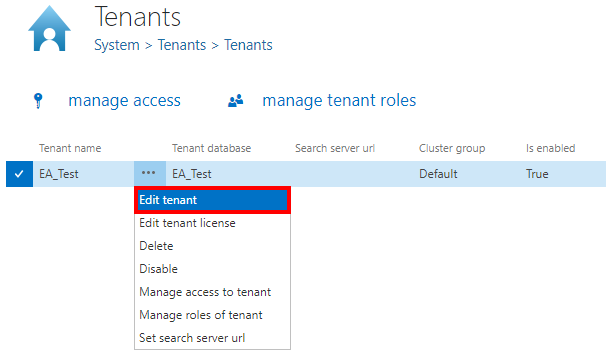
The tenant database associated with each tenant is displayed in the Tenant database column of the tenants table.
Change the tenant database
The tenant database can be changed from the context menu of the tenants table.
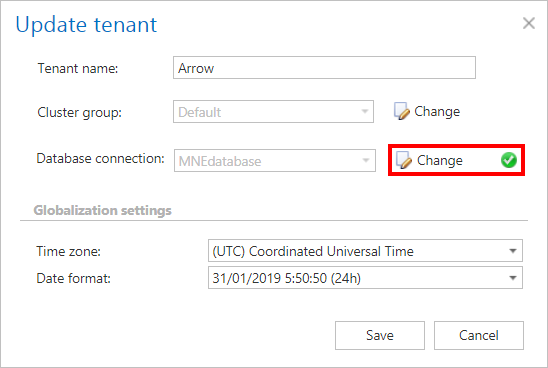
Note: For existing tenants, running the update will execute the necessary database scripts on the default database and set it as the tenant database.