Tenant - user association
Introduction
Tenant - user association describes how users in contentACCESS are linked to tenants, how the default tenant is assigned during user creation or invitation, and how administrators can filter and manage users based on their tenant associations.
Every user belongs to at least one tenant. Understanding tenant-user associations helps administrators control access, manage default tenant assignments, and filter users according to their relationship with a given tenant.
Assign a tenant when creating or inviting a user
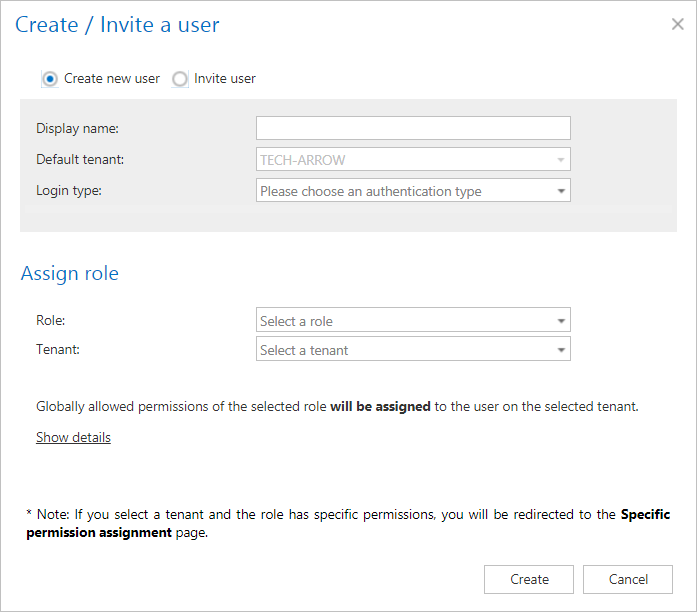
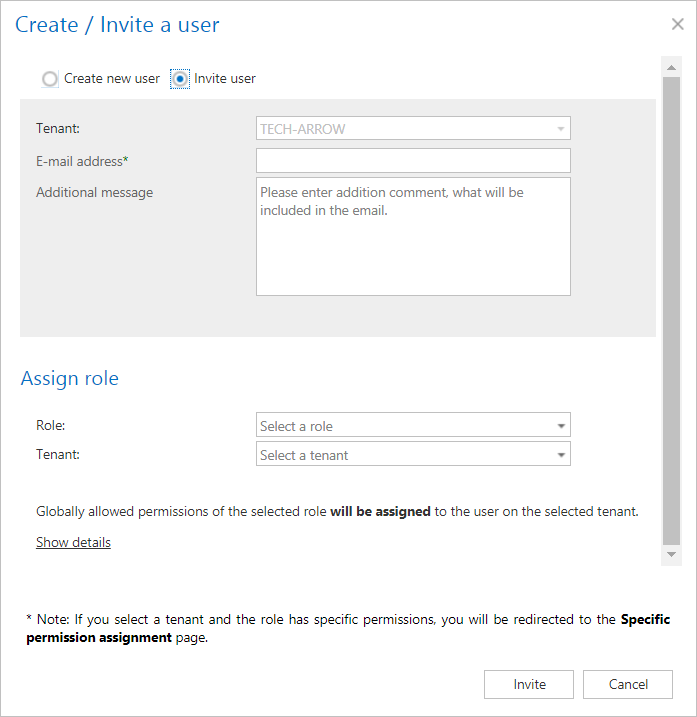
When creating or inviting a user, a tenant must also be selected. The default tenant offered here is the same tenant currently selected in the upper right corner in Central Administration.
Show users
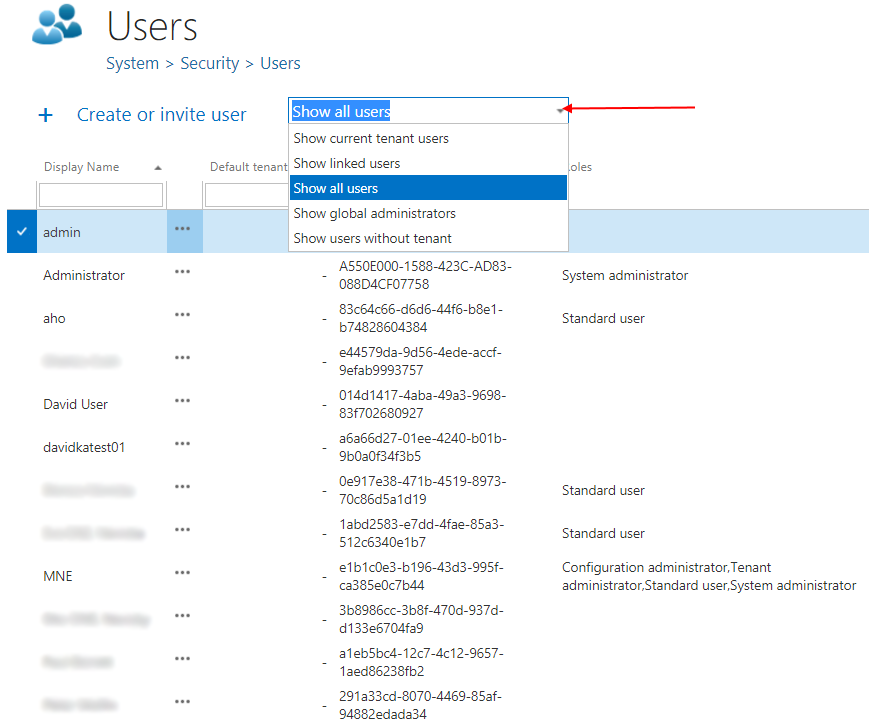
From the dropdown list on the Users page (accessed by clicking the Users button on the ribbon), you can choose one of the following filters:
- Show current tenant users – users with the current tenant assigned as their default tenant.
- Show linked users – users who have a role associated with the current tenant.
- Show all users – users who have access to the selected tenant.
- Show global administrators – users with a role associated with all tenants (visible only for system administrators).
- Show users without tenant – users associated with no tenants (visible only for system administrators).
Change the default tenant
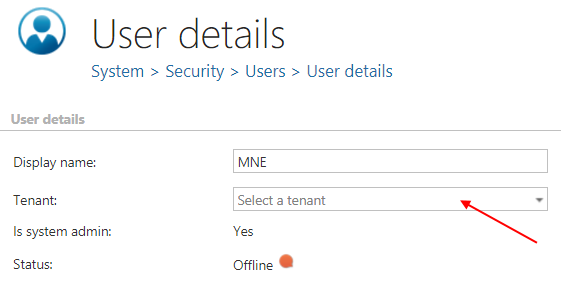
To change a user's default tenant:
- Go to the user's details by selecting Edit from the user's context menu.
- If you have Manage tenant permission on the user's default tenant, change the tenant as required.