Tenant deletion
Introduction
Tenant deletion in contentACCESS allows administrators to permanently remove a tenant along with its associated jobs, settings, and data. This page describes how to delete a tenant, what content is removed as part of the deletion, and how existing users are handled once their tenant no longer exists.
warning
Important: Deleting a tenant is irreversible. All jobs, settings, repository objects, Schedulers, Role associations, and Users who have no access to another tenant will be permanently deleted.
Delete a tenant
- Go to the context menu of the tenant you want to delete.
- Choose the Delete option.
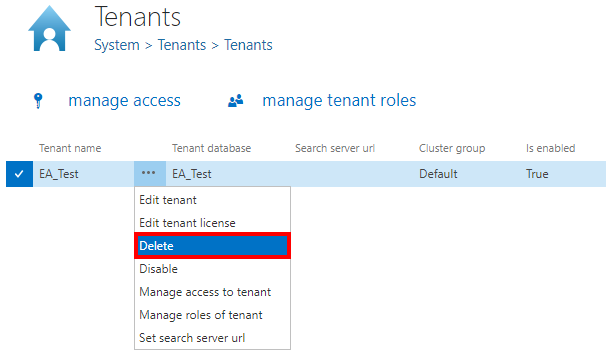
User handling after tenant deletion
When a tenant is deleted, users who still have access to another tenant are not removed. Instead, they are reassigned to a different tenant based on the following rules:
- If the user had the manage system permission, the system tenant is assigned.
- If the user had associated roles on the tenant, the first tenant found in the role association is assigned.
- If the user had associated roles on all tenants, the first tenant found in the system is assigned.