ThreatTest Statistics
Introduction
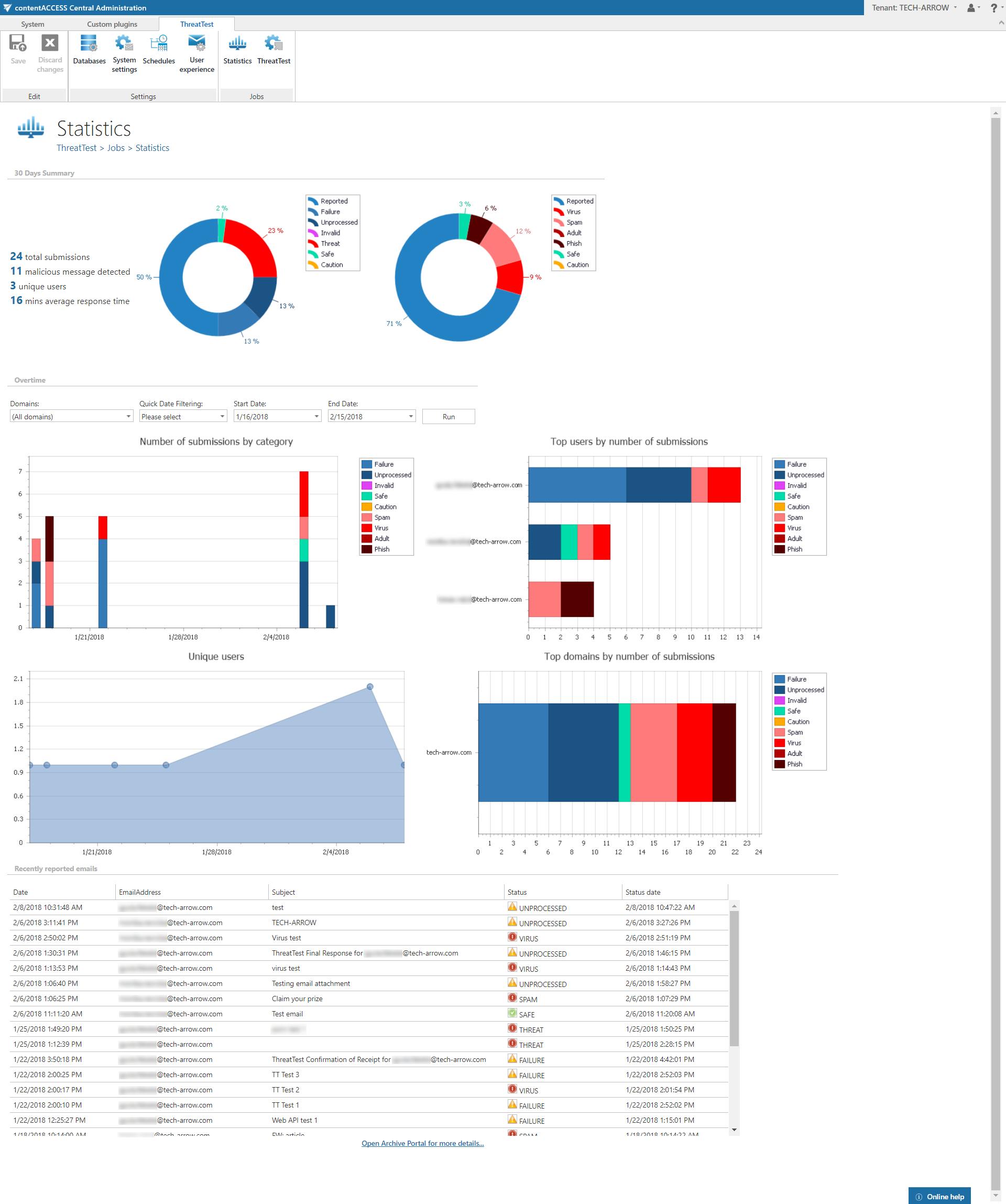
The ThreatTest Statistics page displays statistics about emails reported through ThreatTest. It allows administrators and users to monitor reporting activity over time, review summary data, and inspect recently reported emails in detail.
The page is divided into three sections:
- 30 days
- Overtime
- Recently reported emails
30 days
The 30 days section shows summary statistics about emails that were reported in the last 30 days.
Overtime
The Overtime section displays statistics about all reported emails. Users can filter the data by:
- Domain
- Age (maximum 90 days)
- Start date
- End date
This section contains four graphs, each showing statistics based on a different factor:
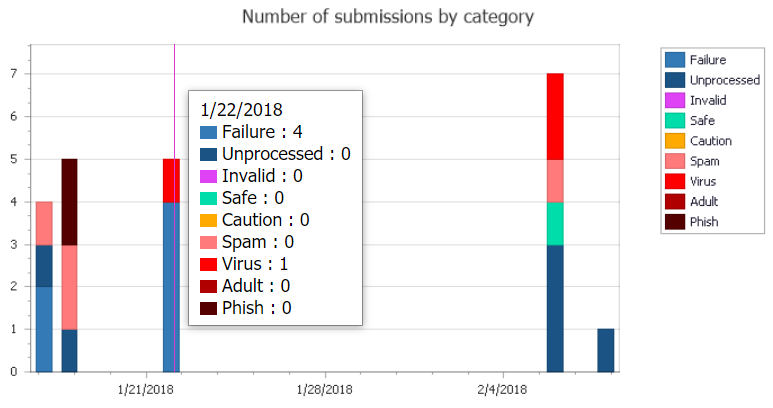
- Number of submissions by category
- Top users by number of submissions
- Unique users
- Top domains by number of submissions
Hovering the cursor over a graph displays its detailed data.
Recently reported emails
The Recently reported emails section lists the most recently processed emails. The grid contains the following columns:
- Date: The day the email was reported by the user.
- Email address: The email address of the user who reported the email.
- Subject: The subject of the reported email.
- Status: The status assigned to the reported email by ThreatTest.
- Status date: The day the status was assigned to the reported email.
Note: The filter set in the Overtime section also applies to the emails shown in this section.
Open the Archive portal
At the bottom of the page, the Open Archive portal for more details… button redirects the user to the contentACCESS Portal, where the reported emails can be viewed in detail.