Creating a new migration
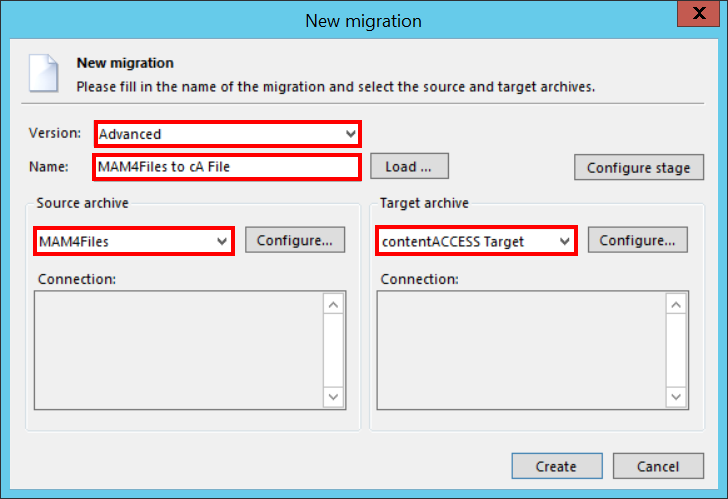
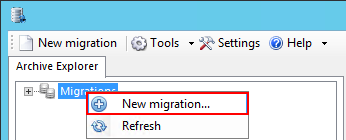
The desired migration can be defined by using the "New migration" button, which is reachable on the toolbar and also in the context menu of the contentGATE. By clicking this button, the New migration window opens.

In the New migration dialog:
- Select the “Advanced” version from the “Versions” dropdown list.
- Name your migration project.
- Configure the Source archive and Target archive connection settings (further details in section Specifying Source and Target archive connection settings).