GDPR File system
Introduction
The GDPR File system entity allows you to browse archived files, view their properties, search within the current folder, preview files, and perform actions such as opening, downloading, sharing, and attaching files to emails.
GDPR File system list view
When viewing a GDPR File system entity, the following properties are displayed:
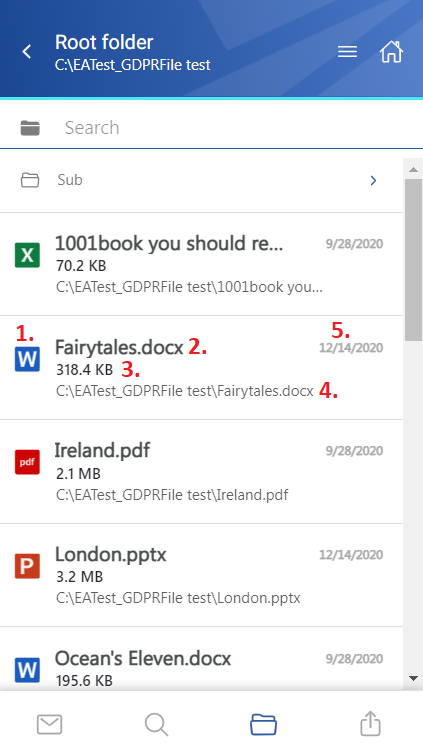
- Item preview.
- Item name.
- Item size.
- Location/folder of the file.
- Date of the last modification of the file.
Select files
You can select one or multiple files from the list. When one or more files are selected, a toolbar appears with the following actions:
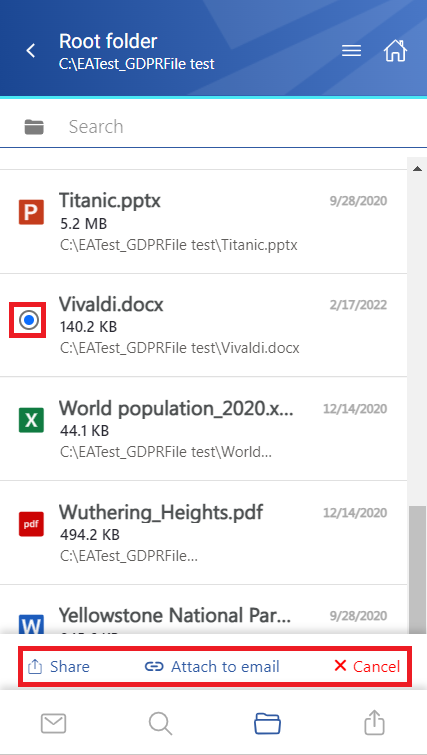
- Share – Shares the selected item(s) from the entity.
- Attach to email – Attaches the selected file(s) to a new email and sends them to the recipients.
- Cancel – Cancels the operation and removes the selection from the item(s).
View file details
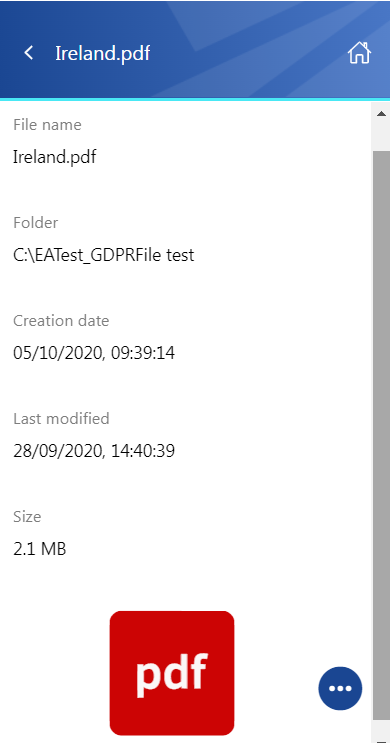
Click a file to open its detailed view.
The available properties depend on the file format and its modification.
Preview files
If the Preview service is enabled in Central Administration, the file preview can be opened through the document icon. For more information, see Item list and item preview.
Click the document icon or select Open from the context menu to open the item's preview in a new browser window.
If you open the preview for the first time after the login session has expired, the login page is displayed first.
From the preview, you can:
- Download the document as the original file or as a PDF.
- Print the item.
- View limited file information, including the file name and size.
If the file has been shared, a Sharing ribbon appears at the bottom of the page. For more information, see the Share page section.
Item context menu
The context menu of an item provides the following actions:
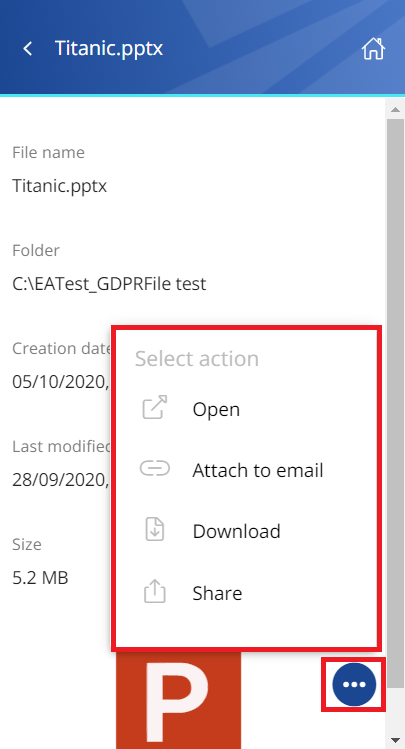
- Open – Opens the document in the browser through the Preview service.
- Attach to email – Attaches the file whose preview is open to a new email and sends it as an attachment.
- Download – Downloads the item to the local machine.
- Share – Shares the file whose preview is open from the context menu. For more information, see the Share page section of the manual.