Connecting to Dropbox
Introduction
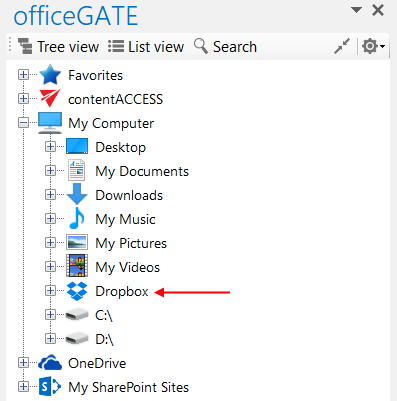
Dropbox allows users to store files, photos, and videos in the Dropbox folder on their computer. After Dropbox is installed on the PC, the Dropbox folder is available in officeGATE under the My Computer local file system.
Access Dropbox in officeGATE
After installing Dropbox on your PC, it is automatically available in officeGATE.
To access Dropbox:
- Open the officeGATE pane.
- Expand My Computer.
- Locate the Dropbox folder among the available local folders.
If Dropbox is not installed, download the installation file from Dropbox.