Connecting to third -party DMS providers (Datengut, Perceptive)
Introduction
officeGATE supports connections to third-party DMS providers, including Datengut and Perceptive, also known as Saperion ECM. These providers are integrated as plugins into the contentACCESS provider.
To connect to a third-party DMS provider, the corresponding third-party authentication provider must be enabled in contentACCESS. Single sign-on authentication is also supported. With single sign-on, users do not need a separate Datengut or Perceptive user account in contentACCESS. The user account is created automatically in the background when the user logs in to the Datengut or Perceptive DMS from officeGATE.
For more information about enabling authentication providers, see the Login providers section in the contentACCESS Manual.
Connect to Datengut or Perceptive
Before connecting to Datengut or Perceptive, configure and log in to the contentACCESS provider. For more information, see Connecting to contentACCESS.
When logging in to contentACCESS:
- Select the Datengut or Perceptive Login method (provider).
- Enter your existing Datengut or Perceptive user credentials.
- Click Login.
The corresponding Datengut or Perceptive model is then connected to officeGATE.
To verify the connection, expand the contentACCESS node in the officeGATE pane.
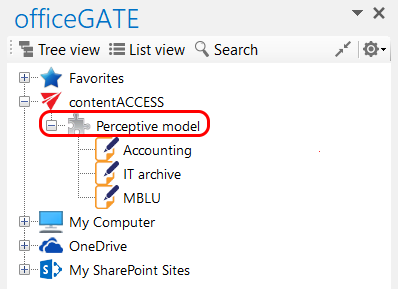
Screenshot A: Perceptive node in tree view
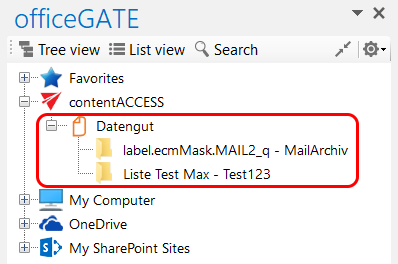
Screenshot B: Datengut node in tree view