Setting favorites
Introduction
The Favorites feature in officeGATE provides quick access to frequently used folders, libraries, and contentACCESS jobs. Favorite locations are collected under the Favorites node in the tree view.
info
Note: The tooltips of favorite locations display the parent folder, making navigation easier.
Add locations to Favorites
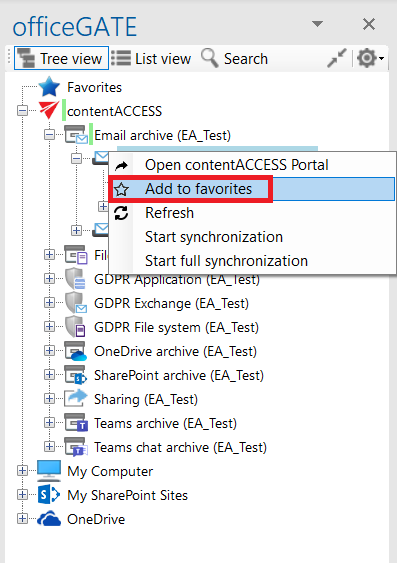
To add a folder, library, or contentACCESS job to Favorites:
- Select the desired location in the navigation pane.
- Open its context menu.
- Select Add to favorites.
The selected folder or library is then added under the Favorites node.
Remove locations from Favorites
You can remove locations from Favorites when they are no longer needed.
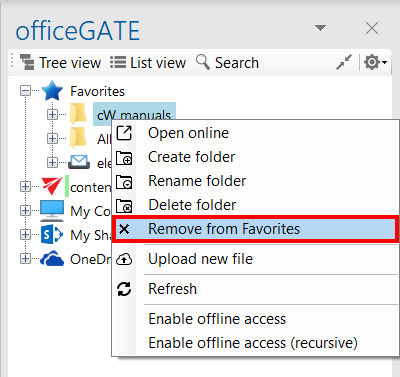
To remove a favorite location:
- Open the Favorites node in the navigation pane.
- Select the favorite location.
- Open its context menu.
- Select Remove from Favorites.